

Alternatives to ImageGen2
Generate photorealistic AI images with near-perfect text rendering, world knowledge, and precise editing using OpenAI's most advanced GPT Image 2.
Explore 20 alternatives to ImageGen2. Compare features, pricing, and find the best fit for your needs.
White Screen Checker
Check your screen display for dead pixels using White screen or black screen checkers.

Goshortsai
Turn photos into AI videos for free with Goshortsai. Sign in daily for free credits, upload an image, describe the motion, and generate your video.

MyType FYI
Explore your visual type with ten free rounds of fictional faces, a base result and optional original portraits, posters or five-second videos.

ScaleReach
Paste a link, get ready-to-post TikTok, Reels and Shorts clips with auto captions. 100 free minutes, no credit card.

Vikas Editor AI
AI photo and video creative studio for cinematic portraits, fashion edits, festival greetings, and photo-to-video concepts.
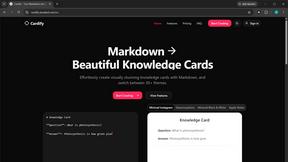
Cardify
Markdown in, designed knowledge card out. 30+ themes shown side by side, adjustable size and fonts, PNG/SVG/PDF export including batch.
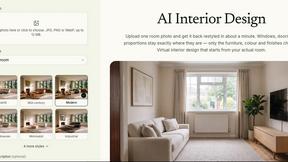
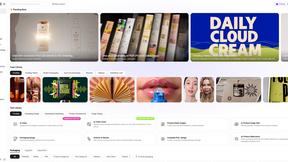
Rhinobird
AI video ads, UGC-style videos, and product visuals for cross-border sellers and e-commerce brands.

Promptclay
Free-to-copy AI image prompt library. Each prompt is shown next to the image it made.
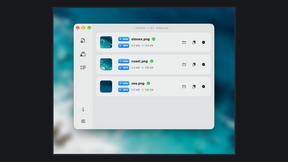
Zipic
Native image compression for Mac and Windows (Windows beta), with a local CLI and AI skill for automated image workflows.
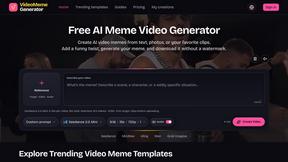
AI Video Meme Maker
Make AI video memes from text, photos or clips, or use a trending template. Free credits to start.
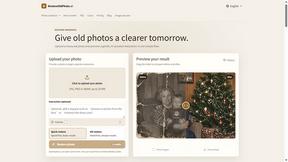
RestoreOldPhoto
Restore old photos with RestoreOldPhoto.ai: repair scratches, creases and fading, sharpen faces and details, and optionally colorize family memories.
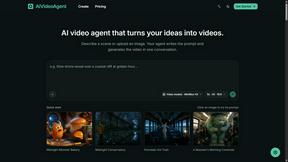
AIVideoAgent
Turn text ideas or reference images into videos through conversation, with agent-assisted prompts and a choice of video models.
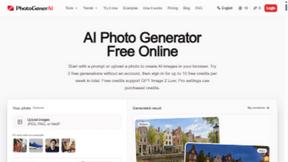
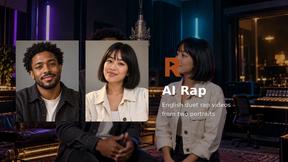
AI Rap
AI rap generator that turns two portraits or one photo of two people into a short English duet rap video with original lyrics, vocals, and music.
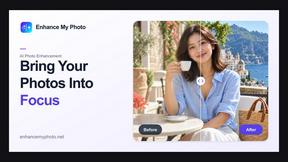
Enhance My Photo
Online AI photo enhancer that sharpens portraits, products, scenery, pets and text images and exports them as JPEG, PNG or WebP without watermarks.
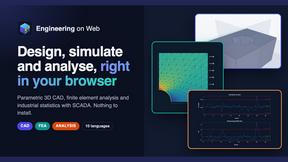
Engineering on Web
Free CAD, FEA simulation and SPC statistics in your browser, with an AI assistant that builds CAD features.
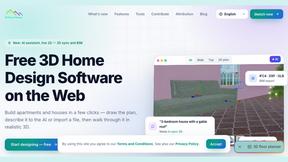
3D House Planner
Free 2D/3D home design in your browser: draw a floor plan, see it live in 3D, furnish it and get AI renders.
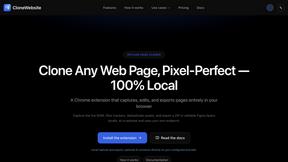

AI Room Makeover
Turn room photos into AI design concepts. Explore furniture, colors, styles and layouts with text requests and optional reference images.
About ImageGen2 Alternatives
ImageGen2 is a free online AI image generator built on the GPT Image 2 model, falling within the image generation and content creation categories. It is designed to produce photorealistic outputs with notably accurate text rendering, making it a strong tool for creators needing high-quality visuals for product photos, posters, logos, and ad creatives. While ImageGen2 offers robust editing and reference combination features, users often look for alternatives due to specific needs such as different pricing models, limitations on generation quotas, or the desire for additional platform integrations like direct API access or bulk processing capabilities. When evaluating an alternative to ImageGen2, you should prioritize clarity on output quality, particularly regarding photorealism and text accuracy if those are critical for your work. Consider the tool’s pricing structure, whether it offers a free tier, and if it supports the specific use cases you need, such as portrait generation or background editing. Additionally, assess the ease of use, speed of generation, and whether the alternative provides the level of control over prompts and image editing that matches your workflow.
FAQs about ImageGen2 Alternatives
What is ImageGen2?
ImageGen2 is a free online AI image generator and editor powered by the GPT Image 2 model. It enables users to create photorealistic images from text prompts, edit uploaded images, and combine multiple visual references into a single cohesive output. The tool is designed to produce high-quality visuals with accurate text rendering, making it suitable for professional use cases like product photography and ad creatives.
Who is ImageGen2 for?
ImageGen2 is built for content creators, designers, marketers, and small business owners who need to generate high-quality visuals quickly and without cost. It is ideal for anyone producing product photos, posters, logos, ad creatives, portraits, backgrounds, or social media content that requires realistic imagery and readable text. The tool is accessible to both beginners and experienced users due to its straightforward prompt-based interface.
Is ImageGen2 free?
Yes, ImageGen2 is completely free to use as an online AI image generator and editor. There are no hidden charges or subscription fees required to access its core features, including image generation from prompts, image editing, and reference combination. Users can generate photorealistic images and edit them without financial commitment, making it an accessible option for a wide range of creative projects.
What are the main features of ImageGen2?
ImageGen2 offers several key features, including the ability to generate photorealistic images from text prompts, edit uploaded images, and combine multiple visual references into a single output. It supports creating product photos, posters, logos, ad creatives, portraits, backgrounds, and social content with a strong emphasis on readable text rendering. The tool is designed for intuitive use, allowing users to produce professional-grade visuals directly from their browser.