

Alternatives to Flowton: Focus App
Turn your goals into XP by tracking time as Up or Down, then level up by improving your productive ratio.
Explore 20 alternatives to Flowton: Focus App. Compare features, pricing, and find the best fit for your needs.
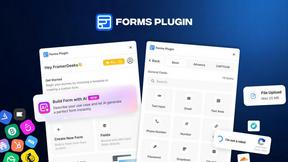
Forms Plugin
The #1 Native Form Builder Plugin for Framer - No Code, No Embeds, No External Platforms.

HomeAnswerBook
Practical, independent guides to home repairs, maintenance, costs, troubleshooting, and everyday fixes.
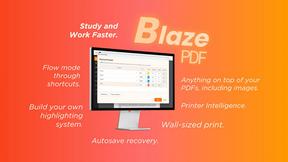
BlazePDF
Highlight faster. Study in flow with custom shortcuts and a workflow built around you. Print smarter, or turn any page into a tiled poster.


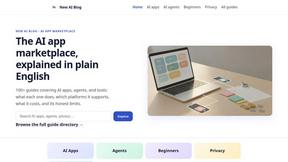
New AI Blog
Explore AI apps, agents and automation with New AI Blog. Read practical guides covering features, pricing, privacy and everyday workflows.
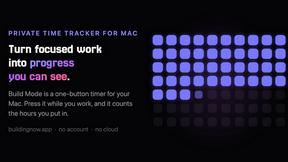
Build Mode for Mac
Build Mode is a Mac app that turns focused sessions into visible progress, so you can see the work adding up before the results arrive.

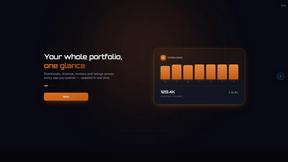
GROWNX
Real-time downloads, revenue, and reviews across your App Store portfolio, plus an AI copilot.


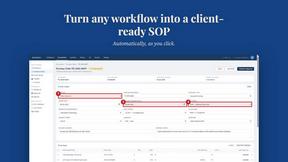
MySOP.guru
Capture any workflow in your browser and export a branded, step-by-step SOP with screenshots. €5 per document, no subscription.

Traceback - Reveal No Caller ID
Traceback reveals the real number behind No Caller ID and unknown calls, so you always know who is really calling.

PerPageFax
PerPageFax lets you send a fax online from any browser for a flat $0.50 per page — no account, no subscription, no fax machine.
Delta Report
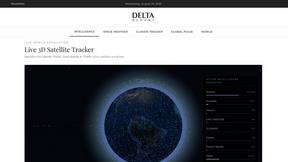
Free, Live 3D Satellite, Space Weather & Climate Tracker in real time on an interactive globe alongside articles and insights.

The French Corner
Learn French through visual stories told by a native speaker. Words you meet come back on their own, right before you'd forget them.

Islamic Journal - Muhasaba
A quiet Islamic journaling app for the daily practice of muhasaba — written or spoken reflection, with AI guidance drawn from the Quran and Sunnah

About Flowton: Focus App Alternatives
Flowton: Focus App is a time management tool in the Productivity & Management and Education & Learning categories that redefines how you track your day by labeling every activity as either Up time or Down time. Instead of generic timers, it gamifies your focus by converting productive hours into visual particles called flowtons, which orbit a core, while wasted time gets ejected into a Black Hole. Users often look for alternatives due to pricing changes, a desire for simpler interfaces, or the need for cross-platform support like desktop or web access. When evaluating options, prioritize apps that offer clear goal-setting, customizable timers, and robust data visualization to help you genuinely improve your productive-to-unproductive ratio without unnecessary complexity. The search for a replacement usually stems from wanting a different balance of features, such as deeper analytics, team collaboration, or a more minimal design that reduces friction. Some users find the particle visualization too abstract and prefer straightforward pie charts, while others need integration with calendars or habit trackers. To choose the right alternative, focus on whether the app supports your specific workflow, offers flexible timer modes like countdown or count-up, and provides a clear method to separate focused work from distractions. The best tool will make it easy to see where your time goes and give you actionable insights to shift your ratio toward more meaningful activities.
FAQs about Flowton: Focus App Alternatives
What is Flowton: Focus App?
Flowton: Focus App is a productivity tool that helps you track and improve your ratio of productive versus unproductive time. It reclassifies your entire day into Up time (productive) and Down time (unproductive) activities, allowing you to visually see where your time goes. The app uses a unique gamified system where productive time generates flowtons that orbit a core, while unproductive time is ejected into a Black Hole. This approach turns abstract time tracking into a tangible, motivating experience.
Who is Flowton: Focus App for?
Flowton: Focus App is designed for students, professionals, and anyone looking to gain clarity on how they spend their time. It is ideal for people who have specific goals, such as studying more or reducing gaming, and want a concrete way to measure progress. The app appeals to users who enjoy visual feedback and gamification to stay motivated. It works well for individuals who want to shift their daily ratio toward more meaningful activities without complex setup.
What are the main features of Flowton: Focus App?
Key features include a dual timer system with Countdown and Count Up modes to deposit time into a Core or discard it into a Black Hole. You can create multiple boards with numerous Cores to customize your daily setup for different goals. The app provides visual time history, detailed stats, and objective-setting tools to monitor your ratio over time. Additionally, banked time generates flowtons, which are productivity particles that only exist when you actively measure them, adding a unique visual incentive.
Is Flowton: Focus App secure?
While specific security protocols are not detailed in the provided content, Flowton: Focus App operates as a mobile app that tracks personal time data locally on your device. As with most productivity apps, your data is typically stored on your phone and can be backed up to your device's cloud service if enabled. For precise security features, such as encryption or data sharing policies, it is recommended to review the app's official privacy policy. The app does not require sharing your time data with other users, keeping your focus metrics private.