

Flowton: Focus App
Turn your goals into XP by tracking time as Up or Down, then level up by improving your productive ratio.
AI tool Details
About Flowton: Focus App
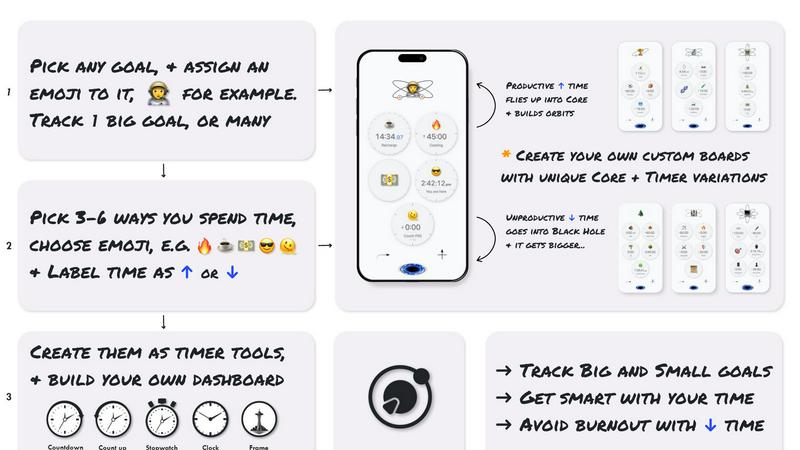
Flowton is a time tracking and productivity tool designed to help you rethink your entire day as Up time versus Down time. Instead of vague notions about how you spent your hours, Flowton gives you a concrete, measurable system. You track activities that move you toward your goals as productive time, and activities that drain your focus as unproductive time. The core insight is simple: progress is made by doing more of one thing and less of another. Whether you spent 4 hours studying or only 2, or 5 hours gaming versus just 1, Flowton captures that data and turns it into actionable insights.
The app introduces the concept of a "flowton," a hypothetical productivity particle that represents banked time. When you complete a timer for a productive activity, you capture flowtons and deposit them into a Core, which represents a specific goal or objective. Unproductive time gets ejected into a Black Hole, visually showing you where your time is wasted. You can create multiple boards with multiple Cores, allowing you to track different areas of your life, such as work, study, fitness, or hobbies. At the end of each day, you forward time and perform a Core Deposit, storing your progress into a history bank for long-term analysis.
Flowton is for students, practitioners, skill builders, creators, developers, and anyone living in a distracted world who understands that focused, prolonged productivity is the only way to achieve real goals. The app is currently live globally on iOS, with an Android version in development. It offers advanced timer mechanics like reverse time and fast-finish, plus detailed statistics to help you monitor and improve your Up time versus Down time ratio. Flowton turns time into the XP of real life, helping you level up by spending your hours on what truly matters.
Features
Time Banking with Flowtons
Flowton introduces a unique time banking system where productive time is captured as flowtons, a hypothetical productivity particle. When you start a timer with bankability enabled, flowtons are generated and stored upon completion. You then deposit these flowtons into a Core, which represents a goal or objective. This gamified approach turns time tracking into a tangible, rewarding experience, making it easier to stay motivated and see the direct value of each focused session.
Core and Board System
Each Core represents a specific goal, such as studying for an exam, writing a book, or learning a new skill. You define which activities contribute to that goal and which do not. You can create multiple boards, each containing multiple Cores, to track different areas of your life simultaneously. For example, you might have a board for work projects and another for personal development. This structure gives you complete control over how you categorize and visualize your time.
Up Time vs. Down Time Ratio Tracking
The app categorizes all your tracked time into Up time (productive) and Down time (unproductive). Productive time builds up orbits around your Core, visually representing your progress. Unproductive time gets ejected into a Black Hole. The key metric is your ratio of Up time to Down time. Flowton provides clear statistics and visualizations of this ratio, helping you identify patterns and areas where you need to improve your focus.
Advanced Timer Mechanics
Flowton includes powerful timer features beyond simple start and stop. The reverse time mechanic allows you to count up from zero, perfect for tracking open-ended tasks. The fast-finish mechanic lets you end a timer early if you complete a task ahead of schedule, ensuring you capture all productive time accurately. Timers can also be set as bankable for productive activities or non-bankable for unproductive ones, giving you fine-grained control over what gets deposited into your Cores.
Use Cases
Academic Study and Exam Preparation
Students can create a Core dedicated to a specific subject, like organic chemistry or history. They set timers for focused study sessions as bankable activities, capturing flowtons into that Core. Timers for breaks or distractions like social media are set as non-bankable. At the end of each day, students can see exactly how many hours they studied versus how much time they wasted, allowing them to adjust their schedule and improve their study ratio over the course of a semester.
Freelance Project Management
Freelancers juggling multiple clients can create a board for each client or project. Each board contains Cores for different tasks, such as design, coding, or client calls. By tracking time against each Core, freelancers can see exactly how many flowtons (productive hours) they invested in each project. This data is invaluable for billing clients accurately, estimating future projects, and identifying which types of work are most profitable or time-consuming.
Skill Building and Personal Development
Someone learning a new language, instrument, or coding skill can create a Core for that goal. They set timers for practice sessions as bankable activities. Over weeks and months, the history bank shows a clear record of total practice time. The Up time vs. Down time ratio helps them see how consistent they are. If the ratio drops, they know they need to reduce distractions and increase focused practice to achieve fluency or mastery.
Creative Work and Deep Focus
Writers, artists, and developers often struggle with deep focus. Flowton helps by creating a Core for a specific creative project, like a novel or an app feature. The timer encourages uninterrupted work sessions. The visual of orbits building around the Core provides positive reinforcement. The Black Hole for unproductive time acts as a deterrent against checking email or browsing the web. The daily deposit ritual creates a sense of accomplishment and closure for each creative session.
Frequently Asked Questions
What is a flowton?
A flowton is a hypothetical productivity particle that exists all around you. In the Flowton app, flowtons act as units of time that you "bank" using the app's time tracking technology. When you complete a timer for a productive activity with bankability enabled, you capture flowtons. The number of flowtons you capture is in direct relation to how much you have accomplished in a day. Maximizing your flowton capture is the key objective of the app.
How is time tracked in Flowton?
Time is tracked using timers that have a "bankability" setting. When you enable bankability for a timer, flowtons are captured when the timer finishes. You then deposit these captured flowtons into a Core, which represents your productive time. For activities you wish to track that do not contribute to your goal, you set those timers as non-bankable. The goal is to gradually increase your bankable time while decreasing your non-bankable time.
What are Cores and how do they work?
Each Core represents a goal or objective you set for yourself. You define which activities (timers) contribute to this goal and which do not. You configure your boards so that time banked as flowtons goes into the Core and generates orbits, visually representing your productive day. You can track multiple Cores across a single board or multiple boards. At the end of the day, you perform a Core Deposit, which stores your progress into a history bank for long-term analysis.
Who is the app for?
Flowton is for all those living in an increasingly distracted and hyper-connected world who understand that individual, focused, and prolonged productivity is the only way to accomplish your goals. The app is designed for students, practitioners, skill builders, creators, developers, and all those working towards advancing themselves wherever a time investment is required. It is for anyone who wants to monitor and improve their Up time versus Down time ratio.
Similar to Flowton: Focus App
AI Email Filter
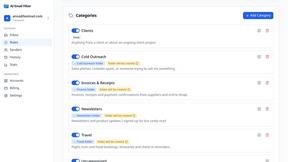
AI Email Filter sorts incoming mail into folders using plain-language prompts you write. Works with any IMAP mailbox; bring your own LLM if you want.

Partly
Snap the receipt, let AI read the items, and see who owes whom in your flat, trip or dinner group.
Wordy
Learn languages with real movie and TV show clips.
Product Launch Checklist
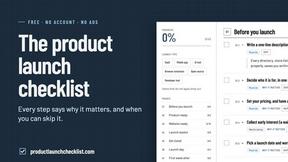
A free launch checklist for SaaS, apps, AI tools and more. Every step says why it matters and when you can skip it.
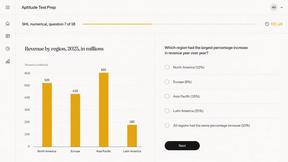
Aptitude Test Prep
Free timed practice for real employer aptitude tests

Solve Game Prep
Practice the McKinsey Solve game before it practices you.
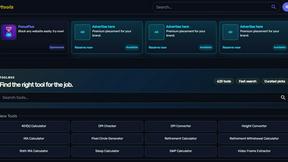
Kody Tools
Free collection of online developer utilities, code formatters, and digital converters designed to streamline your daily workflow.
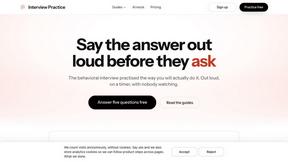
Interview Practice
Rehearse behavioral interview answers out loud on a timer, then an AI mock scores each answer and shows a stronger one.