

Alternatives to ekstrakt
ekstrakt uses AI to create structured summaries and transcripts from any YouTube video, saving you hours of watching.
Explore 20 alternatives to ekstrakt. Compare features, pricing, and find the best fit for your needs.
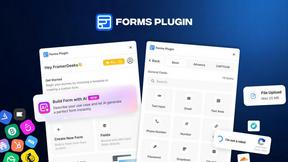
Forms Plugin
The #1 Native Form Builder Plugin for Framer - No Code, No Embeds, No External Platforms.

HomeAnswerBook
Practical, independent guides to home repairs, maintenance, costs, troubleshooting, and everyday fixes.
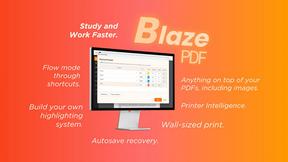
BlazePDF
Highlight faster. Study in flow with custom shortcuts and a workflow built around you. Print smarter, or turn any page into a tiled poster.

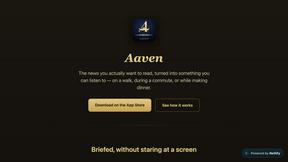
Aaven - News and Audio
Turns the news topics you pick into a natural-voice spoken briefing. Free tier included, no account required.
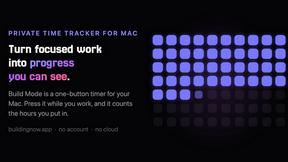
Build Mode for Mac
Build Mode is a Mac app that turns focused sessions into visible progress, so you can see the work adding up before the results arrive.

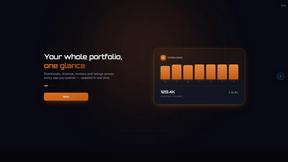
GROWNX
Real-time downloads, revenue, and reviews across your App Store portfolio, plus an AI copilot.

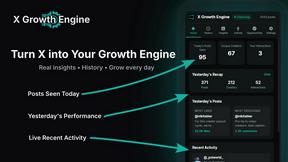
X Growth Engine
The only app that uses your unique X feed to surface leads, opportunities, and customers - no searching, no manual lists

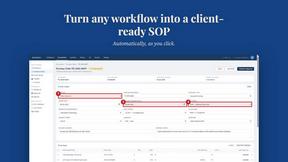
MySOP.guru
Capture any workflow in your browser and export a branded, step-by-step SOP with screenshots. €5 per document, no subscription.

PerPageFax
PerPageFax lets you send a fax online from any browser for a flat $0.50 per page — no account, no subscription, no fax machine.
Delta Report
Free, Live 3D Satellite, Space Weather & Climate Tracker in real time on an interactive globe alongside articles and insights.

The French Corner
Learn French through visual stories told by a native speaker. Words you meet come back on their own, right before you'd forget them.




About ekstrakt Alternatives
ekstrakt is an AI-powered YouTube summarization tool that belongs to the productivity and education category, helping users convert any video into structured summaries and transcripts. It operates as both a web app and a Chrome extension, offering four distinct summary styles that stream results in real time directly on the YouTube page or at ekstrakt.app. Users commonly look for alternatives when they need different pricing models, broader platform support beyond Chromium-based browsers, or specific integration capabilities like exporting to note-taking apps or team collaboration features. When choosing an alternative, focus on summary accuracy, supported languages, real-time generation speed, the flexibility of output formats, and whether the tool fits your specific workflow—such as handling long lectures, research videos, or industry content without forcing you to watch the full video first.
FAQs about ekstrakt Alternatives
What is ekstrakt?
ekstrakt is an AI-powered YouTube summarization tool available as a web app and Chrome extension. It generates structured summaries and transcripts from any YouTube video directly on the YouTube page or at ekstrakt.app. The tool offers four summary styles—Short, Detailed, Straight-to-Answer, and Ask-a-Question—with results that stream in real time. It also provides clickable transcript timestamps that let you jump to any moment in the video.
Who is ekstrakt for?
ekstrakt is designed for students who need to turn long lectures into concise study notes, researchers pulling key points from lengthy content, and professionals extracting actionable takeaways from industry videos. It is also ideal for anyone who wants to quickly decide whether a video is worth watching before committing time to it. The tool serves a broad range of users who consume YouTube content for learning, analysis, or productivity.
Is ekstrakt free?
The provided information does not specify a free tier or pricing model for ekstrakt. However, it does note that users can log in using Google, Apple, or email accounts, and that every summary is saved to an account for revisiting past videos. For specific pricing details, you would need to visit ekstrakt.app directly or check the Chrome extension listing for any subscription or usage limits.
What are the main features of ekstrakt?
ekstrakt offers four summary styles: Short, Detailed, Straight-to-Answer, and Ask-a-Question, all generated in real time with live streaming results. It includes clickable transcript timestamps that let you jump to any moment in the video, multi-language summary output, and one-click copy and download options for summaries or transcripts. Additional features include a summary history saved to your account and a theme-aware Chrome extension that automatically matches YouTube's light or dark mode.