

Alternatives to EditTextImage
Edit text in images online without Photoshop, keeping fonts, colors, and perspective intact in 30 seconds.
Explore 20 alternatives to EditTextImage. Compare features, pricing, and find the best fit for your needs.

RunwayAI
Independent Runway AI video generator for text and image-to-video workflows, with task tracking, previews, downloads, and API access.
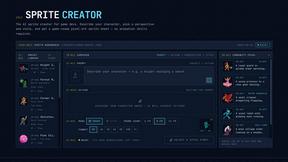
Sprite Sheet Maker
Create pixel-art sprite sheets from text with AI, preview animations, and export PNG assets for game prototypes.

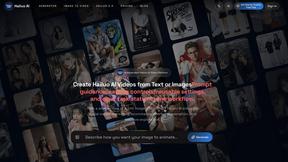
Hailuo AI
Create high-quality videos from text or images with guided prompts, motion and camera controls, flexible settings, task tracking, and downloadable res
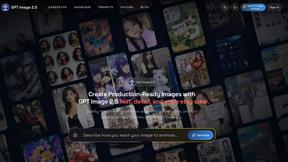
GPT Image 2 API
Generate and edit production-ready images with GPT Image 2 API, prompts, reference images, clear text, and developer workflows.
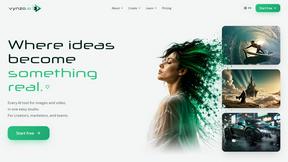
Vynzo
AI image and video studio. Generate from a prompt, animate stills, swap faces, restyle clips and edit — one credit pool, no subscription.

ProfileLoom
ProfileLoom turns one photo into platform-ready AI portraits for professional, social, and creator profiles, with presets and built-in editing.
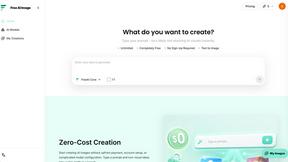
Free AI Image
Free AI Image is a free text-to-image AI generator for creating clean visual drafts from prompts with no sign-up required.

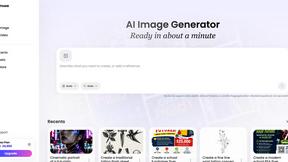
Vismuse
Create polished AI images and videos from prompts or references for social posts, ads, flyers, album covers, and campaigns.
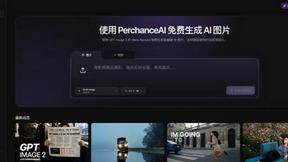
PerchanceAI
PerchanceAI is an AI creative studio for image generation, editing, background removal, product photos, and image-to-video creation.
Trushot AI
TruShot creates ultra-realistic AI dating photos from just 4 selfies. Generate natural-looking, verification-friendly profile pictures for Tinder, Hin
PromptExtract
PromptExtract converts a reference image into a detailed, structured AI image prompt that creators can edit and reuse.
UGCad AI
AI UGC video ad Generator which Turn a URL, prompt, or template into a ready video ads
StopScroll
StopScroll helps YouTube creators generate AI thumbnails and improve images for higher-click videos.
HubVanta
HubVanta is an AI image toolkit for creating, editing, enhancing, and transforming visual assets in the browser.
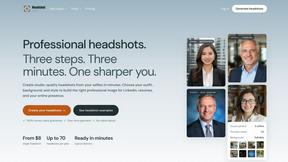
Headshot.ltd AI Headshot Generator
Turn a few phone selfies into professional headshots in ~5 minutes. 200+ backgrounds, one-time payment starting from $8.

IsThisAIImage
Ask is this AI image? Free online checker: upload a photo for AI-generated and deepfake scores plus a clear verdict band.
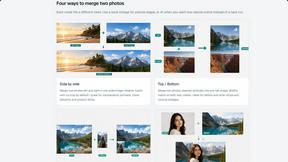
Merge Two Photos
Merge two photos free in browser: side by side, stacked, overlay, or AI fusion. Private local modes; download clean PNG, no watermark.
About EditTextImage Alternatives
EditTextImage is a specialized online tool in the image generation category that uses AI to replace text within existing images. Instead of manually editing pixels or recreating layouts from scratch, it samples the original typeface, color, and perspective directly from the image data, allowing users to swap words in finished graphics without needing the source design file. Users typically look for alternatives due to specific needs such as a lower per-edit cost for high-volume work, integration with existing design software or workflows, or a desire for more advanced editing controls beyond simple text replacement. When choosing an alternative, focus on three core criteria: output quality, cost structure, and workflow compatibility. The best alternative should preserve the original font and layout as accurately as possible, especially for paid or custom typefaces. Consider whether the pricing model fits your usage volume—some tools offer subscriptions while others charge per edit. Also evaluate how the tool integrates with your existing process, such as direct imports from design apps or batch processing capabilities. Avoid tools that require font installations or complex manual adjustments, as these defeat the purpose of a quick text replacement solution.
FAQs about EditTextImage Alternatives
What is EditTextImage?
EditTextImage is an online AI tool that edits text within existing images by sampling the original typeface, color, and perspective directly from the pixels. It allows you to replace words on finished posters, screenshots, or product photos without needing the original design file, installed fonts, or manual editing. The process takes about 10 seconds and outputs at 2K resolution.
Is EditTextImage free?
Yes, your first edit on EditTextImage is completely free with no credit card required. After that, it costs a one-time fee of $9.90 for 30 edits. There is no ongoing subscription, and you only pay for what you use.
What are the main features of EditTextImage?
Key features include AI-powered text replacement that preserves the original font, color, drop shadow, and perspective from the image pixels. It works with paid fonts and hand-lettering without requiring font files. The tool outputs at 2K resolution and completes edits in approximately 10 seconds per image.
Who is EditTextImage for?
EditTextImage is designed for anyone who needs to quickly fix typos, swap dates, or test headlines on finished images when the original design file is lost or inaccessible. It is ideal for marketers, content creators, social media managers, and small business owners who want a fast, no-subscription solution without needing Photoshop or Canva.