

Alternatives to DocuExtractor
DocuExtractor instantly turns messy receipts and invoices into clean, structured Excel or CSV files.
Explore 20 alternatives to DocuExtractor. Compare features, pricing, and find the best fit for your needs.

SmartCV
AI resume builder with editable templates, PDF/DOCX export, and job application tracking.


DomainRating
Paste any domain and get its Domain Rating (DR) in seconds, then watch your own scores trend daily - lookups stay free.

My Tools Suite Pro
Discover the best free online tools with ToolSuite Pro. Explore AI, productivity, marketing, SEO, writing, business, and software tools in one place.

ACA: Automated Client Acquisition
One platform for cold email, LinkedIn, lead magnets, content and a shared AI reply inbox, run in the app or by your AI agent.

Design Previewer
Design Previewer displays thumbnails of professional design files directly in Windows File Explorer, without opening other applications.

Infograph
Turn articles, notes, AI answers and meeting transcripts into editable visual stories and diagrams.

Bolts
AI employees with a brain and their own cloud computer. They think, remember your business and work 24/7.

GigUp
GigUp helps freelancers discover relevant Upwork jobs through AI matching, automated monitoring, and instant alerts.

ZeraBooks
Accounting software that reads your bank statements and does the bookkeeping, from posting to reconciliation.
Diskfern
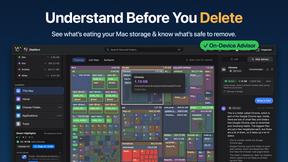
A macOS disk space analyzer that helps you find large files, understand storage usage, and safely free up disk space.

Leadmatically
Leadmatically helps businesses discover and engage potential customers on Reddit. It monitors relevant discussions, identifies high-intent leads.

RenewRoster
Track every client's domain and SSL expiry in one list, with 60/30/14/3-day alerts, white-label client reminders and a monthly renewals report.

Safe Outreach
AI-powered platform that evaluates the safety of LinkedIn automation tools and helps reduce the risk of account restrictions.

Cardify
Markdown in, designed knowledge card out. 30+ themes shown side by side, adjustable size and fonts, PNG/SVG/PDF export including batch.

How Long How Many Tool
Timers and hourly checks to figure how out long until a certain time or how many days away.

Memorable Contact
AI-powered personal CRM that remembers where you met people and what you talked about. Save, scan, and recall contacts instantly.

GatheredMind
An AI-powered student productivity platform for organizing classes, assignments, notes, and schedules with intelligent study tools.


About DocuExtractor Alternatives
DocuExtractor is a specialized document automation tool that converts unstructured receipts, invoices, and PDFs into structured Excel or CSV data. It falls into the financial productivity and data extraction software category, designed to eliminate manual data entry for finance teams and professionals. Users often explore alternatives for various reasons, including budget constraints, specific feature requirements like custom API integrations, or the need for a platform that works within a particular existing software ecosystem. Different business sizes and workflows can also drive the search for a different solution. When evaluating alternatives, key considerations should include the accuracy of data extraction, supported file formats and output types, security and data handling policies, volume processing capabilities, and overall ease of use. The right tool should seamlessly fit into your financial workflow without creating additional steps.
FAQs about DocuExtractor Alternatives
What is DocuExtractor?
DocuExtractor is an advanced document conversion software that uses AI to automatically turn messy receipts, invoices, and PDFs into clean, structured Excel or CSV files.
Who is DocuExtractor for?
It is built for accountants, bookkeepers, and finance teams who need to automate tedious, error-prone manual data entry from financial documents.
What are the main features of DocuExtractor?
Key features include AI-powered extraction with 99.6% accuracy, support for multiple file formats (PDF, JPG, PNG), batch processing, and output to CSV or Excel.
Is DocuExtractor secure?
Yes. The platform is secure and commits to deleting all user data immediately after the document conversion process is complete.