

DocuExtractor
DocuExtractor instantly turns messy receipts and invoices into clean, structured Excel or CSV files.
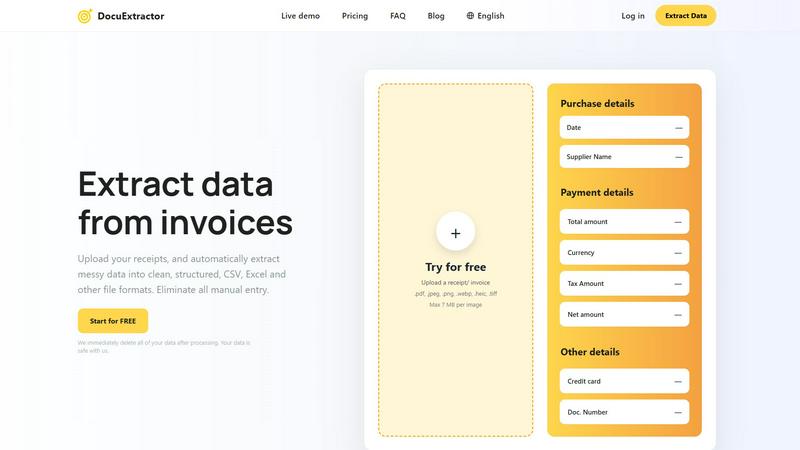
About DocuExtractor
DocuExtractor is an advanced AI-powered software designed to automate financial data entry by transforming unstructured documents into clean, structured data. It serves accountants, bookkeepers, and finance teams, eliminating the tedious and error-prone task of manual data input. The platform specializes in extracting key details from receipts, invoices, bank statements, and PDFs, converting them into ready-to-use formats like CSV and Excel. By leveraging a powerful combination of Optical Character Recognition (OCR), Deep Learning, and Large Language Models (AI), it achieves a remarkable 99.6% accuracy rate. With support for over 45 languages, an intuitive drag-and-drop interface, and processing over 500,000 documents monthly, DocuExtractor streamlines workflows, saving professionals hours of work. It is built with a strong commitment to security, automatically deleting all user data immediately after processing.
Features
Triple AI-Powered Extraction Engine
DocuExtractor combines Optical Character Recognition (OCR), Deep Learning (DL), and Large Language Models (LLM/AI) to accurately identify and extract data. This multi-layered approach ensures high precision in reading text, understanding document context, and pulling out specific fields like dates, totals, supplier names, and tax amounts from even messy or complex documents.
High-Volume, Secure Processing
The platform is built for scale and security, reliably processing over 500,000 documents every month. It features enterprise-grade reliability and a firm privacy commitment: all uploaded documents and extracted data are permanently deleted immediately after conversion is complete, ensuring your sensitive financial information never remains on the servers.
Multi-Language & Multi-Format Support
Automatically process documents in over 45 languages with built-in language detection. DocuExtractor accepts a wide range of file types, including PDFs, JPG, PNG, WebP, HEIC, and TIFF images, making it a versatile tool for global teams and diverse document sources without the need for pre-processing.
Intuitive Drag-and-Drop Workflow
Designed for ease of use, the platform features a simple, three-step process. Users can drag and drop documents—even in large batches—into the workspace. The AI automatically extracts the data, and users can download the structured results in their chosen format (CSV or Excel) within seconds, requiring minimal training or setup.
Use Cases
Automated Accounts Payable Processing
Finance teams can upload batches of supplier invoices and receipts directly into DocuExtractor. The AI instantly extracts key payment details like invoice numbers, dates, amounts, and vendor information, outputting a clean CSV file ready for import into accounting software, drastically reducing the AP cycle time and manual entry errors.
Bookkeeping and Month-End Close
Bookkeepers and accountants use DocuExtractor to quickly process a month's worth of bank statements, receipts, and expense reports. By converting these unstructured documents into structured Excel data, they can swiftly reconcile accounts, categorize expenses, and prepare financial reports, accelerating the month-end closing process by hours.
Receipt and Expense Management
Employees or managers can upload individual or bulk receipts for business expenses. DocuExtractor extracts the merchant name, date, total, and tax, organizing all data into a standardized format. This eliminates manual logbooks, simplifies expense report creation, and ensures accurate record-keeping for compliance and reimbursement.
Financial Data Migration and Auditing
During audits or system migrations, professionals need to digitize and structure historical paper-based or PDF financial records. DocuExtractor processes these legacy documents at scale, creating organized digital datasets that are easy to analyze, verify, and migrate into new accounting or audit software systems.
Frequently Asked Questions
What types of documents can DocuExtractor process?
DocuExtractor is specialized for financial documents. It can process receipts, invoices, bank statements, and general PDF files. Supported file formats include PDF, JPG, PNG, WebP, HEIC, and TIFF, with a maximum size of 7 MB per image file.
How accurate is the data extraction?
DocuExtractor delivers a consistently high accuracy rate of 99.6%. This is achieved through its specialized triple-engine AI system (OCR, Deep Learning, and LLM) that is specifically trained to understand and extract data from financial document layouts and contexts.
Is my data secure and private?
Yes. Security and privacy are core principles. DocuExtractor is built with enterprise-grade security measures. Most importantly, the platform is designed to delete all your uploaded documents and the extracted data immediately after the conversion process is complete. Your data is not stored or used for training.
What output formats are available?
After processing, you can download your extracted and structured data in two universally compatible formats: CSV (Comma-Separated Values) and Excel (XLSX). These formats are ready for direct import into accounting software like QuickBooks, Xero, or spreadsheet applications for further analysis.
Similar to DocuExtractor

AI Email Filter
AI Email Filter sorts incoming mail into folders using plain-language prompts you write. Works with any IMAP mailbox; bring your own LLM if you want.

Partly
Snap the receipt, let AI read the items, and see who owes whom in your flat, trip or dinner group.

Product Launch Checklist
A free launch checklist for SaaS, apps, AI tools and more. Every step says why it matters and when you can skip it.

Kody Tools
Free collection of online developer utilities, code formatters, and digital converters designed to streamline your daily workflow.

What's on the menu
Smart translate any restaurant menu

Forms Plugin
The #1 Native Form Builder Plugin for Framer - No Code, No Embeds, No External Platforms.


HomeAnswerBook
Practical, independent guides to home repairs, maintenance, costs, troubleshooting, and everyday fixes.