

Alternatives to Cece AI
An AI executive assistant that handles scheduling, follow-ups, quotes, and invoices through email to streamline small business operations.
Explore 20 alternatives to Cece AI. Compare features, pricing, and find the best fit for your needs.
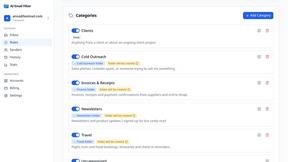
AI Email Filter
AI Email Filter sorts incoming mail into folders using plain-language prompts you write. Works with any IMAP mailbox; bring your own LLM if you want.

Partly
Snap the receipt, let AI read the items, and see who owes whom in your flat, trip or dinner group.

Product Launch Checklist
A free launch checklist for SaaS, apps, AI tools and more. Every step says why it matters and when you can skip it.
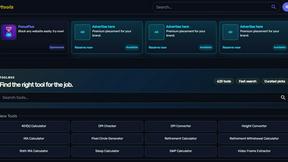
Kody Tools
Free collection of online developer utilities, code formatters, and digital converters designed to streamline your daily workflow.

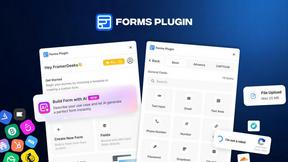
Forms Plugin
The #1 Native Form Builder Plugin for Framer - No Code, No Embeds, No External Platforms.

HomeAnswerBook
Practical, independent guides to home repairs, maintenance, costs, troubleshooting, and everyday fixes.
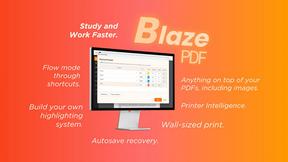
BlazePDF
Highlight faster. Study in flow with custom shortcuts and a workflow built around you. Print smarter, or turn any page into a tiled poster.


Build Mode for Mac
Build Mode is a Mac app that turns focused sessions into visible progress, so you can see the work adding up before the results arrive.


GROWNX
Real-time downloads, revenue, and reviews across your App Store portfolio, plus an AI copilot.


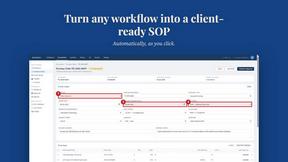
MySOP.guru
Capture any workflow in your browser and export a branded, step-by-step SOP with screenshots. €5 per document, no subscription.

PerPageFax
PerPageFax lets you send a fax online from any browser for a flat $0.50 per page — no account, no subscription, no fax machine.




About Cece AI Alternatives
Cece AI is an AI executive assistant that operates directly inside email, helping business owners manage scheduling, customer responses, quoting, invoicing, and follow-ups without hiring additional staff. It belongs to the productivity and management category, specifically focused on reducing administrative workload for small businesses through inbox-based execution. Users often look for alternatives when they need different pricing structures, require deeper integrations with specific tools, prefer a standalone app interface over email-based workflows, or want more advanced automation capabilities that go beyond what an email assistant can provide. When evaluating alternatives, focus on how the tool fits into your existing daily workflow rather than just its feature list. Consider whether you need a solution that works across multiple platforms like mobile and desktop, how much setup time is required before it becomes useful, and whether the pricing model scales with your business size. Also assess the learning curve involved for your team and the quality of customer support available, as these factors directly impact how quickly you can offload administrative tasks and reclaim your time.
FAQs about Cece AI Alternatives
What is Cece AI?
Cece AI is an AI executive assistant that works directly through email to help business owners manage administrative tasks. It can schedule meetings, respond to customers, create quotes, send invoices, track follow-ups, and manage reminders without requiring a separate app or dashboard for daily use. Users set up their calendar, business profile, price book, and preferences once, then simply CC Cece on an email to trigger actions.
Who is Cece AI for?
Cece AI is designed for small business owners who are overwhelmed by email, admin work, and incomplete follow-ups. It is ideal for entrepreneurs who want to reduce their administrative burden without hiring a full-time assistant. The tool works best for those who already conduct most of their business communication through email and need a practical way to turn messy threads into completed tasks.
What are the main features of Cece AI?
Cece AI features include automated meeting scheduling, customer response generation, quote creation, invoice sending, follow-up tracking, and reminder management. It operates entirely through email by being CCed on relevant threads, allowing users to execute daily tasks without leaving their inbox. The system requires an initial setup of calendar, business profile, price book, and preferences in the Cece dashboard before it can begin handling tasks.
Is Cece AI free?
The provided content does not specify whether Cece AI is free or what its pricing structure is. For accurate and up-to-date information on pricing and any free tier availability, you should visit the official Cece AI website or contact their sales team directly. Pricing information is typically subject to change and may vary based on features and usage levels.