

Cece AI
An AI executive assistant that handles scheduling, follow-ups, quotes, and invoices through email to streamline small business operations.
AI tool Details
Explore More
Alternatives
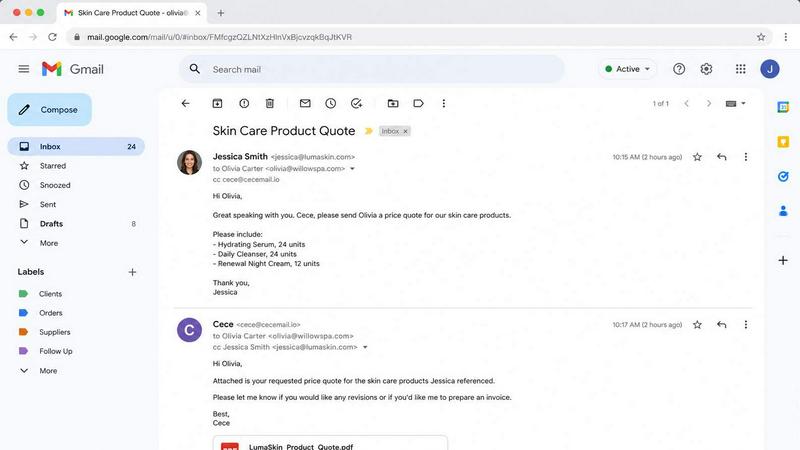
About Cece AI
Cece AI is an AI executive assistant built specifically for small business owners who are overwhelmed by email overload, administrative tasks, and incomplete follow-ups. Instead of adding another full-time hire or juggling multiple software tools, Cece works directly inside your existing inbox to handle scheduling, customer communication, quoting, invoicing, and daily operations. The product is designed for entrepreneurs, freelancers, and small teams across industries like plumbing, law, insurance, consulting, property management, and more. After a quick setup process where users configure their calendar, business profile, price book, and preferences in the Cece dashboard, daily execution happens entirely through email. Simply CC [email protected] on any thread, and Cece reads the context, checks your business configuration, and takes action. She can schedule meetings by checking your calendar and coordinating with participants, respond to customer inquiries with accurate information, generate professional quotes and invoices as PDFs, track follow-ups, and send reminders. Cece turns messy email threads into completed tasks, faster responses, and fewer dropped balls. It is not another chatbot that requires constant babysitting. It is a practical, cost-effective AI assistant that costs a fraction of a real hire and gives small business owners hours back each week to focus on growth and revenue-generating work.
Features
Automated Email Management and Response
Cece reads incoming emails in context, understands the intent behind each message, and drafts or sends professional replies based on your business configuration. She can answer frequently asked questions, provide pricing information, handle customer service inquiries, and manage routine correspondence without you lifting a finger. This feature eliminates the need to manually respond to dozens of repetitive emails daily, freeing you to focus on high-value tasks.
Intelligent Calendar and Meeting Scheduling
When you CC Cece on an email requesting a meeting, she automatically checks your calendar availability, coordinates timing with all participants, and sends calendar invites complete with Google Meet or other video conferencing links. She handles the back-and-forth negotiation of time slots and sends confirmations directly in the email thread. This eliminates the tedious dance of finding mutually agreeable times and manually creating calendar events.
Document Generation for Quotes and Invoices
Cece can generate professional PDF documents including quotes, invoices, and proposals directly from email requests. She pulls your business details, service pricing, payment terms, and branding from your dashboard configuration. For example, a simple email requesting wholesale pricing for a product bundle results in a polished quote with unit prices, order totals, terms, and lead times attached as a PDF. This turns a multi-step process into a single email action.
Automated Follow-Up and Reminder Tracking
Cece monitors your email threads and tracks when follow-ups are needed. She can send gentle nudges to clients who have not responded, remind you about unpaid invoices, and proactively suggest next actions. For instance, if it has been 12 days since your last follow-up with a prospect, Cece will flag it and offer to send a friendly reminder. This ensures no opportunity slips through the cracks and keeps your pipeline moving.
Use Cases
Streamlining Client Communication for Service Businesses
A plumber, electrician, or HVAC company receives dozens of service requests and inquiries daily. Cece can handle initial responses, provide pricing for common services, schedule appointment times, and send follow-up reminders after service completion. Instead of the owner spending hours on the phone or in their inbox, Cece manages the entire communication cycle, ensuring every lead gets a prompt response and every job is followed up on for reviews or repeat business.
Automating Quote and Invoice Management for Consultants
Consultants and freelancers often spend significant time creating custom quotes, sending invoices, and chasing payments. Cece simplifies this by generating quotes from a simple email request, sending them as branded PDFs, and tracking when invoices are due. If a client has not paid after a set period, Cece can send a polite payment reminder. This use case turns a time-consuming administrative burden into a hands-off, automated process that improves cash flow.
Managing Complex Scheduling for Professional Services
Law firms, insurance agencies, and real estate professionals deal with high volumes of meeting requests from clients, partners, and colleagues. Cece handles the scheduling logistics by checking multiple calendars, finding available slots, sending invites with location details, and rescheduling when conflicts arise. This eliminates the need for an administrative assistant to manage calendars and ensures that professionals spend their time on billable work rather than logistics.
Handling Customer Onboarding and Follow-Up Sequences
Med spas, hair salons, and property managers need to onboard new clients with welcome emails, intake forms, appointment confirmations, and post-visit follow-ups. Cece can automate this entire sequence from a single trigger email. She sends the right information at the right time, collects feedback, and schedules follow-up appointments. This creates a seamless customer experience without requiring manual oversight of each step in the process.
Frequently Asked Questions
How does Cece AI identify me and my business?
Cece identifies you by your sender domain. When you email [email protected] from your business email address, she automatically recognizes your domain and applies your specific business configuration. This includes your services, pricing, FAQs, calendar, and preferences that you set up in the Cece dashboard. There is no need to log into a separate platform for daily use.
What does the setup process involve?
Setup takes just a few minutes. You create an account, connect your calendar, fill in your business profile with services and pricing, and set your communication preferences. The Cece dashboard lets you configure your price book, define common responses, and set rules for follow-ups and reminders. Once configured, you simply start CCing Cece on emails and she handles the rest.
How does Cece handle sensitive or confidential information?
Cece operates within your email environment and processes information based on the context of each thread. She does not share your data outside of your configured workflows. The system is designed for small business use and prioritizes data privacy. You control what information Cece has access to through your dashboard settings, and she only acts on emails where you explicitly CC her.
Can Cece work with multiple team members or only one user?
Cece is designed to work for small business owners and their teams. The system identifies users by their sender domain, so multiple team members within the same business can CC Cece on relevant threads. However, each business domain has a single configuration managed through the dashboard. This makes Cece ideal for solopreneurs or small teams where one person oversees the assistant's settings.
Similar to Cece AI
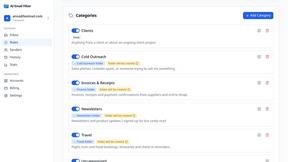
AI Email Filter
AI Email Filter sorts incoming mail into folders using plain-language prompts you write. Works with any IMAP mailbox; bring your own LLM if you want.

Partly
Snap the receipt, let AI read the items, and see who owes whom in your flat, trip or dinner group.

Product Launch Checklist
A free launch checklist for SaaS, apps, AI tools and more. Every step says why it matters and when you can skip it.
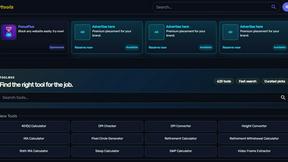
Kody Tools
Free collection of online developer utilities, code formatters, and digital converters designed to streamline your daily workflow.

What's on the menu
Smart translate any restaurant menu
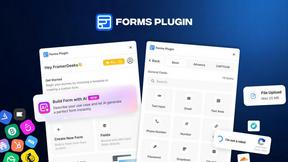
Forms Plugin
The #1 Native Form Builder Plugin for Framer - No Code, No Embeds, No External Platforms.

HomeAnswerBook
Practical, independent guides to home repairs, maintenance, costs, troubleshooting, and everyday fixes.
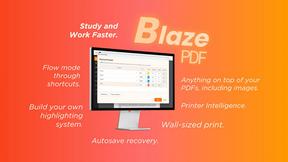
BlazePDF
Highlight faster. Study in flow with custom shortcuts and a workflow built around you. Print smarter, or turn any page into a tiled poster.