

Alternatives to archmaster
Archmaster uses AI to turn photos of rooms or buildings into photorealistic redesigns in seconds with no design skills needed.
Explore 5 alternatives to archmaster. Compare features, pricing, and find the best fit for your needs.
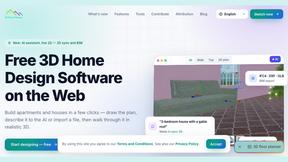
3D House Planner
Free 2D/3D home design in your browser: draw a floor plan, see it live in 3D, furnish it and get AI renders.
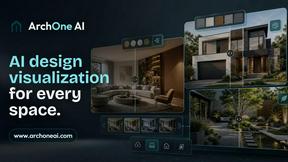
ArchOne AI
All-in-one AI spatial design visualization platform for interior, exterior and landscape design.
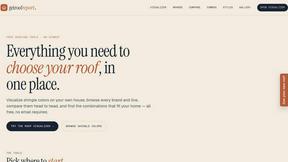
RoofReport
Upload a photo of your house and preview real roof shingle colors in seconds, no signup required.
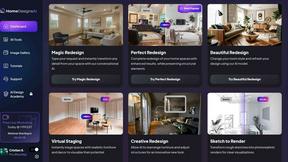
HomeDesignsAI
Transform your home and garden in under 30 seconds with AI-powered redesigns from a single photo, trusted by millions worldwide.
About archmaster Alternatives
Archmaster is an AI-powered platform in the interior design and architectural rendering category. It allows users to upload a photo of any room, exterior, or outdoor space, choose a style, and receive a photorealistic render in seconds without needing 3D modeling skills. Users commonly look for alternatives due to factors like pricing tiers that may not fit their budget, a desire for more specialized features such as advanced VR integration or commercial licensing, or the need for a platform that better supports high-volume workflows. When evaluating an alternative, focus on the accuracy of the AI render outputs, the breadth of supported design styles, the speed of generation, and whether the tool offers the specific editing or animation capabilities your projects require. A strong alternative should also provide seamless integration with your existing project management tools and offer clear, transparent pricing for the features you actually need. Consider platforms that prioritize data security and allow for batch processing if you are handling multiple design iterations. Ultimately, the best choice will balance rendering quality with the practical demands of your workflow, whether you are a homeowner planning a single renovation or a professional managing multiple client presentations.
FAQs about archmaster Alternatives
What is archmaster?
Archmaster is an AI-powered interior design and architectural rendering platform. It transforms uploaded photos of any room, exterior, or outdoor space into photorealistic designs in seconds by simply selecting a desired style. The platform eliminates the need for traditional 3D modeling or design software, making high-quality visualization accessible to anyone.
Who is archmaster for?
Archmaster is built for homeowners planning renovations, interior designers presenting concepts to clients, and architects creating visualizations for their projects. It is designed for users who want fast, photorealistic results without requiring any 3D modeling or design software skills. The tool serves both casual users and professionals who need to communicate design ideas visually.
What are the main features of archmaster?
Key features include interior AI design for rooms like living rooms and kitchens, exterior and facade design for home exteriors, and a sketch-to-render tool that converts architectural sketches into photorealistic images. The platform also offers an AI render enhancer for upscaling, an edit and modify tool for inpainting specific areas, and an architecture AI video feature to animate renders into short walkthrough videos.
Is archmaster secure?
While specific security certifications are not detailed in the provided information, archmaster processes user-uploaded photos and generated designs within its platform. As with any cloud-based design tool, users should review the platform's privacy policy to understand how their images and project data are handled, stored, and protected. For professional use, it is recommended to confirm that data handling meets your specific security requirements.