

SoniqTools
SoniqTools offers free, private audio editing and conversion directly in your browser with no uploads or signup.
AI tool Details
Explore More
Alternatives
About SoniqTools
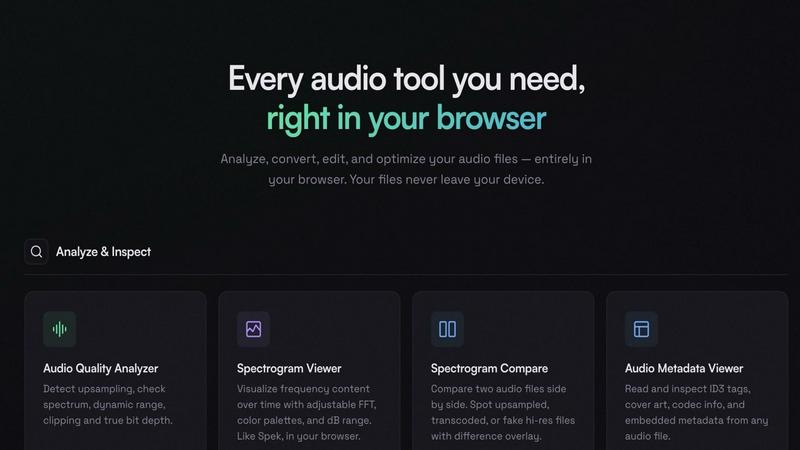
SoniqTools is a comprehensive, free suite of 18 professional-grade audio tools that operate entirely within your web browser. Designed for DJs, music producers, podcasters, and audiophiles, it provides a powerful, private, and accessible solution for a wide range of audio tasks. The core value proposition is complete privacy and convenience: all processing happens locally on your device. Your audio files are never uploaded to any server, ensuring your work remains 100% confidential. This eliminates the need for software installations, user accounts, or subscriptions. The suite is organized into five key categories: Analyze, Convert, Edit, Optimize, and Generate, covering everything from deep technical analysis to simple file conversions and edits. Available in 9 languages and functional on any modern device with a browser, SoniqTools offers a professional workflow that starts instantly—just open a new tab and begin working with your audio files directly.
Features
Audio Quality Analyzer
This tool provides a deep technical inspection of your audio files. It detects potential issues like upsampling from lower-quality sources, checks the true bit depth, analyzes the frequency spectrum for cut-offs, measures dynamic range, and identifies clipping. It's essential for verifying the authenticity and quality of hi-res audio files or diagnosing problems in your own mixes before final export.
Spectrogram Compare
A unique tool for A/B testing audio files directly in your browser. View two spectrograms side-by-side with a difference overlay to visually spot discrepancies. This is crucial for identifying transcoded, upsampled, or fake high-resolution audio files, allowing you to compare a master file against a processed version or check the quality of different audio sources.
Audio Converter
Convert between all major audio formats locally and securely. Supports lossless formats like WAV, AIFF, and FLAC, as well as compressed formats like MP3, OGG, and AAC. You have full control over bitrate and quality settings for compressed formats. Since conversion happens in-browser, your files are processed quickly without ever being sent over the internet.
Audio Looper
Create seamless loops from any audio file with professional control. Set loops by count or target total duration. Apply smooth transitions between loop points using crossfade, fade, gap, or reverse effects. This tool is perfect for DJs creating practice loops, producers sampling, or anyone needing to extend a piece of music or sound effect seamlessly.
Use Cases
Verifying Audio File Quality
Audiophiles and audio buyers can use the Analyze tools to check if a purchased "high-resolution" audio file is genuinely high-quality or merely an upsampled version of a standard CD track. The Audio Quality Analyzer and Spectrogram Compare provide the evidence needed to ensure you're getting what you paid for.
Preparing Samples for Music Production
Producers can quickly trim, split, normalize, and convert found sounds or recordings into ready-to-use samples. The Trimmer and Splitter allow for precise editing, the Loudness tool ensures consistent volume, and the Converter changes the file to the ideal format for their Digital Audio Workstation (DAW), all without leaving the browser.
Podcast and Voiceover Editing
Podcasters can perform essential post-production tasks privately. They can merge intro/outro music with the main recording using crossfades, trim silence or mistakes, normalize the loudness to broadcast standards (LUFS), add fade-ins/outs, and convert the final master to a distribution-friendly MP3 file, entirely offline.
Quick Format Conversions for DJs
DJs often receive tracks in various formats. Before a gig, they can use SoniqTools to batch-convert files to their preferred format (e.g., to AIFF for Rekordbox) directly on their laptop. The local processing is fast and secure, protecting their music library, and requires no software installation on potentially restricted systems.
Frequently Asked Questions
Is SoniqTools really free with no hidden costs?
Yes, SoniqTools is completely free. There are no subscription tiers, premium plans, or hidden fees. All 18 tools are available for unlimited use without requiring an account or login. The project is supported by its creators and featured partnerships.
How does the "no upload" privacy model work?
All audio processing is executed locally by your web browser using JavaScript and WebAssembly. When you open a file in SoniqTools, it is read directly from your device's storage into your computer's memory for processing. It is never transmitted over the internet to any external server, guaranteeing total privacy.
What are the limitations of browser-based audio processing?
The main limitation is dependent on your device's hardware (CPU and memory). Processing very long or high-resolution multi-track files may be slower than desktop software. There are also inherent browser security restrictions, such as not being able to directly save files to arbitrary folders on your system—you use the browser's "Save As" dialog.
Can I use SoniqTools on my phone or tablet?
Yes, SoniqTools is designed to work on any modern device with a web browser, including smartphones and tablets. The interface is responsive. However, handling large files may be more practical on a desktop or laptop with more processing power and easier file management.
Similar to SoniqTools
Link to Song
Paste a TikTok, YouTube, Instagram, Facebook or X video link and get the song name, artist and official listening links.
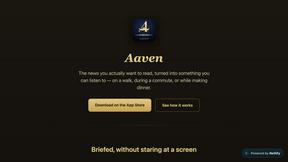
Aaven - News and Audio
Turns the news topics you pick into a natural-voice spoken briefing. Free tier included, no account required.
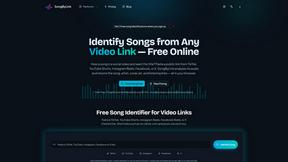
SongByLink
Universal music smart link generator & social video audio identifier for Spotify, Apple Music, and YouTube.
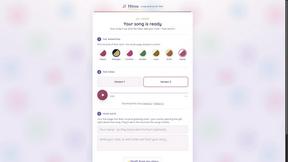
Hitou
Personalized songs as gifts: tell one person's story, hear a free preview in about a minute, pay only if you keep it.
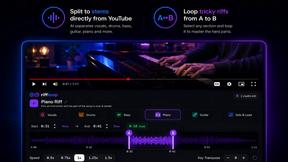
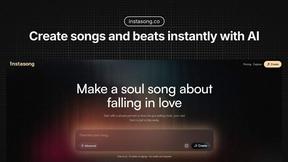
InstaSong - AI song and beat maker
Turn text prompts into complete royalty-free songs with AI vocals, instruments, and cover art in seconds.