
securememo.app
Secure, open-source memos with client-side encryption and no accounts.
AI tool Details
About securememo.app
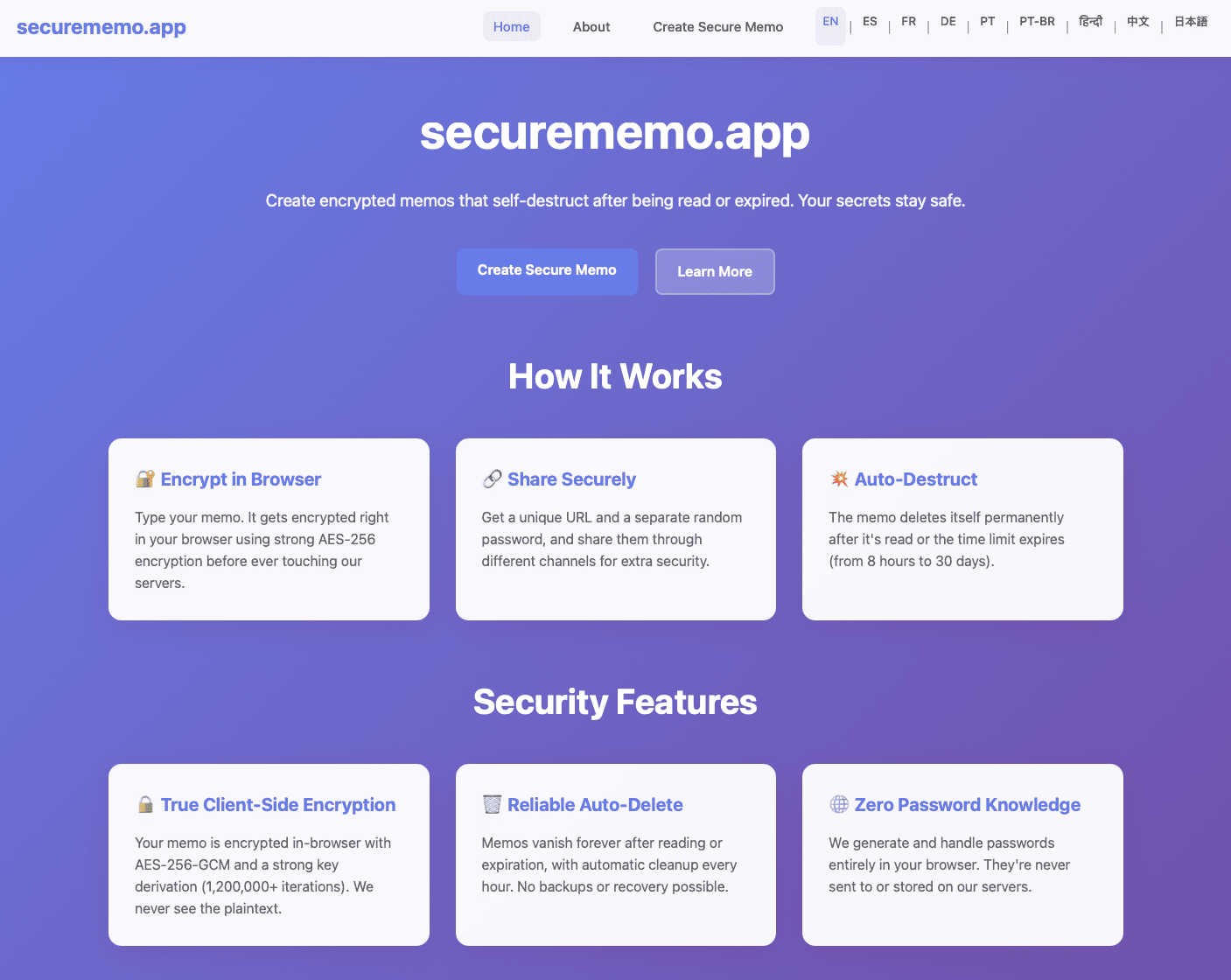
Securememo.app is a privacy-first web application designed for creating and sharing confidential information with absolute security. It functions as a secure, ephemeral note-taking service where all data is encrypted directly in your web browser before being transmitted. This client-side encryption model ensures that only you and your intended recipient can ever access the content of your memos. The service is built on a zero-knowledge architecture, meaning the platform itself has no access to your unencrypted data or the passwords required to decrypt it. It is ideal for individuals, professionals, and teams who need to share sensitive data like passwords, financial details, private messages, or confidential documents without the risk of permanent storage or third-party interception. Its core value proposition is delivering maximum security with minimal friction—no user accounts, no software installation, and an intuitive interface available in over 20 languages, making robust encryption accessible to everyone directly from their browser.
Features
Client-Side Encryption
All memo content is encrypted directly within your web browser using strong cryptographic standards before it ever leaves your device. This means the encrypted data sent to securememo.app's servers is unreadable to the service itself. The encryption keys are never transmitted, ensuring complete end-to-end privacy and a true zero-knowledge environment where you retain sole control over your information.
Self-Destructing Notes
Every memo you create can be set to automatically delete itself after being read by the recipient or after a set period of time. This ephemeral nature guarantees that sensitive information does not persist indefinitely on any server. Once destroyed, the note and its encrypted data are permanently removed, leaving no retrievable trace behind.
Password-Protected Sharing
To share a memo, you generate a unique, secure link. A strong, random password is created locally on your device to lock the note. This password must be communicated to the recipient through a separate, secure channel (like a messaging app or in person). This two-step sharing process ensures that even if the link is intercepted, the content remains protected without the decryption key.
No-Account Anonymity
You can use securememo.app immediately without signing up for an account or providing any personal information. This design prioritizes user anonymity and simplifies the experience. There is no registration, no email collection, and no persistent user profile, allowing for completely private and untraceable use from the first visit.
Use Cases
Sharing Sensitive Credentials
Securely send passwords, API keys, or two-factor authentication backup codes to colleagues or clients. Instead of using insecure email or chat, you can create an encrypted note with the credentials and share the link and password separately, ensuring only the authorized person can access the information once before it self-destructs.
Sending Private Documents
Transmit confidential contracts, financial statements, or personal identification documents securely. Encrypt the file or its sharing instructions within a memo. The self-destruct feature ensures the document link becomes invalid after access, preventing unauthorized future viewing and reducing digital footprint.
Secure One-Time Communication
Communicate private messages, whistleblower tips, or sensitive feedback that should not be stored permanently. The zero-knowledge, no-account model allows both parties to communicate anonymously, with the guarantee that the message will be deleted automatically after being read, leaving no record on the platform.
Temporary Secure Storage
Use as a quick, encrypted "digital vault" for information you only need for a short period. This could be a travel itinerary, a temporary access code, or notes for a confidential meeting. Store it with a password you remember, and set it to auto-delete after your trip or meeting concludes.
Frequently Asked Questions
How does the encryption work?
Encryption happens entirely in your web browser. When you create a memo, your text is encrypted using a strong algorithm before it is sent to our servers. The decryption key (password) is generated locally and is never sent to us. We only store the encrypted data, which is useless without the key, ensuring a true zero-knowledge system.
Do I need to install any software?
No installation is required. Securememo.app is a web application that runs directly in your modern browser (like Chrome, Firefox, or Safari). All cryptographic operations are performed client-side by your browser, so you can use it securely from any device without downloading apps.
What happens to a memo after it self-destructs?
When a memo expires (after being read or after its timer ends), it is permanently and irreversibly deleted from our servers. The encrypted data is purged, and the unique link becomes invalid. We have no method to recover destroyed notes, which is a core feature of the service's commitment to privacy.
Is there a limit to memo size or number?
Based on the provided information, specific limits are not detailed. Typically, such services may have practical limits on the size of individual notes to ensure performance. For the most accurate and current information on any limitations, please refer to the official securememo.app website.