

CheckoutReceipt
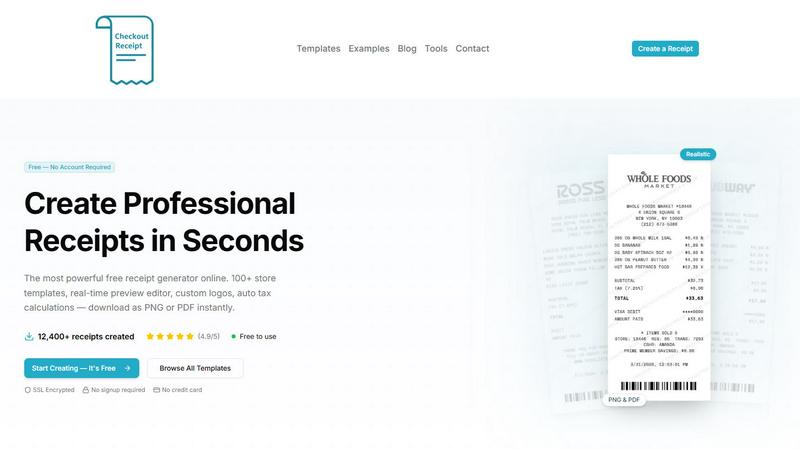
Create realistic receipts in seconds with 100+ store templates, no signup required, and free instant downloads.
AI tool Details
Explore More
Alternatives
About CheckoutReceipt
CheckoutReceipt is a free, browser-based online receipt maker and generator designed for legitimate business, creative, and educational use. It allows anyone to create professional, realistic receipts instantly without requiring a signup, credit card, or software installation. The core value proposition is simplicity and speed: users can pick from over 100 customizable templates, edit every detail in a real-time preview, and download the final receipt as a high-resolution PNG or PDF in under 60 seconds. The tool is trusted by over 10,000 professionals for receipt documentation across various industries. It is built for small business owners needing expense documentation, freelancers creating invoices, educators teaching financial literacy, and individuals managing personal records. CheckoutReceipt features store-specific templates for major retailers like Target, Walmart, Amazon, and Costco, as well as specialized formats for restaurants, automotive services, healthcare, hospitality, and utilities. The editor provides full customization: store name, address, item lists, prices, tax rates, payment methods, dates, custom logos, fonts, and paper textures. All processing happens locally in the user's browser, ensuring privacy and security, with no data stored on external servers. The platform explicitly prohibits fraudulent use, such as generating fake receipts to deceive others, and enforces this through its Terms of Service. With a 4.9 out of 5 rating from over 12,400 receipts created, CheckoutReceipt positions itself as the most powerful free receipt generator online, combining professional-grade features with zero barriers to entry.
Features
100+ Store-Specific Receipt Templates
Access a vast library of over 100 realistic receipt templates tailored to specific retailers, restaurants, and service providers. Templates are available for major chains like Target (including REDcard formats), Walmart (Supercenter and Neighborhood), Home Depot, Whole Foods, Subway, Publix, Ross, and Dunkin. Beyond retail, specialized templates cover automotive (oil change, mechanic), hospitality (hotel, taxi, airline), food and dining (restaurant, fast food, cafe), health (medical, veterinary, salon), financial (rent, donation, cash), retail (grocery, pharmacy, electronics), professional services (plumbing, electrician, cleaning), bills and utilities (phone, internet), and entertainment (movie, concert). Each template includes authentic formatting, layouts, and visual elements to match the real-world receipt style.
Real-Time Live Preview Editor
Every change you make is reflected instantly in a live preview window, showing exactly what the final receipt will look like before download. This eliminates guesswork and ensures perfect alignment of text, images, and layout. The editor updates in real-time as you type store names, add line items, adjust prices, or modify tax rates. You can see how different fonts, paper textures, and logo placements affect the overall appearance. This feature is critical for achieving professional results quickly, as it allows immediate visual feedback and iterative refinement without needing to export and re-import files.
Full Customization and Drag-and-Drop Layout
You have complete control over every element of the receipt. Edit store name, address, phone number, item descriptions, quantities, unit prices, subtotals, tax amounts, payment methods, transaction dates, and custom footer messages. The drag-and-drop interface lets you reorder, add, or remove any receipt section, such as item lists, barcodes, or disclaimers. This modular approach allows you to build a receipt from scratch or modify a template to fit specific needs. You can also upload your own business logo or use built-in store logos, with adjustable sizing and positioning for perfect placement.
Auto Barcode Generation and Realistic Visuals
The tool automatically generates realistic barcodes based on customizable numbers, adding an authentic visual element to your receipts. You can choose from multiple font styles, including thermal, clean, and typewriter, to match the desired aesthetic. Paper textures like aged, worn, or creased can be applied to simulate physical receipt paper. These visual enhancements make the final receipt look genuine and professional, whether for digital sharing or printing. The combination of auto barcodes, fonts, and textures ensures that receipts are not just functional but visually convincing for their intended legitimate use.
Use Cases
Small Business Expense Documentation
Small business owners and freelancers can create professional receipts for client payments, reimbursements, or tax records. Instead of relying on handwritten notes or generic templates, users can generate receipts that match the branding of their business, including custom logos and consistent formatting. This is especially useful for service-based businesses like plumbers, electricians, cleaners, and lawn care providers who need to issue receipts on the spot. The ability to download as PDF makes it easy to email receipts to clients or store them digitally for accounting purposes, ensuring compliance and professionalism without investing in expensive accounting software.
Educational and Training Simulations
Teachers, trainers, and students can use CheckoutReceipt for educational purposes, such as teaching financial literacy, accounting, or business management. For example, a classroom exercise on budgeting can involve students creating receipts for hypothetical purchases to practice tracking expenses. Similarly, vocational training programs for retail or hospitality can simulate real-world transactions using realistic receipts. The tool provides a safe, no-cost way to create authentic-looking documentation for role-playing scenarios, case studies, or project-based learning, helping students understand receipt formats, tax calculations, and record-keeping fundamentals.
Personal Financial Record Keeping
Individuals can generate receipts for personal transactions where no formal receipt was provided, such as garage sales, peer-to-peer payments, or small service agreements. This helps maintain accurate personal financial records for budgeting, warranty claims, or insurance purposes. For example, someone who paid a friend for a shared expense or bought an item from a local marketplace can create a clear, itemized receipt to document the transaction. The ability to add custom details like dates, amounts, and descriptions ensures the record is complete and verifiable, supporting better personal finance management.
Creative Content and Mockups
Content creators, designers, and marketers can use the receipt generator for creative projects like video props, social media content, website mockups, or product demonstrations. For instance, a YouTuber reviewing a product can create a realistic purchase receipt to include in a video, or a graphic designer can mock up a receipt for a fictional store in a brand presentation. The high-resolution PNG and PDF exports ensure crisp visuals suitable for both digital and print use. The wide variety of templates allows creators to match the aesthetic of any industry, from retail to hospitality, enhancing the authenticity of their creative work.
Frequently Asked Questions
Is CheckoutReceipt really free to use with no signup?
Yes, CheckoutReceipt is completely free to use and requires no account creation or signup. You do not need to provide any personal information, email address, or credit card. Simply visit the website, choose a template, customize it, and download your receipt as a PNG or PDF. All features, including the full template library, real-time editor, logo upload, and barcode generation, are available at no cost. The tool is supported by its user base and operates entirely in your browser, with no hidden fees or premium tiers.
What are the legitimate uses for CheckoutReceipt?
CheckoutReceipt is designed for legitimate business, creative, and educational purposes only. Acceptable uses include creating receipts for actual transactions, documenting expenses for tax or accounting records, generating mockups for design projects, and producing educational materials for teaching financial concepts. The platform explicitly prohibits using the tool to commit fraud, deceive others, or create fake receipts for illegal activities. Violating these terms may result in access being revoked. Users are responsible for ensuring their use complies with all applicable laws and the platform's Terms of Service.
Can I customize the receipt with my own logo and store information?
Yes, you have full control over all receipt content. You can upload your own business logo in common image formats, and adjust its size and position on the receipt. Alternatively, you can use built-in store logos for templates that match major retailers. You can edit every text field, including store name, address, phone number, item descriptions, quantities, prices, tax rates, payment methods, transaction dates, and custom messages. The drag-and-drop editor also lets you reorder or remove sections, giving you complete flexibility to create a receipt that meets your exact requirements.
What file formats are available for download, and are they high quality?
You can download your finished receipt in two formats: PNG and PDF. Both are optimized for high resolution, ensuring crisp text and clear graphics whether viewed on a screen or printed on paper. The PNG format is ideal for digital sharing, embedding in documents, or use on websites and social media. The PDF format is better for printing, emailing, or archiving, as it preserves the exact layout and can be easily opened on any device. All exports are generated instantly in your browser, with no waiting times or file size limitations.
Similar to CheckoutReceipt
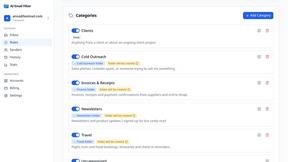
AI Email Filter
AI Email Filter sorts incoming mail into folders using plain-language prompts you write. Works with any IMAP mailbox; bring your own LLM if you want.

Partly
Snap the receipt, let AI read the items, and see who owes whom in your flat, trip or dinner group.
Product Launch Checklist
A free launch checklist for SaaS, apps, AI tools and more. Every step says why it matters and when you can skip it.
Kody Tools
Free collection of online developer utilities, code formatters, and digital converters designed to streamline your daily workflow.
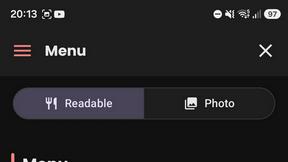
What's on the menu
Smart translate any restaurant menu
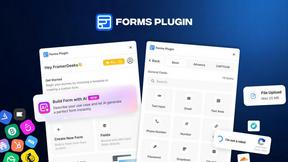
Forms Plugin
The #1 Native Form Builder Plugin for Framer - No Code, No Embeds, No External Platforms.
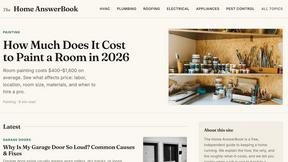
HomeAnswerBook
Practical, independent guides to home repairs, maintenance, costs, troubleshooting, and everyday fixes.
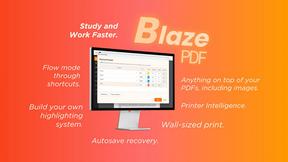
BlazePDF
Highlight faster. Study in flow with custom shortcuts and a workflow built around you. Print smarter, or turn any page into a tiled poster.