

HypeShare
HypeShare lets you send large files securely with end-to-end encryption, no signup, and up to 10GB free.
AI tool Details
Explore More
Alternatives
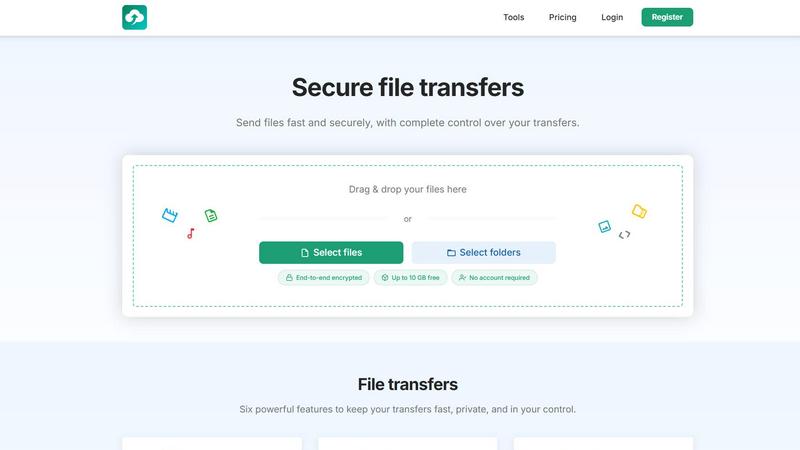
About HypeShare
HypeShare is a secure file transfer platform built for speed and privacy. It allows users to send files up to 10GB without creating an account, or sign up free for 20GB of storage with encrypted transfers, custom expiry links, and file request pages that let others upload directly to you with no login needed on their end. The platform is designed for freelancers, agencies, and teams who need a fast, no-friction alternative to bloated file-sharing tools. HypeShare emphasizes end-to-end encryption for all transfers, ensuring data remains private and secure throughout the process. Users gain complete control over their transfers with features like password protection, automatic expiration dates, and download limits. The service also offers file requests, which allow anyone to upload files directly to your dashboard using a custom link without requiring an account. Pro plans unlock larger transfers, download notifications, and priority support. HypeShare provides six core features for file transfers: link creation, email sending, encryption, password protection, expiration settings, and download limits. The platform serves as a streamlined alternative to services like WeTransfer, Dropbox, Google Drive, SendAnywhere, and Smash, focusing on minimal friction and maximum security for both senders and recipients.
Features
Secure File Transfers with End-to-End Encryption
HypeShare provides end-to-end encryption for all file transfers, ensuring that your data remains private and secure from the moment you upload until the recipient downloads it. This encryption protects against unauthorized access during transit, making it suitable for sensitive business documents, personal files, or any content requiring confidentiality. The platform also allows you to add an extra layer of security by setting a password on your transfers, preventing anyone without the correct credentials from accessing your files. This combination of encryption and password protection gives you complete control over who can view your content.
File Requests for Receiving Files from Anyone
File Requests allow you to create a custom upload page where anyone can send files directly to your HypeShare dashboard without needing an account. You generate a unique link for each request, which you can share via email or any messaging platform. Recipients simply click the link and upload their files, which then appear in your account. You can set an expiration date for each request so it closes automatically after a specified time. Email notifications alert you every time someone uploads to your request, keeping you informed without manual checking. This feature accepts any file type, including images, documents, and videos.
Custom Expiration and Download Limits
HypeShare gives you precise control over how long your transfers remain available and how many times they can be downloaded. You can set automatic expiration date limits for each transfer, ensuring files are automatically removed after a specified period. Additionally, you define how many times your transfer can be downloaded, preventing overuse or unauthorized distribution. This is particularly useful for time-sensitive materials or when sharing files with a specific audience. Combined with custom alias options, these controls help you manage access and maintain security for every transfer you make.
Instant Link Sharing and Email Delivery
You can create and share transfer links instantly with HypeShare, allowing recipients to access your files with a single click. Alternatively, you can send your transfer links fast and securely via email directly from the platform. This dual approach gives you flexibility in how you distribute your files, whether you prefer a simple link for chat or a formal email with tracking. The process is streamlined to minimize friction, so you can share large files quickly without navigating complex interfaces. Both methods maintain the same security features, including encryption and password protection.
Use Cases
Freelancers Sending Large Project Files to Clients
Freelancers frequently need to send large files like design mockups, video edits, or presentation decks to clients. HypeShare allows them to transfer files up to 10GB without creating an account, or use the free plan for 20GB of storage with encrypted transfers. They can set expiration dates and download limits to control access, ensuring clients only see the latest versions. The platform eliminates the need for bloated email attachments or complicated cloud storage setups, making it ideal for one-off or recurring client deliveries. Freelancers can also use file requests to receive assets from clients without requiring them to sign up.
Agencies Collecting Assets from Multiple Contributors
Agencies often need to gather files from photographers, videographers, writers, and other contributors. With HypeShare file requests, they can create a custom upload page with a unique link and share it with all contributors. Contributors upload their files directly to the agency dashboard without needing an account, saving time and reducing friction. The agency can set an expiration date for the request and receive email notifications for each upload. This streamlines the asset collection process for campaigns, events, or ongoing projects, keeping everything organized in one place.
Teams Sharing Confidential Documents Securely
Teams handling sensitive information, such as legal documents, financial reports, or HR records, require secure transfer methods. HypeShare provides end-to-end encryption for all transfers, plus the option to add password protection for an extra layer of security. Team members can set expiration dates and download limits to ensure documents are automatically removed after use. This reduces the risk of data breaches or unauthorized access compared to email or unsecured file sharing services. The platform supports unlimited transfers and files on Pro plans, making it suitable for ongoing team collaboration.
Individuals Sending Large Personal Files to Family or Friends
Individuals often need to share large personal files like vacation videos, photo albums, or music collections with family and friends. HypeShare lets them send files up to 10GB for free without creating an account, making it quick and accessible. They can create a transfer link and share it via text, email, or social media. Recipients do not need an account to download, which removes barriers for less tech-savvy users. The platform also offers encryption to keep personal content private, giving users peace of mind when sharing sensitive or sentimental files.
Pricing
HypeShare offers three tiers: Guest, Free, and Pro. The Guest tier requires no account and includes 5 transfers per month, 10 files per transfer, no storage, 10GB per transfer, 100 downloads per transfer, 5 emails per transfer, file encryption, 7 days data retention, and no ads. The Free tier includes 10 transfers per month, 10 files per transfer, 20GB storage, 10GB per transfer, 100 downloads per transfer, 5 emails per transfer, file encryption, custom alias, 30 days data retention, data export, API, download notifications, no ads, file requests, and transfer analytics. The Pro tier costs 8.99 USD per month and includes unlimited transfers, unlimited files, 1000GB storage, 200GB per transfer, unlimited transfer downloads, 50 emails per transfer, file encryption, custom alias, 5 domains, unlimited data retention, data export, API, download notifications, no ads, file requests, transfer analytics, branded downloads, and priority support. Both monthly and yearly billing options are available.
Frequently Asked Questions
Do I need to create an account to send files with HypeShare?
No, you do not need to create an account to send files up to 10GB. HypeShare allows guest users to send up to 5 transfers per month with 10 files per transfer, 100 downloads per transfer, and 5 emails per transfer. All transfers are encrypted. If you want more features like 20GB storage, custom alias, file requests, and longer data retention, you can register for a free account. Pro plans unlock unlimited transfers, larger file sizes, and priority support.
How does file encryption work on HypeShare?
HypeShare provides end-to-end encryption for all file transfers. This means your files are encrypted on your device before being uploaded and remain encrypted during transit. They are only decrypted when the recipient downloads them. This prevents unauthorized access, including from HypeShare itself. You can also add an optional password to your transfers for an extra layer of security. This ensures that even if someone obtains the transfer link, they cannot access the files without the password.
Can I receive files from someone without them creating an account?
Yes, HypeShare file requests allow anyone to upload files directly to your dashboard without needing an account. You create a custom upload page with a unique link and share it with the sender. They click the link, select their files, and upload. The files appear in your HypeShare account. You can set an expiration date for the request and receive email notifications for each upload. This feature is available on free and Pro plans.
What are the limitations of the free HypeShare plan?
The free HypeShare plan includes 10 transfers per month, 10 files per transfer, 20GB of storage, 10GB per transfer, 100 downloads per transfer, and 5 emails per transfer. It also includes file encryption, custom alias, 30 days data retention, data export, API access, download notifications, no ads, file requests, and transfer analytics. Branded downloads and priority support are not included. For unlimited transfers and files, 1000GB storage, 200GB per transfer, and unlimited downloads, the Pro plan is available at 8.99 USD per month.
Similar to HypeShare
MotionVault
MotionVault: Motion Graphics, Video Templates & Overlays for Editors

SimplestAPI
Make your Lovable app actually save data
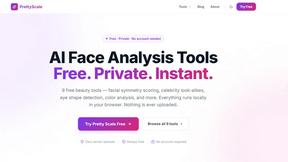
PrettyScale
PrettyScale analyzes your face with AI tools for symmetry, celebrity look-alikes, and eye shape detection, all privately in your browser.

Whop Trends
Whop Trends spots winning products early so you can scale your income with smart market data.

Blueberry
Blueberry unifies your editor, terminal, and browser for seamless web app development in one intuitive Mac workspace.
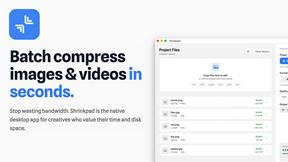
Shrinkpad
Shrinkpad quickly batch compresses images and videos on your Mac, saving time and disk space effortlessly.

Skene
Skene transforms your codebase into a growth engine with AI-driven prompts for smarter, seamless product development.

Yellow Systems
Yellow Systems delivers tailored software and AI solutions that drive growth for startups and enterprises alike.