

Dokta
Dokta automates document management for SMBs and freelancers, streamlining invoicing, contracts, and cash flow in just a few clicks.
AI tool Details
Explore More
Alternatives

About Dokta
Dokta is an AI-powered document management platform specifically designed for freelancers, solo entrepreneurs, auto-entrepreneurs, and small to medium-sized businesses (SMBs). With Dokta, users can effortlessly manage their documents by simply uploading invoices, quotes, or contracts. Within 60 seconds, Dokta's advanced AI engine reads, classifies, and extracts critical data from these documents, optimizing the entire document lifecycle. Users can create professional invoices and quotes, track payments, automate reminders for unpaid invoices, manage contracts and deadlines, and even generate tasks automatically from their documents. This eliminates the hassle of lost files and missed deadlines, allowing users to focus on their core business activities. Moreover, Dokta builds a client database from the uploaded documents, tracks cash flow in real-time, and offers easy CSV exports for accountants. Whether you are a freelance developer, a consultant, or a growing SMB, Dokta integrates document management seamlessly into your operations, supported by a free tier for up to 15 documents per month and paid plans starting at €9 per month. Data security is guaranteed with 100% GDPR compliance and hosting in Europe.
Features
Automated Invoice Management
Dokta simplifies the invoice process by enabling users to upload any document type, which is then automatically analyzed and classified by the AI. This feature reduces the time spent on manual data entry and ensures accurate invoicing.
Real-Time Cash Flow Tracking
This feature provides users with a clear overview of their financial situation by displaying billed amounts, collected payments, outstanding invoices, and VAT. Users can visualize their cash flow trends over a 12-month period through interactive graphs.
Online Quotes and Acceptance
With Dokta, users can send quotes with a simple acceptance link. This feature allows for a seamless transition from quote to invoice in just one click, streamlining the sales process and improving client experience.
Anomaly Detection
Dokta's smart anomaly detection feature safeguards users by identifying issues such as modified IBANs, duplicate entries, inconsistent VAT, and missing numbering. This added layer of protection ensures document integrity and accuracy.
Use Cases
Freelance IT Consultant
An IT consultant can use Dokta to automate their invoicing process. By generating invoices from their contracts automatically, they can save time and reduce the risk of errors, allowing them to focus more on coding and client work.
Creative Freelancers
Graphic designers and other creative professionals can manage their projects from start to finish using Dokta. From sending a quote to a client and receiving acceptance online, to generating a final invoice, everything is handled smoothly in one platform.
Auto-Entrepreneurs
Auto-entrepreneurs can utilize Dokta to create compliant invoices while keeping track of their cash flow. Alerts for URSSAF deadlines help them stay organized and compliant without unnecessary stress.
Small Business Owners
SMBs can benefit from Dokta's ability to manage client databases and financial data in real-time. By utilizing Dokta, they can ensure accurate cash flow tracking, automate reminders, and easily prepare for accounting needs.
Frequently Asked Questions
What types of documents can I manage with Dokta?
Dokta supports a wide range of documents including invoices, quotes, contracts, and any scanned files or PDFs. This versatility makes it a comprehensive solution for document management.
How quickly does Dokta process documents?
Dokta's AI engine analyzes and processes documents in under 60 seconds, providing users with instant insights and allowing them to take action without delay.
Is my data secure with Dokta?
Yes, Dokta is compliant with GDPR regulations and hosts data in Europe via AWS. All data is encrypted using AES-256, ensuring maximum security and privacy for users.
What is the pricing structure for Dokta?
Dokta offers a free tier allowing users to manage up to 15 documents per month. Paid plans start at €9 per month, with various tiers available to suit different business needs, ensuring flexibility and scalability.
Similar to Dokta



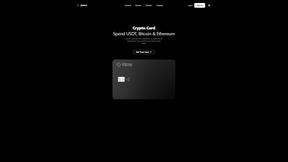
IZIPAY
IZIPAY is a virtual and physical crypto card service that lets users top up with digital assets and pay online like with a regular card.
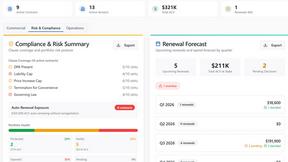
Venduris
Venduris is a renewal intelligence platform that gives mid-size companies control over SaaS & AI contract renewals before leverage disappears.
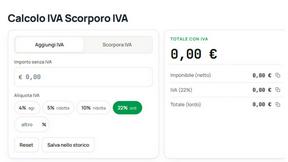
the calcolo iva
Free Italian VAT calculator and tax guides, built for freelancers and businesses.