
Seedance 2.0 vs VidiOne
Side-by-side comparison to help you choose the right AI tool.

Seedance 2.0
Transform text and images into professional-quality cinematic videos instantly with Seedance 2's advanced AI technology.
Last updated: February 28, 2026

VidiOne
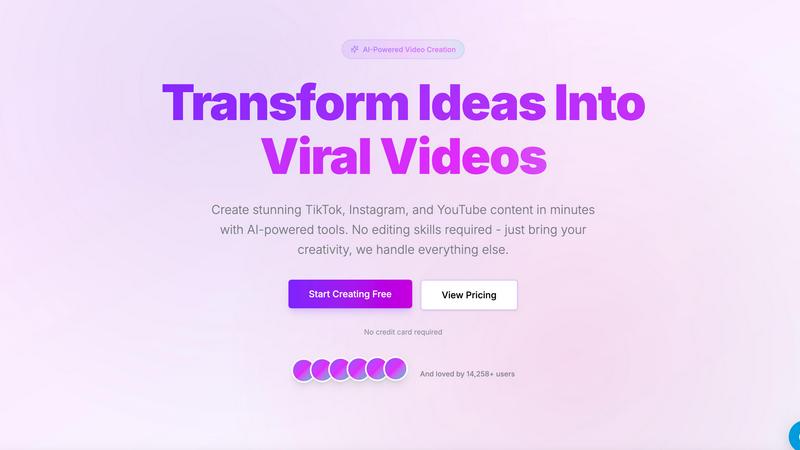
VidiOne quickly creates viral short videos for social media using AI, no editing skills needed.
Last updated: March 1, 2026
Visual Comparison
Seedance 2.0

VidiOne
Feature Comparison
Seedance 2.0
Text to Video Generation
With the text-to-video feature, users can describe any scene in natural language and watch as it transforms into a cinematic video. This capability understands complex prompts and cinematic terminology, enabling the generation of visually stunning content that reflects artistic styles and creative visions.
Image to Video Transformation
The image-to-video feature allows users to upload images—whether photos, illustrations, or concept art—and convert them into dynamic videos. This process incorporates natural motion and physics-aware animation, ensuring that the resulting video retains the essence and composition of the original image.
Audio Generation and Synthesis
Seedance 2.0 includes advanced audio generation, enabling the creation of synchronized soundscapes, voiceovers, and music tracks. With multilingual lip-sync support, users can generate complete video content with sound effects and dialogue, streamlining the production process significantly.
Cinematic Motion Control
The platform features advanced motion synthesis that delivers cinema-grade camera movements such as dolly shots, crane movements, and smooth zooms. This level of control allows for the creation of professional-quality videos that mimic the subtlety and expertise of traditional filmmaking techniques.
VidiOne
AI Script Generator
The AI Script Generator automatically produces engaging video scripts based on user ideas. It crafts compelling hooks and storylines designed to capture the audience's attention, making content creation faster and easier.
AI Voice Generator
VidiOne includes an AI Voice Generator that offers over 50 realistic voice options. This feature enhances video engagement by providing professional voiceovers that sound natural, eliminating the need for hiring voice actors.
Auto-Mode Workflow
The Auto-Mode Workflow allows users to set up automated video creation processes. This feature enables the transformation of content sources into videos with no manual effort, streamlining the entire production pipeline.
Trend Discovery
The Trend Discovery feature helps users identify what content is currently popular and trending. By analyzing engagement data, VidiOne empowers users to create relevant content that resonates with their audience and increases visibility.
Use Cases
Seedance 2.0
Marketing and Advertising
Seedance 2.0 is ideal for marketers who need to create engaging promotional videos quickly. Whether launching a product or running a campaign, users can generate high-quality content that captures attention and communicates key messages effectively.
Social Media Content Creation
Content creators can leverage Seedance 2.0 to produce eye-catching videos for social media platforms. With the ability to generate videos tailored for specific audiences, users can enhance their social engagement and reach with minimal effort.
Storytelling and Presentations
Writers and storytellers can use Seedance 2.0 to visualize their narratives. By converting scripts into cinematic videos, creators can enhance their storytelling with visual elements that captivate audiences and convey emotions more effectively.
Educational and Training Videos
Educators and trainers can benefit from Seedance 2.0 by creating informative and engaging educational videos. The platform allows for the integration of visuals and audio to enhance learning experiences, making complex topics more accessible to learners.
VidiOne
Social Media Marketing
Marketers can utilize VidiOne to create viral videos for platforms like TikTok and Instagram. The automated features save time while producing engaging content that can significantly enhance brand visibility and customer engagement.
Content Creation for YouTube
YouTubers can leverage VidiOne to quickly generate video scripts and edit videos without advanced editing skills. This allows creators to focus on content quality while maintaining a consistent posting schedule.
E-commerce Product Demos
E-commerce brands can use VidiOne to create professional product demo videos. With realistic voiceovers and engaging visuals, businesses can showcase their products effectively, leading to increased conversions and sales.
Educational Content Production
Educators and content creators in the education sector can produce informative and engaging videos using VidiOne. The platform's multi-language support allows them to reach a broader audience, making learning materials accessible worldwide.
Overview
About Seedance 2.0
Seedance 2.0 is a cutting-edge AI video generation platform designed to convert text prompts and creative ideas into breathtaking, high-quality cinematic videos. Catering to creators, marketers, and developers, Seedance 2.0 utilizes advanced AI models, including Seedance 2, Veo, and Sora-style generation, to produce professional-grade videos without requiring cameras, crews, or extensive editing skills. This platform empowers users to create videos for diverse applications such as marketing campaigns, social media content, engaging storytelling, product demonstrations, music visuals, and various creative projects. With complete control over style, motion, duration, and visual quality, Seedance 2.0 significantly reduces both production time and costs, while unlocking new creative possibilities through AI-driven automation and scalability. Its user-friendly interface allows creators to effortlessly bring their visions to life, making it an essential tool in the modern digital landscape.
About VidiOne
VidiOne is an innovative AI-powered video creation platform designed to streamline the process of transforming ideas, text, or links into captivating short videos within minutes. This tool is perfect for creators, marketers, and business owners who seek to produce high-quality video content for social media platforms like TikTok, Instagram, and YouTube without the need for extensive editing skills or hours of manual labor. VidiOne simplifies video production by automating the entire workflow, from script generation to final editing. Its key value proposition lies in delivering professional-quality results with remarkable speed and user-friendliness, enabling users to save over 10 hours each week. With features like AI script generation, voiceovers, and trend analysis, VidiOne empowers users to create engaging content that stands out and drives viewer engagement.
Frequently Asked Questions
Seedance 2.0 FAQ
What types of videos can I create with Seedance 2.0?
You can create a wide variety of videos, including marketing content, social media posts, storytelling videos, product demonstrations, and music visuals. The platform supports both text-to-video and image-to-video generation.
Do I need any special skills to use Seedance 2.0?
No, Seedance 2.0 is designed to be user-friendly. You do not need any special skills in filmmaking or video editing to create high-quality videos. The intuitive interface allows anyone to bring their creative ideas to life easily.
Can I use the videos generated for commercial purposes?
Yes, all videos generated using Seedance 2.0 can be used for commercial purposes. This makes it a valuable tool for businesses and freelancers looking to produce professional content without additional costs.
Is there any cost to start using Seedance 2.0?
New users can start creating videos for free with initial credits provided by Seedance 2.0. There are various pricing options available for continued use, allowing you to choose a plan that fits your needs.
VidiOne FAQ
How does VidiOne help save time in video production?
VidiOne automates various aspects of video creation, such as scriptwriting, editing, and publishing. This automation can save users over 10 hours a week compared to traditional video editing methods.
Can I use VidiOne without any video editing experience?
Yes, VidiOne is designed for users of all skill levels. Its intuitive interface and automated features eliminate the need for prior video editing experience, allowing anyone to create professional videos.
What platforms can I publish videos to using VidiOne?
VidiOne supports multi-platform exports, enabling users to publish their videos directly to TikTok, Instagram, YouTube, and more. This feature helps streamline the distribution of content across various channels.
Is VidiOne suitable for businesses of all sizes?
Absolutely. VidiOne caters to individual creators, small businesses, and large corporations alike. Its flexible features and pricing make it accessible for anyone looking to enhance their video content strategy.
Alternatives
Seedance 2.0 Alternatives
Seedance 2.0 is an advanced AI video generation platform that allows users to create stunning cinematic videos from text or images. It is designed for creators, marketers, and developers, making it a powerful tool in the content creation category. Users often seek alternatives to Seedance 2.0 for various reasons, including pricing, specific feature sets, or compatibility with their existing platforms. When looking for an alternative, it is essential to consider factors such as ease of use, video quality, customization options, and overall value for money. Understanding your unique needs and project requirements will help you find a solution that best fits your creative vision and production goals.
VidiOne Alternatives
VidiOne is an AI-powered video creation platform that specializes in generating viral short videos for social media. It simplifies the video production process, making it accessible to creators, marketers, and business owners who want to produce high-quality content quickly and efficiently. Users often seek alternatives to VidiOne for various reasons, including pricing, feature sets, or specific platform compatibility that better suits their needs. When choosing an alternative, consider factors such as ease of use, the quality of AI-generated content, available templates, and customer support to ensure it aligns with your content creation goals.