
Chibi Pics vs TinyFast
Side-by-side comparison to help you choose the right AI tool.

Chibi Pics
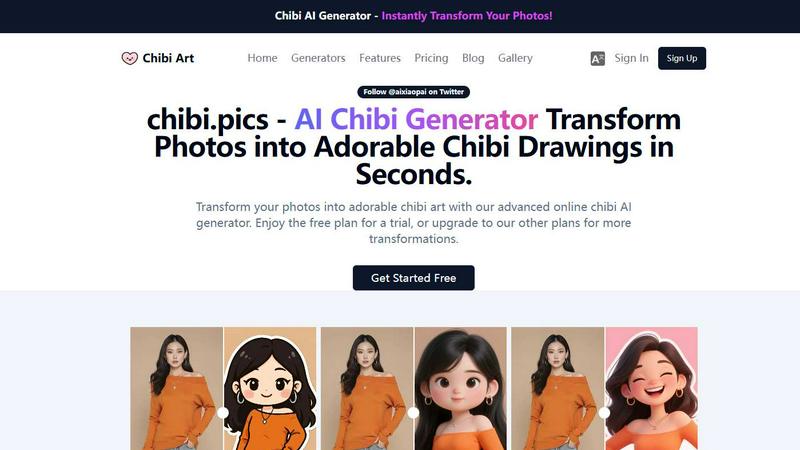
Chibi Pics instantly transforms your photos into customizable chibi art, creating adorable characters in seconds with just one click.
Last updated: April 13, 2026

TinyFast compresses images, videos, and PDFs locally on your Mac for instant, private, and hassle-free file shrinking.
Last updated: February 28, 2026
Visual Comparison
Chibi Pics
TinyFast

Feature Comparison
Chibi Pics
AI Custom Chibi
The AI Custom Chibi generator allows users to create unique chibi characters from their photos in just one click. With endless customization options, users can choose different styles, poses, and expressions, creating personalized avatars perfect for social media or personal use.
AI Couple Merge
This feature enables users to combine two photos into a single, enchanting chibi couple portrait. It is ideal for couples looking to celebrate their relationship with a unique piece of art, making it an excellent gift or keepsake.
AI Emoji Pack
With the AI Emoji Pack generator, users can create a custom 16-piece emoji set from any photo. This feature is perfect for enhancing online communication, allowing users to share personalized emojis on social media and messaging platforms without needing design expertise.
AI Photo Animator
The AI Photo Animator brings still images to life by adding movement to them. Users can animate their chibi creations, making them dance, wave, or react to music rhythms, perfect for creating engaging content for videos and social media.
TinyFast
Batch & Drag-Drop Shrink
TinyFast allows users to drag entire folders into the app, yielding optimized output in mere seconds. This feature enhances productivity by enabling batch processing, which is especially useful for large projects that involve multiple files.
Blazing-Fast Compression
With optimized native engines, TinyFast delivers remarkable compression speeds, enabling users to shrink large files quickly. This functionality eliminates the waiting period associated with online tools, allowing for immediate access to compressed files.
Resize Resolution
Users can set TinyFast to automatically resize the resolution of images and videos during compression. This feature ensures that files are not only smaller but also appropriately sized for specific use cases, enhancing compatibility and loading times.
100% Local & Private
TinyFast is designed with privacy as a priority. All file compression occurs locally on your device, which means no uploads or cloud storage are involved. This ensures that sensitive files remain confidential and protected against unauthorized access.
Use Cases
Chibi Pics
Social Media Avatars
Chibi Pics is perfect for users who want to stand out on social media. By creating adorable chibi avatars, users can express their personality and aesthetics, garnering attention and engagement on their profiles.
Personalized Gifts
Transforming photos into chibi art makes for a thoughtful and unique gift. Whether for birthdays, anniversaries, or special occasions, chibi portraits can be a cherished keepsake for loved ones.
Creative Projects
Artists and content creators can utilize Chibi Pics to enhance their projects with custom chibi art. From illustrations to merchandise, the platform provides a fun way to generate visuals that resonate with their audience.
Pet Portraits
Pet owners can immortalize their furry friends as adorable chibi characters. This feature allows pet parents to create playful and memorable art pieces that celebrate their beloved pets in a unique way.
TinyFast
Web Development
Web developers can use TinyFast to compress images and videos for websites without compromising quality. By optimizing assets locally, they can improve site loading speeds and user experience while maintaining security.
Graphic Design
Graphic designers benefit from TinyFast by efficiently managing large image files. By compressing assets without quality loss, they can streamline their workflow and share files more easily with clients and collaborators.
Video Production
Video producers can leverage TinyFast to quickly compress video files. This helps in reducing file sizes for easier storage and sharing, making it suitable for review processes or online uploads without the hassle of lengthy waiting times.
Document Management
For professionals handling sensitive documents, TinyFast offers a reliable solution to compress PDFs and other file types. This is especially useful for email attachments or file transfers, ensuring that confidential information remains secure and manageable.
Overview
About Chibi Pics
Chibi Pics is an innovative AI platform designed to convert ordinary photographs into charming chibi art effortlessly. Users can transform selfies into cute anime avatars, create pixel-perfect chibi portraits of pets, or combine couple photos into delightful animated chibi duos, all in mere seconds. The platform requires no drawing skills or complex prompts, making it accessible for everyone, from casual users to seasoned creators. With 12 specialized AI generators, Chibi Pics empowers users to create a variety of artworks, including themed sticker sets and animated videos. The advanced Nano Banana Pro AI engine facilitates real-time editing, allowing users to modify poses, expressions, and styles using intuitive drag-and-drop controls. Available in six languages, Chibi Pics caters to a global audience, appealing to social media enthusiasts and pet owners looking to express themselves creatively through playful, shareable art. Upload your photo, click once, and watch as your chibi self comes to life.
About TinyFast
TinyFast is a native macOS application crafted specifically for fast, local, and private file compression. It is an essential tool for developers, designers, and content creators who need to optimize their digital assets without sacrificing security or efficiency. With TinyFast, users can compress files directly on their Mac, eliminating the risks associated with online compression tools. Sensitive project files, client assets, and confidential documents remain safe on your device, ensuring complete privacy. Supporting a diverse range of file types—including images, videos, documents, and audio—TinyFast simplifies the compression process with a drag-and-drop interface. Just drop your files into the app, and within seconds, receive optimized versions ready for use. Built with performance in mind, it utilizes optimized native engines for lightning-fast compression, allowing users to save valuable time previously lost to uploads and downloads. For those prioritizing privacy and speed, TinyFast is the go-to solution for efficient file management.
Frequently Asked Questions
Chibi Pics FAQ
How does Chibi Pics work?
Chibi Pics utilizes advanced AI technology to transform photos into chibi art with just one click. Users upload their images, select styles, and the AI generates personalized chibi versions in seconds.
Is there a free version of Chibi Pics?
Yes, Chibi Pics offers a free plan that allows users to try out various features and generate limited chibi art. For more transformations and advanced options, users can upgrade to premium plans.
What types of styles can I choose from?
Chibi Pics provides hundreds of curated templates, allowing users to create chibi art in diverse styles, including 3D, anime, watercolor, and more, catering to various moods and preferences.
Can I animate my chibi creations?
Absolutely! The AI Photo Animator feature allows users to add motion to their chibi art, creating dynamic animations that can be used for videos, social media posts, or simply for fun.
TinyFast FAQ
What file types does TinyFast support?
TinyFast supports a wide range of common file types, including images (PNG, JPG, GIF), videos (MP4, MOV), documents (PDF, DOCX), code files (JS, CSS), and audio files (MP3).
Is TinyFast really free?
Yes, TinyFast offers a free plan that allows users to compress up to 5 files per day. This plan includes access to all features, making it a great option for casual users.
How does TinyFast ensure privacy?
TinyFast processes all files locally on your Mac, meaning that no files are uploaded to external servers. This design guarantees that your sensitive data remains private and secure.
Can I resize images and videos automatically?
Absolutely! TinyFast includes a feature that allows you to set automatic resizing of image and video resolutions during the compression process, making it easier to tailor files based on specific needs.
Alternatives
Chibi Pics Alternatives
Chibi Pics is an innovative AI platform that specializes in transforming ordinary photos into cute, customizable chibi art. As part of the image generation category, it offers users a seamless experience in creating delightful avatars, portraits, and animated creations without the need for drawing skills or detailed prompts. Users often seek alternatives to Chibi Pics for various reasons, including pricing, feature sets, or specific platform compatibility. When searching for a suitable alternative, it's essential to consider aspects such as ease of use, customization options, available styles, and whether the platform supports multiple languages or devices. An ideal alternative should also provide a balance of free and premium features to cater to different user needs.
TinyFast Alternatives
TinyFast is a native macOS application that specializes in the fast, local, and private compression of images, videos, and PDFs. It falls under the category of tech tools, designed primarily for developers, designers, and content creators who need to optimize their digital assets without sacrificing privacy or workflow efficiency. Users often seek alternatives due to varying needs such as pricing, additional features, or compatibility with different platforms. When selecting an alternative, consider factors like processing speed, privacy assurances, ease of use, and the range of supported file types to ensure it meets your specific requirements.