
Assured vs SupaSidebar
Side-by-side comparison to help you choose the right AI tool.

Assured
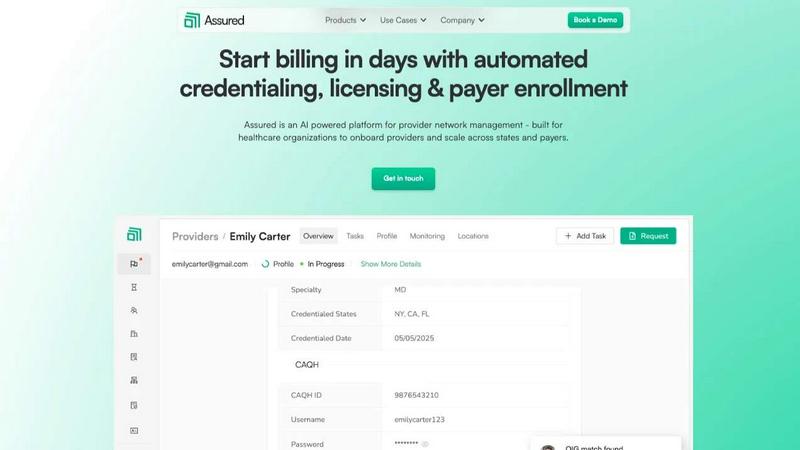
Assured automates provider credentialing and enrollment, enabling healthcare companies to start billing in days instead of months.
Last updated: April 13, 2026

SupaSidebar
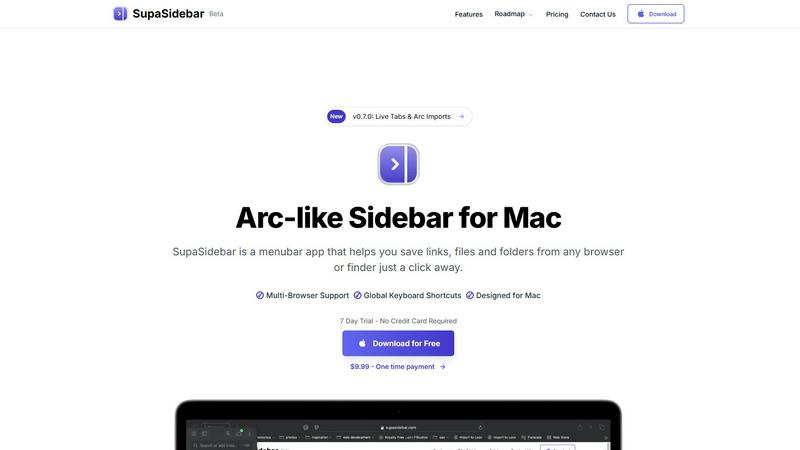
SupaSidebar is a Mac app that saves and organizes your links, files, and folders for instant access with keyboard.
Last updated: February 28, 2026
Visual Comparison
Assured
SupaSidebar
Feature Comparison
Assured
Credentialing
Assured delivers end-to-end credentialing in days rather than weeks. The platform automates primary source verifications and document management, significantly speeding up provider onboarding and reducing administrative burdens.
Licensing
The licensing feature ensures hassle-free multi-state licensing and auto-renewals. Assured tracks expiration dates, submits applications, and manages renewals across all 50 states, simplifying the administrative chaos of scaling operations.
Payer Enrollment
Assured streamlines payer enrollment, allowing organizations to get in-network 30% faster. It automates submissions, tracks progress, and manages follow-ups in real-time, eliminating missed opportunities and delays.
Network Management
With real-time provider data monitoring, Assured centralizes all provider information in one accessible location. This feature ensures compliance and readiness for audits by verifying data across 2,000+ sources, keeping organizations informed and compliant.
SupaSidebar
Universal Command Center
SupaSidebar serves as a universal command center where users can access all their essential files, folders, and browser tabs without switching between multiple applications. This feature streamlines workflow and enhances productivity by keeping everything organized in one easily accessible location.
Global Keyboard Shortcuts
With global keyboard shortcuts, users can quickly save links or copy URLs directly to the sidebar using simple commands. Pressing CMD CTRL S saves the current page, while CMD CTRL C copies the link, allowing for a seamless and efficient way to gather resources without interrupting your workflow.
Recents Tracking
The Recents feature automatically tracks your activity, showing every website you've visited in the last 48 hours. This functionality ensures that you can quickly find and revisit important resources without the hassle of remembering specific URLs or searching through browser history.
Fast Search Functionality
SupaSidebar includes a powerful search function that lets users find any file, folder, website, or app instantly. By pressing CMD CTRL K and typing your query, you can locate what you need without navigating through multiple menus or windows, significantly speeding up your workflow.
Use Cases
Assured
Provider Onboarding
Healthcare organizations can utilize Assured to onboard providers rapidly, enabling them to start seeing patients in less than a month. This efficiency is crucial for scaling operations across multiple states.
Multi-State Expansion
For organizations expanding their services into new states, Assured simplifies the complex processes of licensing and payer enrollment. It provides state-specific guidance and automates critical tasks, allowing for seamless growth.
Compliance Monitoring
Assured's real-time data monitoring ensures that provider information is always accurate and up-to-date. This feature is vital for avoiding compliance issues and audits, giving organizations peace of mind.
Revenue Cycle Optimization
By automating credentialing, licensing, and enrollment, Assured helps organizations minimize billing delays and maximize revenue generation. This optimization leads to improved cash flow and operational efficiency.
SupaSidebar
For Students
Students can use SupaSidebar to keep track of research materials, important links, and study resources in one place. This organization enhances focus and ensures that they have quick access to all the materials needed for their academic success.
For Professionals
Professionals who juggle multiple projects will find SupaSidebar invaluable. It allows them to pin frequently used files and links, making it easy to switch between tasks without losing track of important resources or information.
For Researchers
Researchers can benefit from the Recents feature, which helps them revisit sources and articles they've recently accessed. This capability streamlines the research process and minimizes time wasted searching for previously viewed content.
For Content Creators
Content creators can utilize SupaSidebar to organize their favorite tools, websites, and research materials. By keeping everything accessible through a single interface, they can maintain their creative flow and focus on producing high-quality content.
Overview
About Assured
Assured is an AI-powered provider network management platform designed to optimize the administrative processes in healthcare organizations. It aims to eliminate revenue loss caused by operational inefficiencies, such as credentialing, licensing, and payer enrollment delays. By automating these complex tasks, Assured enables provider groups, health systems, payers, and digital health companies to manage their networks efficiently. The platform addresses the issues of fragmented data and slow manual processes, offering a core value proposition of speed and accuracy. With Assured, providers can be credentialed in just 48 hours, achieving 95% first-pass approval rates for payer enrollments, and detecting sanctions 22 days earlier than traditional methods. As an NCQA-certified Credentials Verification Organization, Assured connects to over 2,000 primary sources in real-time and provides comprehensive monitoring from a single centralized platform, ensuring rapid onboarding and seamless revenue generation.
About SupaSidebar
SupaSidebar is an elegantly designed menubar application for macOS that enhances digital workflow by providing a central hub for all your important links, files, folders, and browser tabs. Inspired by the sleek aesthetics of Arc, it is perfect for professionals, students, researchers, and multitaskers who need to manage various applications and browsers without the clutter typically associated with traditional workflows. The core value proposition of SupaSidebar is its ability to eliminate inefficiencies, allowing users to access everything they need with just a keyboard shortcut. No more searching through endless bookmarks or tabs; SupaSidebar organizes your digital life into a distraction-free sidebar. Compatible with all major browsers, including Safari, Chrome, Firefox, Arc, and Brave, it keeps your data private as everything is stored locally on your Mac. With features like a global command panel and live tab overview, SupaSidebar transforms how you interact with your Mac, making browsing faster, more efficient, and focused on what truly matters.
Frequently Asked Questions
Assured FAQ
How does Assured reduce provider onboarding time and administrative costs?
Traditional credentialing processes can take over 60 days due to manual, sequential verifications. Assured reduces this to 48 hours by processing applications in parallel and integrating with over 2,000 primary sources, saving organizations an estimated $4,200 to $5,800 per provider annually.
What makes Assured more reliable than other vendors?
Assured is an NCQA-certified Credentials Verification Organization, ensuring high standards of accuracy and compliance. The platform boasts 95% first-pass approval rates and rapid turnaround times, making it the gold standard for provider network management.
Can Assured connect to existing systems?
Yes, Assured can seamlessly connect to various systems such as ATS, EMR, and Salesforce through plug-and-play APIs. This integration capability ensures that organizations can work with their existing tools without disruption.
What types of organizations can benefit from Assured?
Assured is designed for a wide range of healthcare organizations, including provider groups, health systems, payers, and digital health companies. Any organization looking to streamline its provider network management can benefit from Assured's automation and efficiency.
SupaSidebar FAQ
Is SupaSidebar a browser extension?
No, SupaSidebar is a standalone menubar application designed for macOS. It integrates with multiple browsers but operates independently, ensuring a seamless experience without being limited to a single browser.
Which browsers does SupaSidebar work with?
SupaSidebar is compatible with all major browsers, including Safari, Chrome, Firefox, Arc, and Brave. This flexibility allows users to maintain their preferred browsing environment while enjoying the benefits of the sidebar application.
What macOS version do I need?
SupaSidebar requires macOS version 13 or later to ensure optimal performance and compatibility with the latest features and updates.
Where is my data stored?
All data associated with SupaSidebar is stored locally on your Mac, ensuring your privacy and security. No information is sent to external servers, allowing you to manage your resources safely and privately.
Alternatives
Assured Alternatives
Assured is an AI-powered provider network management platform designed to streamline the credentialing and enrollment processes for healthcare organizations. By automating these complex tasks, Assured allows healthcare companies to start billing significantly faster, thus addressing common administrative delays that can lead to revenue loss. Users often seek alternatives to Assured for a variety of reasons, including pricing concerns, specific feature requirements, or compatibility with existing systems. When selecting an alternative, it's essential to evaluate the platform's ability to simplify provider onboarding, the accuracy of its data verification processes, and the overall user experience. Look for solutions that offer robust automation capabilities, support for various healthcare sectors, and reliable customer service to ensure smooth transitions and ongoing efficiency.
SupaSidebar Alternatives
SupaSidebar is an innovative Arc-style sidebar application designed for macOS, serving as a centralized hub for managing links, files, and folders. It falls under the productivity and management category, catering to professionals, students, and anyone who juggles multiple tasks across different applications and browsers. Users frequently seek alternatives to SupaSidebar for various reasons, including pricing, feature sets, and compatibility with different platforms. Finding the right alternative involves evaluating similar functionalities, ease of use, and how well an option integrates into your existing workflow. When choosing an alternative, it’s essential to consider factors such as the user interface, the ability to handle multiple browsers, and how effectively it helps streamline your digital organization. Additionally, look for features that enhance productivity, like quick access to resources, customizable settings, and privacy assurances. These elements will ensure that the alternative meets your specific needs while enhancing your overall experience.