
AISeedance2 vs Shrinkpad
Side-by-side comparison to help you choose the right AI tool.

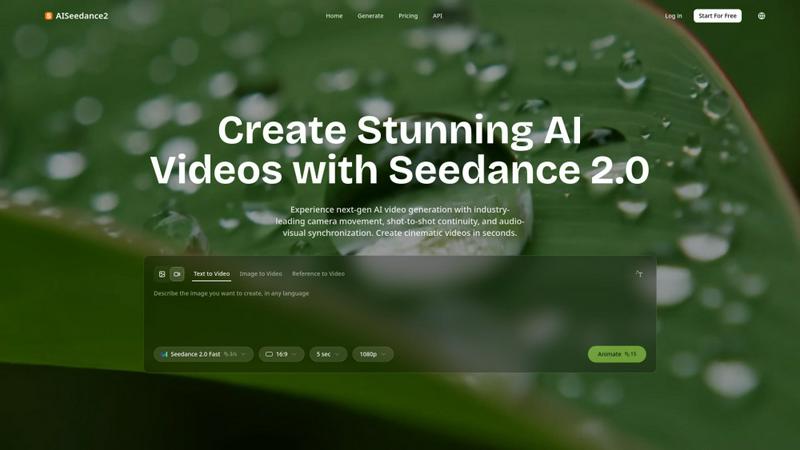
Seedance 2.0 creates stunning AI videos with cinematic camera movement and perfect scene continuity.
Last updated: February 27, 2026

Shrinkpad
Shrinkpad quickly batch compresses images and videos on your Mac, saving time and disk space effortlessly.
Last updated: February 28, 2026
Visual Comparison
AISeedance2
Shrinkpad

Feature Comparison
AISeedance2
Wide-Range Cinematic Camera Movement
Executes complex, fluid camera choreography that rivals professional cinematography. From sweeping crane shots and orbital movements to dynamic tracking and drone-like aerial perspectives, it creates smooth, natural camera paths with accurate depth-of-field transitions, all generated directly from a text prompt.
Shot-to-Shot Continuity
Maintains perfect visual coherence and narrative flow across multiple scenes or shots. This ensures characters, objects, lighting, and style remain consistent, allowing for the creation of cohesive multi-shot videos and short films without jarring visual breaks or inconsistencies.
Precision Audio-Visual Synchronization
Perfectly matches generated video frames to audio beats and cues. This creates a harmonious relationship between sound and motion, essential for music videos, animated explainers, and any content where timing and rhythm are critical to the viewer's experience.
Character Identity Lock
Keeps character appearance—including facial features, clothing, and body type—consistent throughout a video sequence, even during complex action or movement. This is vital for storytelling and maintaining audience connection with characters across different scenes and angles.
Shrinkpad
Batch Processing
Shrinkpad allows users to process thousands of images and videos simultaneously without crashing. This unlimited batching feature is a game-changer, enabling creatives to save significant time when optimizing their media assets.
Smart Compression
This feature automatically analyzes the visual complexity of each file to determine the optimal compression ratio. Users can expect high-quality results without artifacts, ensuring their media retains its visual appeal.
One-Drop Import
With Shrinkpad, users can simply drag and drop entire folders containing media files. The application automatically detects and adds all supported images and videos to the batch list, making the compression process effortless.
Privacy Focused
All processing is done locally on the user's device, which means no files are uploaded to the cloud. This commitment to privacy ensures that sensitive assets remain secure and under the user's control at all times.
Use Cases
AISeedance2
Short Film & Narrative Production
Ideal for indie filmmakers and storytellers to produce cinematic scenes and cohesive short films. The shot continuity and character lock features enable the creation of professional-looking narratives with complex camera work, all from text-based prompts.
Marketing & Advertising Creative
Enables marketing teams to quickly produce high-impact video ads, product demos, and social media content. The 2K resolution and cinematic quality ensure brand assets look premium, while fast generation speeds allow for rapid campaign iteration.
Educational & Explainer Content
Perfect for educators and trainers to create engaging animated explainer videos and lesson materials. Audio-visual sync ensures complex concepts are illustrated clearly in time with voiceovers, enhancing comprehension and retention.
Dynamic Social Media Content
Helps content creators and influencers generate eye-catching, platform-optimized videos for Reels, TikTok, and YouTube. The ability to quickly animate ideas with trending audio and cinematic effects drives higher engagement and production value.
Shrinkpad
Optimizing Website Assets
Web developers and designers can use Shrinkpad to compress images and videos for their websites, significantly reducing load times and improving user experience. Faster loading pages can enhance search engine rankings and user engagement.
Streamlining Creative Projects
Photographers and graphic designers can save valuable time by batch compressing images and videos from projects in tools like Photoshop or Figma. This eliminates the need for manual exports, allowing for a more efficient workflow.
Preparing Media for Social Media
Content creators can quickly prepare and optimize media files for various social media platforms. By ensuring that files are compressed, users can maintain visual quality while meeting file size requirements for uploads.
Managing Storage Space
Anyone dealing with large volumes of media files can benefit from Shrinkpad's ability to reclaim significant storage space. By compressing files effectively, users can manage their disk space more efficiently, extending the lifespan of their devices.
Overview
About AISeedance2
AISeedance2, also known as Seedance 2.0, is a next-generation AI video generator developed by ByteDance, designed to revolutionize AI filmmaking for creators, marketers, educators, and production teams. It transforms simple text prompts, images, or reference videos into stunning, cinematic-quality videos in seconds. The platform's core value proposition lies in its three industry-first breakthroughs: professional-grade wide-range camera movement, flawless shot-to-shot continuity for multi-scene narratives, and precise audio-visual synchronization. With support for 2K cinematic resolution and a robust character identity lock feature, AISeedance2 enables users to produce cohesive, high-fidelity video content up to 30% faster than previous iterations. It is the ideal tool for producing short films, marketing creatives, educational content, and dynamic social media videos without the need for extensive technical expertise or expensive production equipment.
About Shrinkpad
Shrinkpad is a powerful native macOS application tailored for anyone who needs to efficiently compress images and videos directly on their Mac. This innovative tool eliminates the need for cloud uploads, ensuring that all processing occurs locally, which guarantees complete privacy and security for users' files. With Shrinkpad, users can easily drag and drop hundreds of files or entire folders, applying custom compression settings that reduce file sizes by up to 90% in mere seconds while maintaining visual quality. It supports over 50 media formats including JPG, PNG, HEIC, WebP, MP4, and MOV, making it a versatile choice for photographers, designers, content creators, and anyone looking to reclaim valuable storage space. With its user-friendly interface, Shrinkpad streamlines the workflow of creatives, enabling them to optimize their media files without sacrificing efficiency or data integrity.
Frequently Asked Questions
AISeedance2 FAQ
What types of video can I create with AISeedance2?
You can create a wide variety of videos, including cinematic scenes, marketing ads, educational explainers, and social media clips. The platform supports text-to-video, image-to-video, and video-to-video (reference) generation, offering flexibility for different creative workflows.
How does the character identity lock work?
The character identity lock feature uses advanced AI to recognize and maintain the visual consistency of a character across multiple shots and scenes. Once a character is defined, the system ensures their facial features, attire, and physique remain stable throughout the generated video sequence.
What is the maximum video resolution and length?
AISeedance2 supports generation in 2K cinematic resolution for high-quality output. Based on the provided context, the standard generation parameters include 5-second clips at 1080p, indicating a focus on high-quality, short-form content suitable for most digital platforms.
Is AISeedance2 suitable for beginners?
Yes, its interface is designed for ease of use. By simply entering a text prompt, users can access professional-grade cinematic camera movements and effects without needing expertise in animation or video editing, making advanced video creation accessible to all skill levels.
Shrinkpad FAQ
Can I use Shrinkpad for free?
Yes, Shrinkpad offers a Free Starter plan that includes essential tools for casual use with some limitations, such as a maximum of 10 files per batch and limited formats.
What file formats does Shrinkpad support?
Shrinkpad supports over 50 media formats, including popular ones like JPG, PNG, HEIC, WebP, MP4, and MOV, ensuring compatibility with various types of files.
Does Shrinkpad support video compression?
Absolutely. Shrinkpad can compress both images and videos, making it a versatile tool for anyone needing to manage multimedia files efficiently.
How many files can I process at once?
With the Personal and Team plans, users can process unlimited files at once, while the Free Starter plan restricts users to 10 files per batch.
Alternatives
AISeedance2 Alternatives
AISeedance2 is a web-based AI video generator specializing in text-to-video and image-to-video creation. It falls into the category of professional-grade AI video production tools, designed to help creators produce cinematic, multi-shot videos with advanced features like character consistency and precise camera control. Users often explore alternatives for various reasons. These can include budget constraints, as pricing models differ widely. Others may seek specific features not offered, require a different user interface, or need compatibility with other platforms in their workflow. It's a common step in finding the perfect tool fit. When evaluating other options, key considerations are output quality and resolution, the ability to maintain character or scene continuity across shots, and the sophistication of motion and audio sync. Your choice should align with your primary use case, whether for marketing, social media, education, or short films, and the technical requirements of your projects.
Shrinkpad Alternatives
Shrinkpad is a native macOS application designed for batch processing and compression of images and videos. It appeals to users in fields such as photography, design, and content creation, who require efficient ways to handle large media files while maintaining quality. Users often seek alternatives due to factors like pricing, specific feature sets, or compatibility with different operating systems. When searching for alternatives, consider aspects such as local processing capabilities, support for various media formats, user interface simplicity, and the ability to customize compression settings. These features can significantly impact your productivity and overall satisfaction with the software.