
QuickData.ai vs Vendor Space
Side-by-side comparison to help you choose the right AI tool.

QuickData.ai
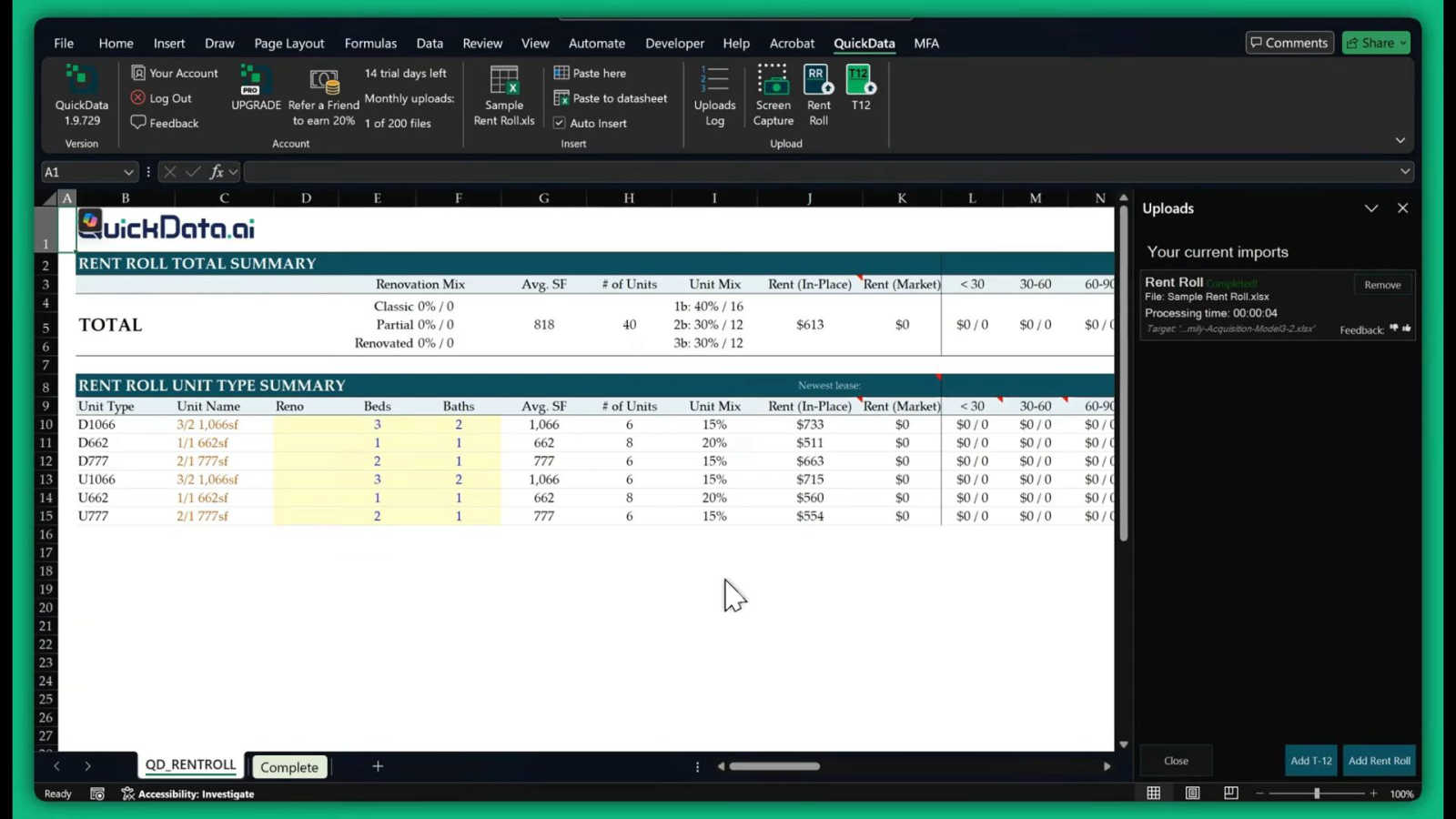
QuickData.ai automates rent roll and T12 data entry to Excel, accelerating multifamily underwriting by 10x.
Last updated: March 1, 2026

Vendor Space
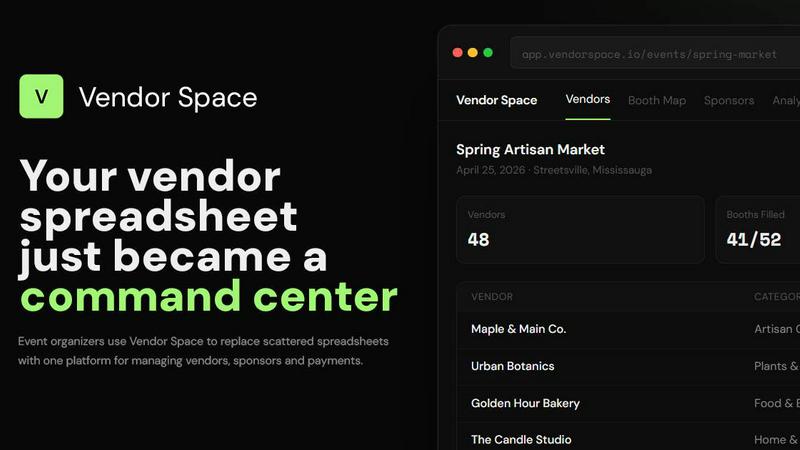
Vendor Space is the simple platform that replaces scattered spreadsheets to manage all your event vendors and payments.
Last updated: April 13, 2026
Visual Comparison
QuickData.ai
Vendor Space
Feature Comparison
QuickData.ai
Multifamily Excel Model
QuickData.ai offers a specialized Excel model designed for multifamily real estate. This feature allows users to effortlessly input and manipulate data, streamlining the underwriting process for better financial analysis.
Automate T12 and Rent Roll Data Entry
This feature automates the entry of T12 and rent roll data into Excel. By eliminating manual input errors, it ensures accuracy and speeds up the data processing time, making it easier for users to focus on strategic decision-making.
Multifamily Insights
QuickData.ai provides actionable insights into multifamily properties by analyzing key metrics and trends. Users can leverage this information to identify opportunities and make data-driven investment decisions.
14-Day Free Trial
To facilitate user adoption, QuickData.ai offers a 14-day free trial. This allows potential customers to explore the tool's capabilities and experience the efficiency it brings to their data management processes without any financial commitment.
Vendor Space
Centralized Vendor Management
Replace scattered spreadsheets and email threads with a single dashboard to manage all vendor applications, communications, and statuses. Track every vendor from initial inquiry to confirmed participation, with custom fields, categories, and a clear overview of their payment and contract status, all in one place.
Interactive Booth Mapping
Design your event layout with a visual, drag-and-drop booth map. Assign vendors to specific spots, see real-time availability, and automatically detect booking conflicts. Color-coded maps make it easy to manage premium spaces, reserved booths, and general availability at a glance.
Integrated Payment Processing
Collect booth fees and sponsor payments seamlessly through built-in Stripe integration. Send invoices, track payments in real-time, and automatically calculate totals with the platform's transparent 6% transaction fee. All financial data syncs instantly to your analytics dashboard.
Sponsor & Contract Management
Create tiered sponsorship packages and manage all sponsor relationships within the same platform used for vendors. Send, sign, and track legally-binding digital contracts with built-in e-signature capabilities, ensuring all agreements are organized and easily accessible.
Use Cases
QuickData.ai
Streamlined Underwriting Process
QuickData.ai is ideal for underwriting teams looking to expedite their workflows. By automating the data extraction from critical documents, teams can focus more on analysis rather than data entry, leading to quicker deal evaluations.
Enhanced Data Accuracy
Accounting firms can utilize QuickData.ai to minimize errors in financial reporting. The automation of data entry reduces the risk of human mistakes, ensuring that all financial reports are accurate and reliable.
Rapid Deal Analysis
Commercial real estate brokers benefit from QuickData.ai by significantly shortening the time required for deal analysis. With automated data entry, brokers can quickly assess multiple properties and make faster offers, enhancing their competitiveness.
Comprehensive Financial Modeling
QuickData.ai assists acquisitions teams in building detailed financial models with precision. By automating the input of rent rolls and T12s, users can create robust models that reflect accurate property valuations and forecasts.
Vendor Space
Seasonal Craft Fairs & Markets
Ideal for organizers running recurring artisan or holiday markets. Manage hundreds of vendor applications, curate categories, design complex booth layouts, and handle seasonal payments efficiently from one platform, turning weeks of planning into a streamlined process.
Large-Scale Food Festivals & Pop-Ups
Perfect for events with diverse vendor types like food trucks, beverage stalls, and merchandise sellers. Use custom forms to gather specific details like health permits and power requirements, manage a detailed site map, and process high-volume payments securely.
Professional Trade Shows & Expos
Essential for B2B events requiring robust sponsor management and professional contracts. Create custom sponsorship tiers with detailed deliverables, use the vendor portal for streamlined exhibitor onboarding, and maintain a polished, organized operation for all stakeholders.
Community Farmers Markets
Supports weekly or monthly markets with a mix of returning and new vendors. Quickly duplicate event setups, manage waitlists, communicate schedule changes via the portal, and provide a simple, professional registration and payment experience for local producers.
Overview
About QuickData.ai
QuickData.ai is a cutting-edge Excel add-in tailored specifically for the multifamily real estate sector. It revolutionizes the data extraction process by automating crucial data entry from rent rolls, T12 statements, and offering memorandums directly into Excel underwriting models. This tool is particularly beneficial for acquisitions teams, commercial real estate brokers, lenders, and accounting firms that routinely handle substantial amounts of data. By significantly reducing the need for manual data entry, QuickData.ai liberates users from approximately 15 hours of labor each month, enabling them to conduct deal analyses in just a few minutes. Its seamless integration with existing Excel models ensures a smooth transition, allowing professionals to make informed decisions with speed and accuracy. The primary value proposition of QuickData.ai lies in enhancing productivity while drastically minimizing human errors associated with data handling.
About Vendor Space
Vendor Space is the all-in-one vendor management platform built specifically for event organizers to eliminate chaos and replace endless administrative work. It consolidates the entire vendor lifecycle into a single, intuitive dashboard, acting as a central command center. The platform is designed for anyone managing vendor-driven events, from craft fairs and farmers markets to trade shows and food festivals. Its core value proposition is simplicity and efficiency: it replaces scattered spreadsheets, email chains, invoicing software, and contract trackers with one unified tool. Organizers can create custom application forms, manage a visual booth map, send digital contracts, collect payments, track sponsors, and view real-time analytics without ever switching between apps. With a completely free-to-use model and only a flat transaction fee when processing payments, Vendor Space provides powerful functionality without upfront costs or complex subscriptions. It professionalizes operations, saves countless hours, and creates a smoother experience for both organizers and their vendors.
Frequently Asked Questions
QuickData.ai FAQ
How does QuickData.ai integrate with Excel?
QuickData.ai seamlessly integrates with existing Excel models, allowing users to automate data entry without disrupting their current workflows or requiring extensive training.
Can I customize the data fields in QuickData.ai?
Yes, QuickData.ai allows for customization of data fields to align with specific business needs, ensuring that users can tailor the tool to suit their unique data management requirements.
Is there customer support available during the trial period?
Absolutely. QuickData.ai offers dedicated customer support during the 14-day free trial, including 1:1 onboarding assistance to help users maximize the tool's capabilities.
What happens after the trial ends?
After the trial period, users can choose to subscribe to a paid plan or cancel their trial. There are no obligations, and users can easily transition if they find QuickData.ai meets their needs.
Vendor Space FAQ
How quickly can I set up my first event?
Most organizers can have their first event live and accepting applications within 15 minutes. The process involves creating your event, configuring booth options and pricing, and instantly generating a shareable vendor registration page.
What is the cost to use Vendor Space?
Vendor Space is completely free to use. There are no monthly subscriptions, setup fees, or contracts. The platform only charges a simple, flat 6% transaction fee when you successfully collect a payment from a vendor or sponsor.
How do vendors register and pay?
Vendors use a dedicated, professional online portal. They can browse your event, submit an application through your custom form, sign their digital contract, and pay their invoice securely via credit card—all through a self-serve process that requires no back-and-forth emails.
Can I connect Vendor Space to other tools I use?
Yes. Stripe for payments is built directly into the platform. Furthermore, through Zapier integration, you can connect Vendor Space to over 7,000 other apps like Google Sheets, Mailchimp, Slack, or your CRM to automate workflows and sync data.
Alternatives
QuickData.ai Alternatives
QuickData.ai is an advanced Excel add-in tailored for the multifamily real estate sector. It automates the data entry process for rent rolls, T12 statements, and offering memorandums, significantly enhancing underwriting efficiency. Users often seek alternatives due to reasons such as pricing, specific feature sets, or compatibility with existing platforms. When considering alternatives, it's essential to evaluate the level of automation, integration capabilities with existing tools, user support, and overall value offered by the solution.
Vendor Space Alternatives
Vendor Space is an all-in-one vendor and sponsor management platform for event organizers. It falls within the business and finance software category, specifically designed to streamline the operational and financial workflows of event planning. Users may explore alternatives for various reasons. Some might seek different pricing structures, such as a monthly subscription instead of a per-transaction fee. Others may require more specialized features, deeper integrations with other tools, or a platform that caters to a different scale or type of event. When evaluating alternatives, consider your core needs. Key factors include the total cost of ownership, the breadth of features for vendor and sponsor lifecycle management, ease of use for your team and participants, and the reliability of payment processing and contract tools. The right platform should centralize your operations and reduce administrative overhead.