
Nano Photo vs SeeDance Ai
Side-by-side comparison to help you choose the right AI tool.

Effortlessly create stunning photos and videos with NanoPhoto.AI's powerful AI tools at a half-price annual offer.
Last updated: March 1, 2026

Seedance AI transforms text, images, audio, and video into polished multi-shot videos with synchronized sound and seamless motion.
Last updated: April 13, 2026
Visual Comparison
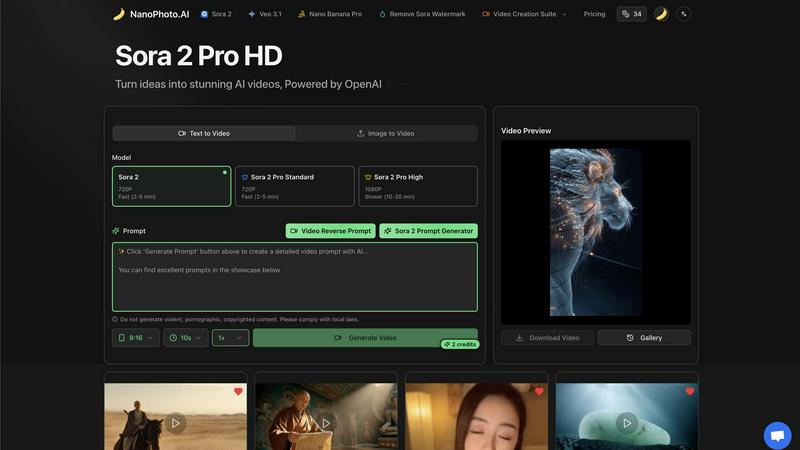
Nano Photo
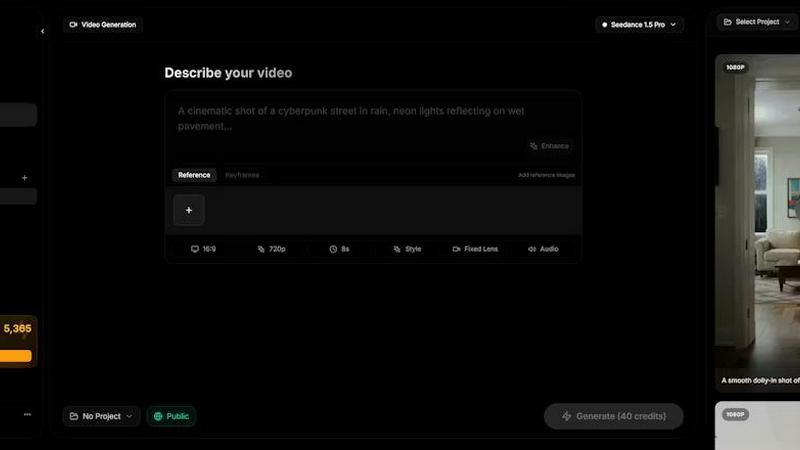
SeeDance Ai
Feature Comparison
Nano Photo
Video Creation Suite
The Video Creation Suite in NanoPhoto allows users to generate stunning videos from text or images effortlessly. With advanced AI algorithms, users can create high-quality video content that captures attention and tells compelling stories.
Image to Video Conversion
This feature enables users to convert static images into engaging videos, adding dynamic elements and transitions. It enhances visual storytelling by transforming simple visuals into captivating multimedia experiences.
Sora 2 Prompt Generator
The Sora 2 Prompt Generator is designed to streamline the creative process. Users can generate prompts that inspire video and image creation, making it easier to brainstorm ideas and kickstart projects.
Multi-Resolution Support
NanoPhoto supports various resolutions, including 720P and 1080P, catering to different user needs. This flexibility ensures that creators can produce content that meets their specific quality requirements, whether for social media or professional presentations.
SeeDance Ai
Multimodal Input System
SeeDance Ai allows users to upload up to 12 reference files, including images, videos, and audio clips. By tagging these references directly in prompts, creators can provide precise instructions rather than relying on vague descriptions, streamlining the creative process.
Simultaneous Audio and Video Generation
Unlike many tools that generate audio and video separately, SeeDance Ai produces both concurrently, ensuring perfect synchronization. This results in seamless timing where sound effects, footsteps, and dialogue align flawlessly with visual elements, reducing the need for post-production adjustments.
Consistent Character Representation
The platform employs a cross-attention reference system to maintain character continuity across different shots. This feature prevents character drift, ensuring that faces, clothing, and styles remain consistent, making it perfect for serialized content and branded campaigns.
Advanced Camera and Motion Control
Users can upload reference videos to replicate specific camera movements, such as tracking shots and dolly zooms. This capability extends to human motion, allowing complex choreography and sequences to be accurately captured and applied to generated characters.
Use Cases
Nano Photo
Social Media Marketing
NanoPhoto is ideal for social media managers looking to create engaging posts and stories. With its video and image generation capabilities, users can produce visually appealing content that drives engagement and boosts brand visibility.
Content Creation for Bloggers
Bloggers can leverage NanoPhoto to enhance their written content with eye-catching visuals. The platform allows them to create images and videos that complement their articles, making their posts more interactive and appealing to readers.
Advertisements and Promotions
Businesses can use NanoPhoto to generate promotional videos and images for advertising campaigns. The ability to quickly create high-quality content helps companies capture customer attention and improve conversion rates.
Educational Content Development
Educators can utilize NanoPhoto to create informative videos and visuals for lessons. This tool simplifies the process of developing engaging educational materials that can enhance learning experiences for students.
SeeDance Ai
Marketing and Promotional Videos
Businesses can utilize SeeDance Ai to create engaging marketing clips that combine visuals and audio seamlessly. This can enhance brand storytelling and drive customer engagement through professional-quality video content.
Social Media Content Creation
Influencers and content creators can leverage SeeDance Ai to produce eye-catching social media videos quickly. With its easy-to-use interface, users can generate polished videos that stand out in crowded feeds.
Dance and Performance Videos
Choreographers can use SeeDance Ai to visualize dance routines by generating videos that replicate specific movements and styles. This allows for effective practice, showcasing, and sharing of choreography in a digital format.
Narrative and Storytelling Projects
Filmmakers and storytellers can harness SeeDance Ai to create compelling narratives with synchronized audio and visuals. This tool enables the production of short films and animations that captivate audiences without extensive resources.
Overview
About Nano Photo
NanoPhoto.AI is a state-of-the-art creative platform that leverages artificial intelligence to revolutionize multimedia content creation and editing. Designed for creators, marketers, and businesses, NanoPhoto provides a robust suite of tools that enable users to generate captivating videos and stunning images with ease. The platform's features include video generation, image creation, and versatile prompt tools, allowing users to bring their creative visions to life quickly and efficiently. Whether you're a content creator, social media manager, or advertiser, NanoPhoto empowers you to harness the latest AI advancements to produce high-quality visual content. Its user-friendly interface and advanced functionalities allow users to focus on their creativity without getting bogged down by technical complexities. With special annual payment offers and exceptional capabilities, NanoPhoto.AI stands out as an essential tool for anyone looking to enhance their visual storytelling.
About SeeDance Ai
SeeDance Ai is a cutting-edge AI video generation platform designed for creators seeking to transform text, images, audio, and video references into professional-quality multi-shot videos. With its advanced technology, SeeDance Ai enables users to craft cinematic experiences with director-level control, making it ideal for marketers, content creators, dancers, and storytellers. The platform offers four distinct models—Seedance 2.0, Seedance 1.5 Pro, Seedance 1.0, and Seedance 1.0 Pro—each tailored to meet different creative needs. By using SeeDance Ai, users gain access to high-fidelity output that maintains character continuity, realistic motion, and synchronized audio-visual elements, which significantly enhances the production quality of marketing clips, social media content, and narrative-driven videos. With no studio required, SeeDance Ai democratizes video production, allowing anyone to produce captivating visual stories effortlessly.
Frequently Asked Questions
Nano Photo FAQ
What types of content can I create with Nano Photo?
With NanoPhoto, you can create videos and images for various purposes, including social media posts, marketing materials, blogs, and educational content.
Is there a trial version of Nano Photo available?
Yes, NanoPhoto offers a trial version that allows users to explore its features and capabilities before committing to a subscription.
Can I remove watermarks from my videos?
Yes, NanoPhoto offers options to remove watermarks, allowing users to produce clean and professional-looking content for their projects.
What resolutions are supported for video creation?
NanoPhoto supports multiple resolutions, including 720P and 1080P, giving users the flexibility to choose the quality that best fits their needs.
SeeDance Ai FAQ
How does SeeDance Ai ensure audio and video synchronization?
SeeDance Ai generates audio and video simultaneously within the same model pass, ensuring that all elements are perfectly synchronized, which enhances the overall viewing experience.
Can I use SeeDance Ai for different types of videos?
Yes, SeeDance Ai is versatile and can be used for marketing clips, social media content, dance performances, and narratives, making it suitable for a wide range of video production needs.
What types of references can I upload to SeeDance Ai?
You can upload up to 12 reference files, including a combination of images, videos, and audio clips. This flexibility allows for detailed instructions and richer video outputs.
Is there a learning curve to using SeeDance Ai?
SeeDance Ai is designed to be user-friendly. Its intuitive interface and multimodal input system simplify the video creation process, making it accessible for both beginners and experienced users.
Alternatives
Nano Photo Alternatives
Nano Photo is an innovative creative platform that utilizes advanced artificial intelligence to simplify the process of generating and editing multimedia content, including photos and videos. It caters primarily to content creators, marketers, and businesses aiming to elevate their visual storytelling. Users often seek alternatives to Nano Photo due to various reasons such as pricing, specific feature sets, or compatibility with their existing platforms and workflows. When searching for alternatives, it’s essential to evaluate factors like ease of use, the range of creative tools available, pricing structures, and the ability to integrate with other software. Consideration should also be given to the specific needs of your projects, such as the types of media you wish to create and the level of support provided by the platform. This ensures that your chosen solution aligns well with your creative vision and operational requirements.
SeeDance Ai Alternatives
SeeDance Ai is a cutting-edge AI video generation platform designed for creators seeking to transform text, images, audio, and video references into cinematic, multi-shot visuals. It falls under the category of AI cinematography, providing users with director-level control over their projects. Users often search for alternatives due to factors such as pricing, specific feature sets, or compatibility with their existing platforms and workflows. When selecting an alternative, consider aspects like output quality, ease of use, and the range of customizable options available to ensure it meets your specific needs.