
Movoria AI vs Nani
Side-by-side comparison to help you choose the right AI tool.

Movoria AI
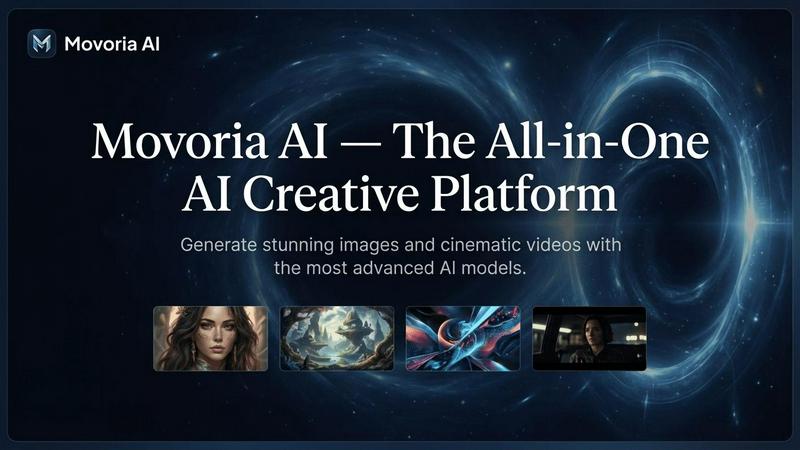
Movoria AI is your all-in-one platform for generating stunning images and cinematic videos with advanced AI models.
Last updated: April 13, 2026

Nani transforms AI image generation by organizing prompts and images into reusable sets for effortless creativity.
Last updated: February 26, 2026
Visual Comparison
Movoria AI
Nani

Feature Comparison
Movoria AI
Advanced AI Image Generation
Access a suite of top-tier image models like Nano Banana Pro, GPT Image 1.5, and Grok Image to create stunning visuals from text. Generate portraits, artwork, logos, and product shots with precise control over style, aspect ratio, and resolution up to 4K. Each model offers unique strengths, from photorealistic detail to fast iteration, ensuring you get the perfect image for your needs.
Cinematic AI Video Creation
Transform text descriptions into dynamic video clips with models like Veo 3.1, Kling 3.0, and Seedance 1.5 Pro. These advanced tools produce videos with features like native audio generation, audio-visual synchronization, and motion control for trajectory-based editing. Create engaging visual stories, promotional clips, and cinematic B-roll footage directly from your ideas.
Multi-Model Platform Access
Choose the best AI model for each specific task without leaving the platform. Movoria AI provides unified access to specialized models for images, video, and upcoming chat, allowing for a seamless workflow from ideation to final asset creation. This flexibility ensures optimal results for every creative requirement.
AI-Powered Photo Editing
Upload existing photos and enhance them using AI-driven instructions. Apply style transfers, perform edits, and improve image quality through simple text commands. This feature allows for quick refinements and creative transformations of your visual content without requiring complex manual editing software.
Nani
User-Friendly Interface
Nani boasts a simple and intuitive interface that is designed to minimize distractions. Users can quickly generate stunning images without a steep learning curve, allowing them to focus solely on the creative process.
Reusable Prompt Sets
This feature enables users to group images and save prompts as reusable sets. By maintaining consistent characters, styles, and workflows, creators can easily manage multiple projects without starting from scratch each time.
Organized Library Management
Nani allows users to create folders, filter by favorites, and bulk-select images. This organizational capability helps keep the library tidy and scalable, ensuring that users can find and manage their creations with ease.
Seamless Workflow Integration
Nani supports drag-and-drop functionality for images, making it easy to use references. Users can also share their creations through public links, allowing others to recreate their work in their own accounts, fostering collaboration and inspiration.
Use Cases
Movoria AI
Social Media Content Creation
Quickly produce eye-catching images and short-form video clips for platforms like Instagram, TikTok, and YouTube. Generate consistent, on-brand visuals for posts, stories, and reels to maintain an engaging and professional social media presence without extensive production resources.
Marketing & Advertising Campaigns
Develop high-quality visual assets for digital ad campaigns, email marketing, and website content. Create photorealistic product images, promotional videos, and concept art that captures audience attention and drives conversion rates for marketing teams and agencies.
E-commerce Product Visualization
Generate professional product photography and lifestyle imagery for online stores. Create multiple angles, scenes, and contexts for products to showcase them effectively, reducing dependency on expensive photoshoots and accelerating catalog development.
Creative Storyboarding & Prototyping
Visualize concepts and narratives quickly by generating images and video sequences from descriptive text. Filmmakers, writers, and designers can use the platform to prototype scenes, explore visual styles, and create compelling pitch materials for creative projects.
Nani
Graphic Designers
Graphic designers can leverage Nani to streamline their workflow, saving prompts and maintaining design consistency across multiple projects. This allows them to produce high-quality visuals more efficiently.
Content Creators
Content creators can use Nani to generate images for blogs, social media, and marketing materials. With quick image generation and organized libraries, they can focus on content strategy rather than image sourcing.
Game Developers
Game developers can utilize Nani to create assets for their games, ensuring consistent styles and characters. The ability to save and reuse prompt sets speeds up the asset creation process significantly.
Educators and Trainers
Educators can employ Nani to create engaging visual content for presentations and learning materials. The straightforward interface allows for rapid image generation, helping to enhance the learning experience.
Overview
About Movoria AI
Movoria AI is an all-in-one creative platform that empowers users to generate high-quality images and cinematic videos using advanced artificial intelligence. It consolidates multiple state-of-the-art AI models into a single, streamlined interface, eliminating the need to switch between different tools. The platform specializes in text-to-image, text-to-video, and image-to-video generation, offering creators unparalleled flexibility. It is designed for a wide range of users, from digital marketers and social media content creators to e-commerce entrepreneurs and professional filmmakers. The core value proposition is providing professional-grade, visually stunning content generation capabilities that are both accessible and efficient, enabling users to transform simple text prompts into compelling visual assets for any project.
About Nani
Nani is an innovative workflow tool tailored specifically for enhancing the AI image generation process. Unlike conventional AI image tools that focus on one-off creations, Nani is designed for users who engage in regular and repetitive tasks. It streamlines the entire workflow, eliminating the need for constant prompt rewriting and endless scrolling through image feeds. Built on Google's advanced Nano Banana Pro (Gemini) technology, Nani caters to artists, designers, and content creators looking to boost their productivity. The platform offers a user-friendly interface that allows for rapid image generation, while unique features like reusable prompt sets and organized folders ensure consistency and efficiency in creative projects. With Nani, users can devote more energy to their artistic vision and less to the logistical details of image creation.
Frequently Asked Questions
Movoria AI FAQ
What AI models are available on Movoria AI?
Movoria AI offers a curated selection of leading models. For images, you can use Z-Image, Nano Banana Pro, GPT Image 1.5, and Grok Image. For video generation, available models include Veo 3.1, Seedance 1.5 Pro, Kling 3.0, and Grok Video. The platform is regularly updated with new and improved models.
Is there a free tier available?
Yes, Movoria AI offers a free starting point. For example, the Z-Image model provides 2 free uses per day without requiring a login. This allows users to test the platform's core image generation capabilities before committing to a paid plan for more extensive features and higher limits.
What aspect ratios and resolutions are supported?
The platform supports various aspect ratios including 1:1, 16:9, 9:16, 4:3, and 3:4 to fit different platforms and formats. You can generate images in resolutions up to 4K, ensuring high-quality outputs suitable for both digital use and professional print.
Can I create videos with sound using Movoria AI?
Yes, several AI video models on Movoria AI, such as Veo 3.1 and Kling 3.0, feature native audio generation and audio-visual synchronization. This means the AI can create video clips with matching soundtracks or sound effects based on your text description, producing more immersive and complete video content.
Nani FAQ
How does Nani enhance AI image generation?
Nani simplifies AI image generation by offering a streamlined workflow, allowing users to save prompts, organize their work, and generate images quickly without unnecessary complexity.
Is there a learning curve associated with using Nani?
No, Nani features a user-friendly interface that is designed for ease of use. Users can start creating images right away, with no prior experience required.
What are the costs associated with using Nani?
Nani operates on a credit-based billing system, costing approximately 30 cents per generation for standard resolutions. Users can start with 5 free credits to explore the platform without any upfront investment.
Can I share my creations with others?
Yes, Nani allows users to share their generated images through public links, fostering collaboration and enabling others to recreate your work in their own accounts.
Alternatives
Movoria AI Alternatives
Movoria AI is an all-in-one AI platform in the AI Assistants category, designed to generate stunning images and cinematic videos. It offers a unified suite of tools for text-to-image, text-to-video, and image-to-video conversion using advanced AI models. Users often explore alternatives for various reasons. These can include seeking different pricing models, requiring specific features not available in the platform, or needing a tool that better integrates with their existing workflow. The search is typically driven by a need to find the best fit for individual creative or business requirements. When evaluating alternatives, consider the core capabilities you need. Key factors include the quality and style of AI-generated outputs, the range of supported media types, ease of use, and the overall value proposition. Prioritizing these elements will help you find a solution that effectively meets your image and video generation goals.
Nani Alternatives
Nani is a cutting-edge workflow tool designed specifically for AI image generation. It falls into the category of AI assistants, catering to artists, designers, and content creators who seek to enhance their creative processes. Users often look for alternatives to Nani due to various factors, including pricing options, feature sets, and platform compatibility. As creative needs evolve, individuals may seek tools that offer unique functionalities, better integration with their existing workflows, or more flexible pricing structures. When selecting an alternative, consider the specific features that align with your creative workflow. Look for tools that provide user-friendly interfaces, organizational capabilities for prompts and images, and the ability to iterate visually on previous work. Evaluating customer support, community engagement, and integration possibilities with other software can also enhance your decision-making process.