
LinkedInPro vs Proofapp
Side-by-side comparison to help you choose the right AI tool.
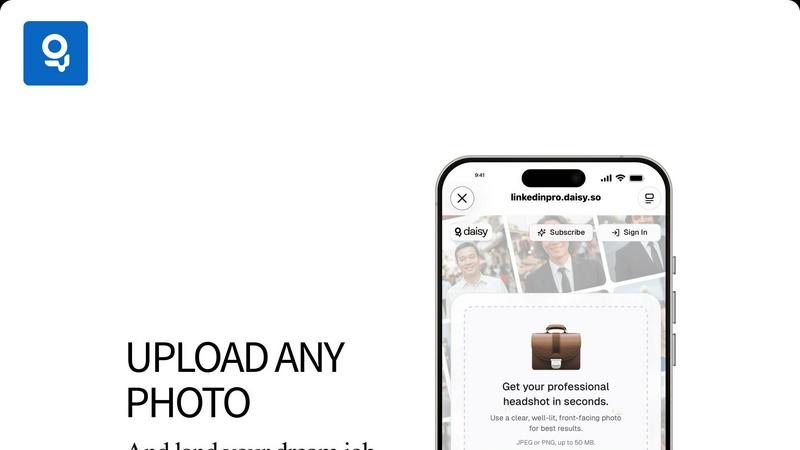
Easily convert your casual photos into polished LinkedIn headshots in seconds with our AI-powered tool.
Last updated: February 28, 2026

Proofapp
Pin visual feedback directly on any webpage to stop endless email revisions.
Last updated: March 4, 2026
Visual Comparison
LinkedInPro
Proofapp

Feature Comparison
LinkedInPro
AI-Driven Photo Enhancement
LinkedInPro employs advanced artificial intelligence algorithms to analyze and enhance user-uploaded photos. This ensures that headshots not only look professional but also reflect the user’s authentic appearance.
Instant Results
Users can obtain their professional headshots within seconds. This quick turnaround allows individuals to make timely updates to their LinkedIn profiles and online portfolios without delay.
User-Friendly Interface
The platform features an intuitive interface that makes the photo upload and enhancement process straightforward. Users can easily navigate through the steps to achieve their desired headshot with minimal effort.
Secure and Private
LinkedInPro prioritizes user privacy and data security. All uploaded photos and processed images are handled with the utmost confidentiality, ensuring that personal information remains protected.
Proofapp
Visual Commenting
Click directly on any part of a live website screenshot to leave a pinned comment. This eliminates vague descriptions like "top left, under the nav" by providing exact, visual context for every piece of feedback. Team members and clients can reply in threads and attach supporting files, keeping all discussion centralized and clear.
Multi-Breakpoint Testing
Proofapp automatically captures and presents screenshots of your website at both desktop and mobile breakpoints. This allows for comprehensive review across different device views in one place, ensuring design and functionality issues are caught no matter how a user accesses the site.
Secure Share Links
Collaborate seamlessly with clients and external stakeholders by sharing projects via secure, expirable links. Reviewers can view and comment without needing to sign up for an account, simplifying the feedback process while maintaining control over project access and security.
Real-time Collaboration & Dashboard
See comments from your team and clients as they are posted, in real-time. A central dashboard organizes all feedback across projects, allowing you to track, reply to, and resolve comments efficiently. This ensures everyone is aligned and prevents feedback from getting lost in scattered communication channels.
Use Cases
LinkedInPro
Job Seekers
Job seekers can utilize LinkedInPro to create an impressive headshot that enhances their LinkedIn profiles, making them more attractive to potential employers and increasing their chances of landing interviews.
Entrepreneurs
Entrepreneurs looking to establish a strong personal brand can benefit from LinkedInPro by obtaining high-quality headshots that can be used across various platforms, including websites, social media, and marketing materials.
Professionals in Transition
Individuals transitioning between jobs or industries can refresh their online presence with new headshots that reflect their current professional image, helping to signal their readiness for new opportunities.
Networking Events
Professionals attending networking events can use LinkedInPro to quickly update their online profiles with fresh headshots, ensuring they present themselves in the best possible light to new contacts and prospects.
Proofapp
Freelancer Client Approvals
Freelancers can present website designs or updates to clients using Proofapp. Clients click to leave precise, visual feedback directly on the mockup, which drastically reduces back-and-forth emails and misinterpretation. This professional workflow saves hours per project and accelerates final approvals.
Agency Project Management
Marketing and design agencies managing multiple client projects use Proofapp to consolidate all feedback. Internal teams and clients collaborate on the same visual canvas, streamlining review cycles, reducing revision rounds, and providing a clear audit trail of all comments and decisions.
In-House Development Teams
Internal product and development teams use Proofapp for internal website and application reviews. Designers, developers, and product managers can pin bugs, suggest UI changes, and discuss features directly on the staging site, leading to clearer technical specifications and faster iteration.
Marketing Campaign Reviews
Marketing teams launching new landing pages or campaign assets share a Proofapp link for cross-departmental review. Colleagues from content, design, and leadership can leave contextual comments on the live page, ensuring all feedback is gathered visually and organized before launch.
Overview
About LinkedInPro
LinkedInPro is a revolutionary AI-powered tool that streamlines the process of creating professional headshots from everyday photos. Designed for job seekers, entrepreneurs, and professionals, this innovative solution allows users to enhance their LinkedIn profiles and overall online presence effortlessly. With LinkedInPro, there is no need for expensive photography sessions or complicated editing software. Users can simply upload a clear and well-lit front-facing photo and receive instant, studio-quality results that preserve their natural features. This tool is invaluable for those aiming to make a positive impression on potential employers and clients, helping individuals to effectively elevate their personal branding efforts. In a competitive job market or business landscape, LinkedInPro stands out as a quick and cost-effective way to achieve a polished and professional image.
About Proofapp
Proofapp is a visual feedback and website review platform designed to eliminate the chaos of traditional feedback loops. It streamlines collaboration between designers, developers, and their clients by moving conversations out of endless email chains and onto the actual design. Users simply paste any website URL, and Proofapp automatically captures both desktop and mobile screenshots. Reviewers can then click directly on the screenshot to pin comments, creating visual, contextual feedback that is impossible to misinterpret. The platform supports threaded replies, file attachments, and resolution tracking, all without requiring reviewers to create an account. With features like real-time notifications, Slack integration, and multi-page support, Proofapp keeps all feedback organized and actionable. It is built for freelancers, agencies, and in-house teams who need a simple, efficient, and professional way to collect precise feedback, reduce revision cycles, and ship projects faster.
Frequently Asked Questions
LinkedInPro FAQ
What type of photos can I upload to LinkedInPro?
Users can upload clear, well-lit, front-facing photos in JPEG or PNG format, with a maximum file size of 50 MB, for optimal results.
How long does it take to receive my headshot?
LinkedInPro delivers users their enhanced professional headshots in seconds, allowing for quick updates to LinkedIn profiles and other online platforms.
Is my personal information safe with LinkedInPro?
Yes, LinkedInPro takes user privacy seriously. All uploaded photos and processed images are kept secure and confidential, ensuring your personal information stays protected.
Can I use my headshot for purposes other than LinkedIn?
Absolutely. The high-quality headshots generated by LinkedInPro can be used across various platforms, including websites, business cards, and professional social media profiles.
Proofapp FAQ
How do reviewers leave feedback without an account?
You generate a secure, shareable link from your Proofapp project dashboard and send it to your clients or team members. When they open the link, they can immediately click on the website screenshot to leave comments, attach files, and participate in threads without any sign-up process.
What websites can I review with Proofapp?
You can paste any publicly accessible website URL into Proofapp. The platform will automatically capture screenshots of that page. It works on live sites, staging environments, and password-protected sites if you provide the login credentials during the capture setup.
Is there a free plan available?
Yes, Proofapp offers a generous free tier to get started. This allows you to test the core functionality, including visual commenting and secure sharing, on a limited number of projects. You can upgrade to a paid plan for more projects, pages, and advanced features.
How does Proofapp compare to sending screenshots via email?
Email feedback is slow, fragmented, and prone to miscommunication. Proofapp centralizes all feedback visually on the actual design, provides real-time updates, and keeps a structured record of all conversations. This typically reduces revision cycles by 60% and saves teams over 5 hours per week.
Alternatives
LinkedInPro Alternatives
LinkedInPro is an AI-driven tool designed to convert everyday photos into high-quality professional headshots quickly. It falls under the productivity and management category, catering primarily to job seekers, entrepreneurs, and professionals aiming to enhance their online presence. Users often seek alternatives due to various reasons such as pricing concerns, feature sets, platform compatibility, or specific personal branding needs. When choosing an alternative, it's crucial to consider the ease of use, quality of results, customization options, and overall value provided by the service. --- [{"question": "What is LinkedInPro?", "answer": "LinkedInPro is an AI-powered tool that transforms casual photos into professional-grade headshots in seconds."}, {"question": "Who is LinkedInPro for?", "answer": "LinkedInPro is designed for job seekers, entrepreneurs, and professionals looking to improve their LinkedIn profiles and online presence."}, {"question": "Is LinkedInPro free?", "answer": "The pricing details for LinkedInPro are not specified, so users should check the website for more information."}, {"question": "What are the main features of LinkedInPro?", "answer": "Main features include instant photo transformation, multiple professional styles, user-friendly operation, and authentic results that retain natural features."}]
Proofapp Alternatives
Proofapp is a visual feedback and website review platform in the design tools category. It streamlines collaboration by letting teams and clients pin comments directly on live website screenshots, eliminating scattered feedback. Users often seek alternatives for various reasons. These can include budget constraints, the need for specific integrations, or requiring more advanced features like video review or in-depth project management tools beyond simple feedback collection. When evaluating alternatives, consider your team's core needs. Key factors include the ease of use for clients, the range of supported file types, integration capabilities with your existing workflow, and the overall pricing structure for your team size and project volume.