
FlashSlides vs Image to Music AI
Side-by-side comparison to help you choose the right AI tool.

Create stunning AI presentations from any topic, link, or document in seconds.
Last updated: February 28, 2026

Image to Music AI
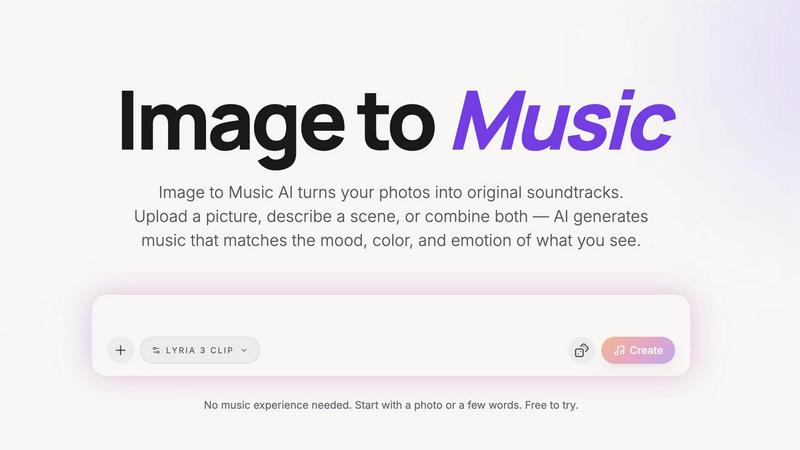
Transform any photo into a unique AI-generated soundtrack that captures its mood and emotion with just a simple upload.
Last updated: April 13, 2026
Visual Comparison
FlashSlides

Image to Music AI
Feature Comparison
FlashSlides
Multi-Format Input
FlashSlides accepts content from virtually any source to kickstart your presentation. You can type a topic description, paste a YouTube video link, provide a website URL, or upload existing documents like PDFs or Word files. The AI intelligently extracts and synthesizes the key information from these inputs to form the foundation of your slides, making research and content gathering effortless.
Customizable Slide Count
You have full control over the length of your presentation. The tool allows you to select anywhere from 1 to 50 slides for your deck. This ensures the final presentation is perfectly tailored to your specific needs, whether it's a quick brief or a comprehensive report, giving you the flexibility to match any time constraint or detail requirement.
AI-Generated Visuals
Each slide is automatically enhanced with a unique, AI-generated image that is relevant to the slide's content. This feature eliminates the need to search for stock photos or create graphics manually. The visuals are custom-made for your presentation, ensuring a cohesive, professional, and engaging look that helps captivate your audience from the first slide.
Instant Export & Sharing
Once generated, your presentation is ready in about 30 seconds. You can immediately download it as a fully editable PowerPoint (.pptx) file to use in any compatible software. Alternatively, you can share your presentation with a unique, shareable URL, facilitating easy collaboration and review without the need for file transfers.
Image to Music AI
Photo-to-Music and Text-to-Music Generation Modes
Image to Music AI offers dual modes for music generation. Users can either upload a photo to create music based on its visual traits or provide a text description to guide the composition. This flexibility allows for diverse creative possibilities and personalized soundtracks.
Powered by Google Lyria (Advanced AI Music Model)
The platform utilizes the advanced Google Lyria AI music model, ensuring high-quality music generation. This sophisticated technology interprets visual data accurately, translating the essence of images into captivating soundscapes that evoke emotion and atmosphere.
Generate Multiple Versions and Compare Side by Side
Users can generate several unique audio tracks from the same image. This feature allows for side-by-side comparisons of different musical interpretations, making it easy to choose the version that best fits the intended mood or project.
Download Finished Tracks as Audio Files
Once satisfied with the generated soundtrack, users can easily download their audio files for offline use. This feature streamlines the process of integrating music into various projects, whether for personal use or professional applications.
Use Cases
FlashSlides
Academic Projects and Reports
Students can create impressive class presentations, project reports, and study materials in minutes instead of hours. By inputting a research topic or pasting a source link, they receive a structured, visually appealing deck that helps them present their work confidently and effectively, saving valuable time for research and study.
Business Meetings and Reports
Professionals can quickly prepare polished meeting decks, project proposals, and quarterly business reviews. FlashSlides turns rough ideas or existing documents into professional presentations, ensuring teams can communicate data and strategies clearly without getting bogged down in design work, thus speeding up internal workflows.
Educational Lesson Planning
Teachers and educators can generate engaging lesson plans and educational content that captures student attention. By converting curriculum topics or resource materials into ready-made slide decks, educators can reduce prep time and focus more on interactive teaching and student engagement in the classroom.
Startup Fundraising and Pitches
Startup founders can build compelling pitch decks and investor presentations that make a significant impact. The AI helps structure the narrative around a business idea, market analysis, and financial projections, creating a visually strong foundation that can then be refined to perfectly tell their story to potential investors.
Image to Music AI
Travel & Photography
Travel enthusiasts and photographers can enhance their visual storytelling by turning stunning landscape shots and travel photos into personalized soundtracks. Each journey can be accompanied by a unique audio experience that captures the essence of the moment.
Short Videos & Vlogs
Content creators can quickly convert still frames from their videos into dynamic music tracks. This capability allows for seamless integration of AI-generated soundscapes into video projects, adding depth and emotional resonance to their storytelling.
Creative Projects & Moodboards
Artists and designers can transform conceptual art and moodboards into original music. By using visuals as a springboard for sound, creators can evoke specific feelings and themes that align with their artistic vision.
Social Media Content
Influencers and social media users can elevate their posts by incorporating AI-generated music that complements their images. This feature enables users to stand out in crowded feeds, making their content more engaging and memorable.
Overview
About FlashSlides
FlashSlides is an AI-powered presentation generator that transforms any idea into a professional slide deck in under a minute. It is designed to eliminate the time-consuming and often complex process of designing presentations from scratch. The platform serves a wide range of users, including students, business professionals, educators, and startup founders, by automating the creation of visually compelling and content-rich slides.
The core value proposition of FlashSlides is its unparalleled speed and simplicity. Users can generate a presentation by simply describing a topic, pasting a YouTube URL, dropping a website link, or uploading a document (PDF or Word). The AI then processes this input to create a complete set of slides, complete with structured text and unique, AI-generated images that match the content. This allows individuals and teams to save significant time, enhance their productivity, and focus on delivering their message effectively rather than wrestling with design tools. With the ability to download presentations as editable PowerPoint files, FlashSlides provides a powerful, efficient starting point for any presentation need.
About Image to Music AI
Image to Music AI is an innovative, AI-powered music generator that transforms your photos into unique soundtracks. Leveraging advanced algorithms, this tool interprets the mood, colors, and visual elements of any uploaded image—be it a serene landscape, a vibrant portrait, or imaginative concept art. Users can also enhance their experience by adding text prompts that specify the desired genre, tempo, and instrumentation, providing a richer layer of creative control. The platform is designed for a diverse audience, including photographers, video creators, travel bloggers, and anyone seeking to add an auditory dimension to their visuals. With no prior music experience required, the intuitive interface allows users to generate multiple audio versions, compare them side by side, and download the track that resonates most. This fusion of visual and auditory artistry makes Image to Music AI a game-changer in multimedia creativity.
Frequently Asked Questions
FlashSlides FAQ
How does FlashSlides work?
You simply enter your topic, paste a link, or upload a document. The AI then generates a complete presentation with a chosen number of slides, each containing relevant content and a custom AI-generated image. The entire process is automated and typically takes less than a minute to complete.
Is it really free?
Yes, FlashSlides offers a free tier. Every user gets 1 free presentation generation per day without requiring a credit card. For users who need to create more presentations, additional credits can be purchased as needed.
What formats can I download?
Presentations can be downloaded as standard PowerPoint files (.pptx). This format is universally compatible with software like Microsoft PowerPoint, Google Slides, and others, allowing for full editing and customization after download.
Can I edit the generated presentations?
Absolutely. Once you download the presentation as a PowerPoint (.pptx) file, you can open and edit it freely in any compatible presentation software, such as Microsoft PowerPoint or Google Slides. You have complete control to modify text, images, and layout.
Image to Music AI FAQ
How does Image to Music AI generate music from images?
The AI analyzes the uploaded image's mood, colors, and visual energy to compose a matching music track. Users can also add text prompts to refine the genre, tempo, and instruments.
Do I need musical experience to use Image to Music AI?
No musical experience is required. The platform is designed for all users, allowing anyone to create unique soundtracks simply by uploading a photo or describing a scene.
How long does it take to generate a music track?
The generation time for music tracks typically ranges from 2 to 5 minutes, providing users with quick access to their AI-generated soundscapes.
Is there a free version of Image to Music AI?
Yes, there is a free tier available that allows new users to start with 15 credits, enabling them to upload an image and experience the Pro features without any initial cost.
Alternatives
FlashSlides Alternatives
FlashSlides is an AI-powered presentation generator in the productivity and management category. It helps users create professional slides with AI-generated content and images in minutes, saving significant time on design. Users often explore alternatives for various reasons. These can include budget constraints, the need for more advanced design control, specific integration requirements with other platforms, or a preference for different AI models and output styles. It's a common step in finding the perfect tool for individual workflow needs. When evaluating other options, consider your core priorities. Key factors include the quality and speed of AI generation, customization flexibility, export formats, collaboration features, and overall value for the price. Identifying what matters most will guide you to the right solution.
Image to Music AI Alternatives
Image to Music AI is an innovative tool that falls under the category of audio and music generation, allowing users to transform photos into original soundtracks. By analyzing the visual elements of an image, this AI-powered platform composes music that aligns with the mood and energy of the visual content. Users often seek alternatives due to various factors such as pricing, specific features, or compatibility with their preferred platforms. When choosing an alternative, it’s essential to consider the quality of music generation, ease of use, customization options, and the range of supported file formats. Additionally, examining whether the service offers a free tier or credits-based pricing can help users find a solution that best fits their creative needs and budget.