
Filator vs qtrl.ai
Side-by-side comparison to help you choose the right AI tool.

Filator
Filator is your free all-in-one platform for AI, PDF, and image tools to finish work faster.
Last updated: March 1, 2026

qtrl.ai
qtrl.ai empowers QA teams to scale testing with AI while maintaining complete control and governance over processes.
Last updated: March 4, 2026
Visual Comparison
Filator
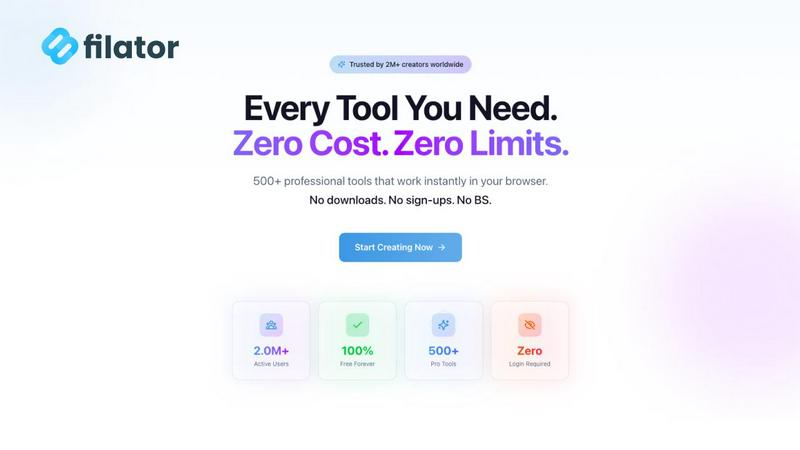
qtrl.ai

Feature Comparison
Filator
Zero-Friction Access
Access professional tools instantly without any barriers. There is no mandatory account creation, email verification, or login required to start using the vast majority of tools. You can open the platform and begin your task immediately, saving valuable time and streamlining your workflow from the first click.
Extensive Tool Library
Gain access to a growing collection of over 500 professional-grade tools organized by category for easy discovery. The library spans AI tools, PDF utilities, image processors, social media generators, QR code creators, developer tools, and business solutions. New tools are added regularly, ensuring you always have the right utility for any task.
AI-Powered Capabilities
Leverage a suite of intelligent AI tools that understand context and deliver results in seconds. Features include an AI background remover, image generator from text, chat with your documents or webpages, YouTube summarizer, and AI writers for essays and emails. These tools provide smart assistance exactly when you need it.
High-Quality, Private Processing
Achieve professional results with high-resolution outputs in multiple formats. Crucially, your privacy is protected as most tools perform file processing directly within your web browser. Your data is not uploaded to or stored on external servers, ensuring your documents and information remain secure and confidential.
qtrl.ai
Autonomous QA Agents
qtrl.ai's autonomous QA agents execute instructions on demand or continuously, providing the flexibility to run tests across multiple environments at scale. These agents operate within your defined rules, ensuring that real browser execution is achieved without relying on simulations.
Enterprise-Grade Test Management
The platform offers centralized management of test cases, plans, and runs, ensuring full traceability and comprehensive audit trails. With support for both manual and automated workflows, it is designed to meet compliance and auditability requirements, making it suitable for enterprises.
Progressive Automation
Begin with human-written test instructions and progressively transition to AI-generated tests as your team becomes ready. qtrl.ai suggests new tests based on coverage gaps, enabling teams to review, approve, and refine tests at every stage of the process.
Adaptive Memory
qtrl.ai builds a living knowledge base of your application, learning from exploration, test execution, and identified issues. This capability powers context-aware test generation, becoming more effective with each interaction and enhancing overall testing efficiency.
Use Cases
Filator
Content Creation & Marketing
Quickly generate engaging social media content, professional emails, and marketing materials. Use the fake Instagram post and tweet generators for mockups, create QR codes for campaigns, and leverage AI writers to produce compelling copy. All tools are designed to help marketers work efficiently without switching between applications.
Document & Image Management
Handle all your document and image processing needs in one place. Merge, split, compress, or convert PDFs. Resize, convert, or edit images across 132 format combinations. This is ideal for professionals who regularly prepare reports, presentations, or digital content and need reliable, fast file manipulation.
Development & Data Workflow
Streamline technical tasks with dedicated developer utilities. Format JSON data, generate secure passwords, and use text tools like word counters. Developers and data professionals can chain these tools together to automate repetitive aspects of their workflow, saving time on mundane tasks.
Academic & Professional Writing
Enhance writing projects with AI-powered assistance. Use the AI essay writer to generate structured drafts, the content rewriter to refine text, and chat with uploaded documents or web links to extract key information quickly. This helps students, researchers, and writers produce high-quality work faster.
qtrl.ai
Product-Led Engineering Teams
For product-led engineering teams, qtrl.ai facilitates rapid testing cycles without sacrificing quality. Teams can manage test cases effectively while leveraging AI for automation, ensuring that product releases are both timely and reliable.
QA Teams Scaling Beyond Manual Testing
QA teams looking to expand their testing capabilities find qtrl.ai invaluable. The combination of enterprise-grade test management and AI-driven automation allows these teams to move beyond manual testing, increasing efficiency and accuracy in their workflows.
Companies Modernizing Legacy QA Workflows
Organizations transitioning from outdated QA practices can leverage qtrl.ai to modernize their quality assurance processes. With progressive automation and built-in compliance features, teams can streamline testing and adapt to new technologies seamlessly.
Enterprises Requiring Governance and Traceability
For enterprises that mandate strict governance and traceability, qtrl.ai provides comprehensive audit trails and permissioned autonomy levels. This ensures that all testing activities are transparent, controlled, and compliant with industry regulations.
Overview
About Filator
Filator is a comprehensive digital workspace and online tools platform designed for professionals who value speed, privacy, and quality. It consolidates over 500 specialized utilities into a single, frictionless platform, eliminating the need to juggle multiple websites for different tasks. The platform serves developers, designers, marketers, writers, and business professionals across more than 150 countries, helping them finish work faster without compromising on output quality. Its core value proposition is delivering professional-grade results instantly with zero barriers. There are no mandatory sign-ups, no premium paywalls to access core features, and no data collection, as most tools process files directly in your browser. From converting images across 132 format combinations and processing PDFs to using AI for content generation and leveraging developer utilities, Filator provides a trusted, all-in-one solution for maximum productivity. It is the one platform to create, convert, and automate, bringing together PDFs, images, AI tools, and workflows in one place.
About qtrl.ai
qtrl.ai is a cutting-edge quality assurance platform engineered to empower software teams in scaling their QA processes while maintaining robust control and governance. By merging enterprise-level test management with advanced AI automation, qtrl.ai serves as a centralized hub for organizing test cases, planning test runs, and tracing requirements to coverage. The platform offers real-time dashboards that provide insights into testing status, pass rates, and potential risks, enabling engineering leads and QA managers to make informed decisions.
What sets qtrl.ai apart is its progressive AI layer, which allows teams to adopt intelligent automation incrementally. Starting with manual test management, teams can gradually transition to autonomous agents that generate UI tests from plain English descriptions. These agents manage tests as applications evolve and execute them across various browsers and environments. This makes qtrl.ai an ideal solution for product-led engineering teams, QA groups moving away from manual testing, organizations modernizing outdated workflows, and enterprises that demand strict compliance and audit trails. Ultimately, qtrl.ai aims to bridge the gap between the slow pace of manual testing and the complexities of traditional automation, offering a reliable path toward faster, more intelligent quality assurance.
Frequently Asked Questions
Filator FAQ
Is Filator really free to use?
Yes, Filator offers a robust free plan that includes access to over 60 core tools without any cost. This includes many PDF, image, text, and developer utilities. The free plan also provides 10 AI credits per month to try the AI features. There are no hidden fees or watermarks on outputs from the free tools.
What are AI credits and how are they used?
AI credits are the currency used to power Filator's AI tools, such as the AI Image Generator, Essay Writer, and Chat with Files. Each task with an AI tool consumes a certain number of credits. For example, generating an AI image may cost credits. You receive a monthly allowance based on your subscription plan.
How does Filator protect my privacy?
Filator prioritizes user privacy. The majority of tools, especially file processors for PDFs and images, run entirely within your web browser. This means your files are never uploaded to our servers. We do not collect or sell your personal data. For AI tools that require server processing, data is handled securely and not used for training models.
Can I use Filator on mobile devices?
Yes, Filator is a web-based platform that is fully responsive and works on any modern mobile browser, including on smartphones and tablets. The interface adjusts to your screen size, allowing you to access and use tools conveniently while on the go, without the need to download a dedicated mobile app.
qtrl.ai FAQ
How does qtrl.ai ensure test accuracy?
qtrl.ai ensures test accuracy by allowing teams to write high-level instructions that the platform executes precisely as described. Additionally, the AI layer suggests new tests based on coverage gaps, enabling continuous improvement.
What makes qtrl.ai different from traditional QA tools?
qtrl.ai distinguishes itself with its progressive automation approach, allowing teams to start with manual testing and gradually integrate AI. This mitigates the risks associated with fully autonomous systems, providing a balanced solution.
Can qtrl.ai integrate with existing tools?
Yes, qtrl.ai is designed to work seamlessly with your existing tools and workflows. It supports requirements management integration and CI/CD pipeline compatibility, enhancing your current QA processes.
Is qtrl.ai suitable for all types of organizations?
Absolutely. qtrl.ai caters to various organizations, from product-led engineering teams and QA groups scaling beyond manual testing to enterprises needing strict governance and traceability. Its flexibility makes it adaptable to diverse QA needs.
Alternatives
Filator Alternatives
Filator is a comprehensive, all-in-one platform offering over 500 free AI, PDF, and image tools. It falls into the category of online productivity and utility suites, designed to consolidate specialized tasks into a single, private workspace for professionals. Users may seek alternatives for various reasons. Some require tools available on specific operating systems like desktop apps, while others might need advanced features beyond Filator's core free offering. Platform preferences, unique workflow integrations, or the need for specialized support can also drive the search for other solutions. When evaluating alternatives, consider your primary needs. Key factors include the range and depth of tools offered, the platform's privacy and data handling policies, its cost structure, and overall ease of use. The right choice balances these elements with your specific daily tasks.
qtrl.ai Alternatives
qtrl.ai is a cutting-edge quality assurance platform designed to aid software teams in scaling their testing efforts with the help of AI agents while maintaining complete control and governance. By combining robust test management capabilities with intelligent automation, qtrl.ai serves as a centralized hub for organizing test cases, planning runs, and tracking quality metrics in real-time. Users often seek alternatives to qtrl.ai for a variety of reasons, including pricing, specific feature requirements, and compatibility with existing platforms. When evaluating alternatives, it’s crucial to consider factors such as ease of use, integration capabilities, the extent of AI features, and the overall cost to ensure the chosen solution aligns with the team's unique needs and workflow.