
dmaya vs Image to Music AI
Side-by-side comparison to help you choose the right AI tool.

dmaya
AI vibe design platform for agencies and teams. Chat with AI, generate UI designs, get client approval, and export to code.

Image to Music AI
Turn any photo into an original AI-generated soundtrack. Upload an image, add a prompt, and download your music.
Visual Comparison
dmaya
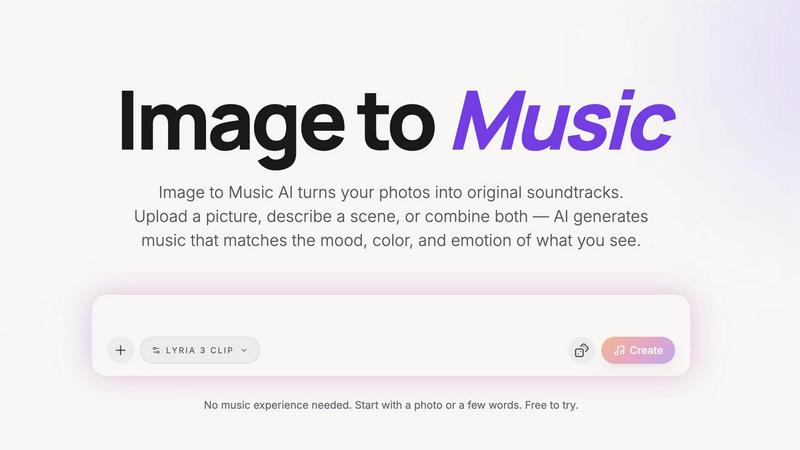
Image to Music AI
Overview
About dmaya
Vibe design platform built for agencies, teams, and freelancers who need to design before they code. dMaya lets you chat with an AI agent to generate professional UI designs from text descriptions. Describe a SaaS dashboard, an e-commerce flow, or a mobile app and get polished screens in seconds.
Iterate through conversation. Ask the AI to change colors, swap layouts, adjust typography, or add sections. Every change is instant and precise. Design tokens keep everything consistent across all screens automatically.
When ready, share a preview link with your client. They review in the browser, leave feedback, and approve. No account needed. The review cycle that used to take days now happens in minutes.
Once approved, export as clean HTML, CSS, and JS code. Hand it to Cursor, Claude Code, or any coding agent to build in React, Next.js, Flutter, or whatever your team uses.
Most AI tools skip design and go straight to code. dMaya gives you the visual design step where you make intentional decisions, catch problems early, and align your team before development starts. Built for teams that present, approve, and ship with confidence.
About Image to Music AI
Image to Music AI is an AI-powered music generator that turns photos into original soundtracks. Simply upload any image — a landscape, portrait, or concept art — and the AI reads its mood, colors, and visual energy to compose a matching music track.
You can also add a text prompt to steer the genre, tempo, and instrumentation. Combine image and text inputs for full creative control.
Key features:
Photo-to-music and text-to-music generation modes
Powered by Google Lyria (advanced AI music model)
Generate multiple versions and compare side by side
Download finished tracks as audio files
Generation time: approximately 2–5 minutes
No music experience required
Free tier available with credits-based pricing
Perfect for photographers, video creators, travel bloggers, and anyone who wants to give their visuals a unique AI-generated soundtrack.