
Chibi Pics vs Remove Handwriting
Side-by-side comparison to help you choose the right AI tool.

Chibi Pics
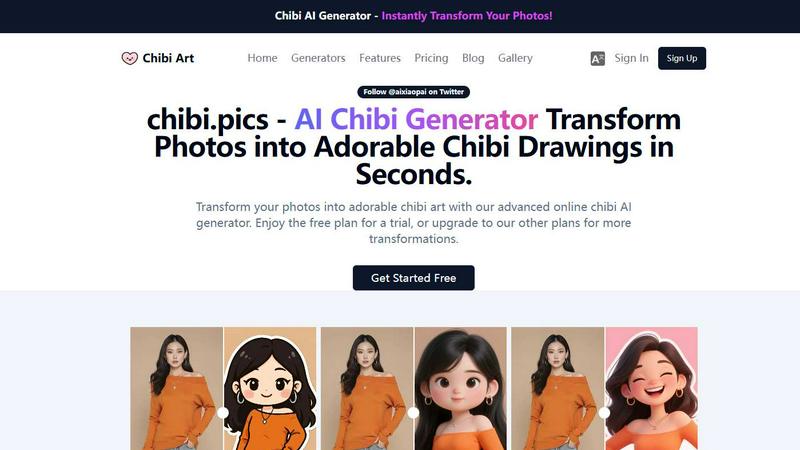
chibi.pics is an all-in-one AI platform that turns any photo into adorable, customizable chibi art in seconds — no drawing or prompts needed.

Remove Handwriting
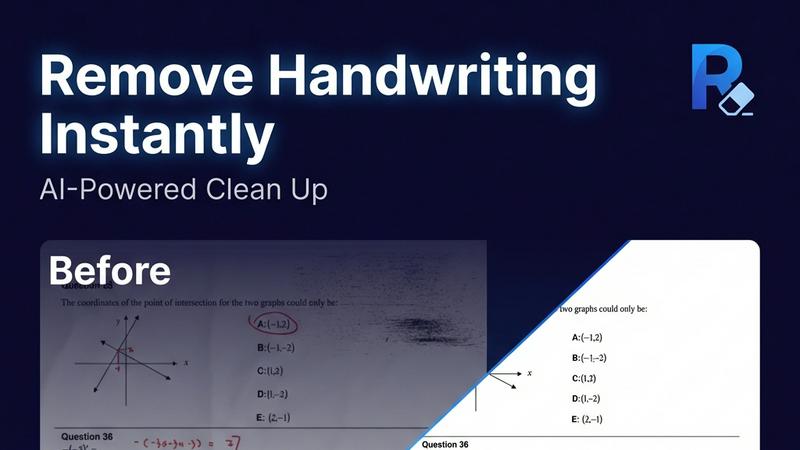
Remove handwriting from images and PDFs with AI while preserving your original printed text and layout.
Last updated: March 26, 2026
Visual Comparison
Chibi Pics
Remove Handwriting
Overview
About Chibi Pics
chibi.pics is the all-in-one AI platform that transforms ordinary photos into adorable, customizable chibi art in seconds — no drawing, no prompts, no experience required. Whether you’re turning your selfie into a cute anime avatar, converting your pet into a pixel-perfect chibi portrait, or merging two couple photos into a dreamy animated chibi duo, chibi.pics makes it effortless.
With 12 specialized AI generators under one roof, including AI Custom Chibi, AI Emoji Pack, AI Couple Merge, and AI Photo Animator, users can create everything from 16-piece themed sticker sets to animated videos where their face moves to any rhythm. The proprietary Nano Banana Pro AI engine powers advanced editing — adjust poses, expressions, and styles with intuitive drag-and-drop controls, all in real time.
Supporting 6 languages (English, French, Spanish, Chinese, Japanese, Arabic) and offering both free and premium tiers, chibi.pics is built for global creators, social media lovers, and pet parents who want to express themselves through playful, shareable AI art.
No more waiting for artists. No more complex prompts. Just upload, click, and fall in love with your chibi self.
About Remove Handwriting
Remove Handwriting is an AI-powered document cleanup tool designed to intelligently erase handwritten text, notes, and annotations from digital files. It works on images, PDFs, and scanned documents, delivering clean, professional results in seconds. The core value lies in its precision: it removes only the handwritten marks while meticulously preserving all underlying printed text, tables, diagrams, and the original document layout. This makes it an essential tool for educators needing clean worksheets, professionals preparing contracts, archivists restoring documents, and students repurposing exam papers. Beyond simple erasure, the tool performs comprehensive document restoration, automatically fixing common scan issues like shadows, skew, curled edges, and background noise. Accessible directly in your web browser or via mobile apps, it supports popular file formats (JPG, PNG, JPEG, PDF) and offers batch processing and API access for scalable workflows. You can start using its powerful features for free with no credit card required.