
AI Photo Template vs NanoBanana 2
Side-by-side comparison to help you choose the right AI tool.

AI Photo Template
AI Photo Template instantly creates branded photo templates that maintain your unique style.
Last updated: February 28, 2026

NanoBanana 2
Nano Banana 2 is an advanced AI image editor that delivers professional-grade photo enhancement and intelligent retouching instantly.
Last updated: March 18, 2026
Visual Comparison
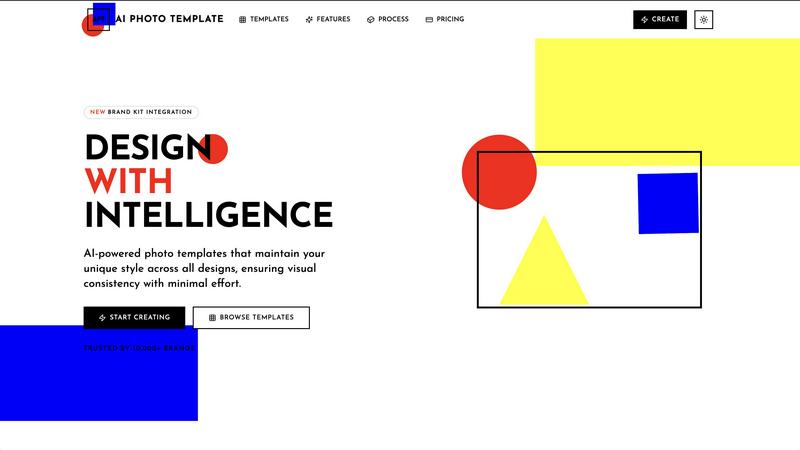
AI Photo Template
NanoBanana 2

Feature Comparison
AI Photo Template
AI Style Analysis
Our AI engine studies your uploaded sample images and brand assets to understand your unique visual aesthetic. It learns your color palettes, typography preferences, and compositional style, then replicates this understanding to generate new templates that feel authentically "you," ensuring brand coherence from the start.
Brand Kit Integration
Store your essential brand assets—logos, color codes, and fonts—in a centralized Brand Kit. This library allows for instant application of your brand identity across any template. Update your kit once, and all future designs automatically incorporate the correct elements, streamlining the design process.
Smart Layout Engine
Templates are built on professional design principles, including golden ratios and visual hierarchy rules. The Smart Layout Engine automatically arranges text, images, and graphic elements for maximum visual impact and readability, eliminating guesswork and ensuring every design is balanced and effective.
Team Collaboration Tools
Share templates, brand kits, and image repositories with team members to collaborate in real-time. This feature enables seamless workflow for marketing teams and agencies, allowing multiple users to create, edit, and approve on-brand content from a single, unified platform.
NanoBanana 2
Smart Auto-Enhancement
This feature intelligently analyzes any uploaded image and automatically applies the optimal enhancements for lighting, contrast, and clarity. It uses advanced machine learning to deliver professional-quality results instantly, serving as a perfect starting point for any edit without manual tweaking.
Advanced Color Correction & Grading
Powered by deep learning algorithms, this tool provides professional-grade color correction. It goes beyond simple sliders, understanding image context to apply nuanced color grading that enhances mood and visual appeal while maintaining natural-looking tones and balances.
AI-Powered Noise Reduction
Eliminate digital noise and grain from photos while meticulously preserving critical fine details and textures. This is especially powerful for low-light photography, ensuring clean, sharp results without the blurring effect of traditional denoising filters.
Portrait Enhancement Mode
A specialized feature for flattering and natural portrait retouching. The AI understands facial features to apply skin smoothing, reduce blemishes, and enhance eyes and teeth while preserving the subject's unique characteristics and avoiding an overly "plastic" look.
Use Cases
AI Photo Template
Social Media Content Creation
Quickly generate a consistent stream of on-brand visuals for Instagram posts, stories, Facebook covers, and LinkedIn articles. Maintain a cohesive aesthetic across all platforms to strengthen brand recognition and engagement without daily design overhead.
Client Portfolio & Delivery
Photographers and creative professionals can use the platform to create elegant, consistent presentation templates for client photo deliveries. This ensures a professional, branded experience that elevates your service and impresses clients with cohesive galleries.
Marketing Campaign Assets
Marketing teams and agencies can develop a complete set of visual templates for multi-channel campaigns. Ensure that emails, social ads, and website banners maintain identical styling, reinforcing campaign messaging and visual identity across all touchpoints.
Small Business Branding
Small businesses and entrepreneurs can establish and maintain a professional visual identity from day one. Create matching templates for product photos, promotional materials, and website content without hiring a designer, ensuring a polished and trustworthy brand image.
NanoBanana 2
Professional Photography Post-Processing
Photographers can drastically reduce editing time by using NanoBanana 2 for batch processing wedding, portrait, or commercial shoots. The AI handles initial enhancements and color grading, allowing pros to focus on creative fine-tuning and client-specific adjustments.
Social Media Content Creation
Content creators and social media managers can maintain a consistent, high-quality visual brand. The tool quickly enhances product photos, creates engaging graphics from text prompts, and retouches portraits for profiles and posts, all within an efficient workflow.
E-commerce Product Image Optimization
Online retailers can process hundreds of product images simultaneously using batch processing. Features like auto-enhancement, noise reduction, and HDR recovery ensure every item looks sharp, vibrant, and professional, directly boosting conversion rates.
Design & Marketing Material Production
Designers can rapidly generate visual concepts and assets using the text-to-image and image-to-image generators. It accelerates the ideation phase for campaigns, advertisements, and website graphics, providing a strong foundation for further design work.
Overview
About AI Photo Template
AI Photo Template is an AI-powered design platform that automates the creation of professional, on-brand photo templates. It intelligently analyzes your brand's visual identity—including colors, fonts, logos, and existing imagery—to generate fully customizable templates that maintain your unique style consistently. Built on professional design principles, the platform automatically arranges elements for optimal visual impact, ensuring every design looks expert-crafted.
It is designed for marketing teams, small businesses, social media managers, photographers, and content creators who need to produce high-quality, cohesive visual content quickly, without requiring advanced design skills. The core value proposition is saving significant time on repetitive design work while guaranteeing that every piece of content, from social media posts to client portfolios and website headers, aligns perfectly with your brand aesthetic. AI Photo Template delivers visual consistency and professional quality with minimal effort.
About NanoBanana 2
NanoBanana 2 is the next-generation AI image editing model, representing a significant upgrade from the original Nano Banana. It is a powerful, AI-driven photo editor designed for photographers, designers, and content creators who require professional-grade results without the complexity of traditional software. The tool functions as a "design agent," offering intelligent retouching, photo enhancement, and image manipulation through an advanced deep learning model. Its core value proposition lies in delivering superior image quality, sharper edits, and stronger prompt control within a streamlined, efficient workflow. Users can start from scratch with text-to-image generation, transform existing photos with image-to-image editing, or enhance shots with one-click processing. Built for serious image work, NanoBanana 2 combines state-of-the-art technology with a user-friendly interface, enabling both rapid batch processing and detailed, customized edits to meet the demands of professional creative workflows.
Frequently Asked Questions
AI Photo Template FAQ
How does the AI understand my brand style?
The AI analyzes the visual data from images, logos, and color palettes you upload. It identifies patterns in your color usage, typography, spacing, and compositional preferences. This analysis allows it to generate new templates that adhere to your established aesthetic guidelines.
Do I need design experience to use this platform?
No advanced design skills are required. The platform is built for users of all skill levels. The AI handles the complex design principles, and the interface provides intuitive drag-and-drop controls for easy customization, making professional design accessible to everyone.
What file formats can I export my designs in?
Export options vary by plan. All plans support JPG and PNG exports. Professional and Business plans add support for PSD (Photoshop) and PDF formats, providing greater flexibility for both digital use and professional printing needs.
Can I use the templates for commercial purposes?
Yes, all templates you create and customize using AI Photo Template are yours to use for commercial purposes. This includes marketing materials, client work, social media content, and products for sale, giving you full ownership of your final designs.
NanoBanana 2 FAQ
What is the difference between NanoBanana 2 and the original Nano Banana?
NanoBanana 2 is a major upgrade featuring enhanced neural networks and improved processing algorithms. It delivers sharper edits, stronger user prompt control, and a more premium image workflow compared to the original model, resulting in superior overall output quality.
Is there a free version of NanoBanana 2 available?
Yes, a free tier called "Nano Banana Lite" is available. This allows users to try core functionalities with certain limitations. For full access to the recommended NanoBanana 2 model and all advanced features, users can explore the paid credit-based system.
What image formats does NanoBanana 2 support for upload?
The platform supports all major image formats, including JPEG, PNG, and WEBP. Uploaded files must be a maximum of 30MB in size, which covers most high-resolution images from modern cameras and smartphones.
Can I use NanoBanana 2 to edit multiple images at once?
Yes, NanoBanana 2 includes efficient batch processing capabilities. This allows you to upload and apply enhancements or edits to multiple images simultaneously, saving significant time when working with large photoshoots or content batches.
Alternatives
AI Photo Template Alternatives
AI Photo Template is an AI-powered design platform in the AI Assistants category. It automates the creation of branded photo templates by analyzing your visual identity and applying it consistently, saving significant time for content creators. Users may seek alternatives for various reasons. Common factors include budget constraints, the need for different feature sets, or a preference for a platform that integrates with their specific workflow. Some may require more advanced manual control or a different pricing model. When evaluating alternatives, consider core needs. Key aspects are the quality of AI style replication, ease of brand asset management, the flexibility of generated templates, and overall value for the required investment. The right tool should balance automation with your specific design requirements.
NanoBanana 2 Alternatives
NanoBanana 2 is a next-generation AI image editing model designed for powerful, intelligent photo enhancement. It belongs to the category of AI-powered photo editors, offering users advanced tools driven by artificial intelligence for tasks like enhancement and intelligent processing. Users often seek alternatives for various reasons. These can include budget constraints, a need for different or more specialized features, compatibility with specific operating systems or workflows, or simply a preference for a different user interface and experience. Exploring options is a natural part of finding the right tool. When evaluating alternatives, consider your primary editing needs, desired output quality, ease of use, and integration with your existing software. Key factors also include pricing models, available support, and the specific AI capabilities offered, such as the types of enhancements or automated edits provided.