
AI CX Stack vs Remove Handwriting
Side-by-side comparison to help you choose the right AI tool.

AI CX Stack
AI CX Stack is your go-to hub for discovering and comparing top AI tools for enhancing customer experience, from chatbots to helpdesk solutions.

Remove Handwriting
Remove handwriting from images and PDFs with AI while preserving your original printed text and layout.
Last updated: March 26, 2026
Visual Comparison
AI CX Stack

Remove Handwriting
Overview
About AI CX Stack
AI CX Stack is the ultimate resource for customer experience leaders looking to harness the power of AI in their organizations. It serves as a comprehensive directory of AI-powered products tailored specifically for enhancing customer experience (CX). Ideal for CX leaders, support managers, and operations teams, this platform allows users to effortlessly discover, compare, and evaluate various tools across multiple categories, including chatbots, helpdesk AI, voice AI, agent assist, knowledge base AI, sentiment analysis, quality assurance, self-service solutions, email support AI, and multilingual support. With detailed listings that include pricing information, target audiences, and category tags, teams can quickly find the right solutions to meet their specific needs. Updated daily with new products, AI CX Stack ensures that users are always informed about the latest offerings in the market. Additionally, a weekly newsletter reaches over 1,200 support professionals with curated selections, making it easier for them to stay updated on the best tools available. Product vendors also have the opportunity to submit their own tools for inclusion, fostering a diverse ecosystem of solutions.
About Remove Handwriting
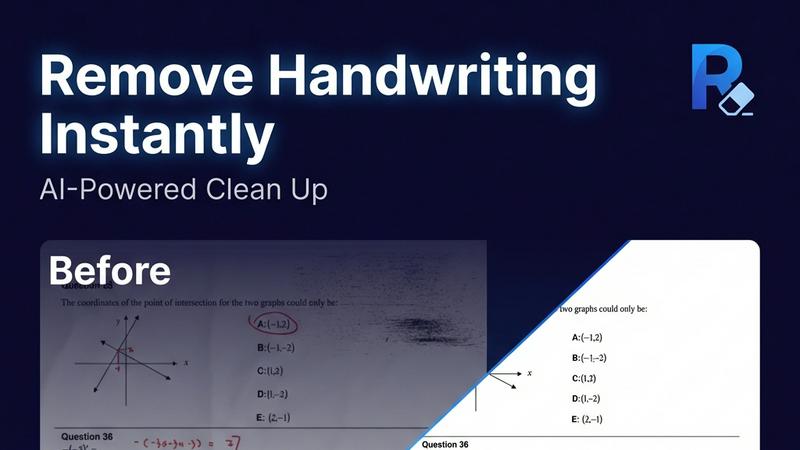
Remove Handwriting is an AI-powered document cleanup tool designed to intelligently erase handwritten text, notes, and annotations from digital files. It works on images, PDFs, and scanned documents, delivering clean, professional results in seconds. The core value lies in its precision: it removes only the handwritten marks while meticulously preserving all underlying printed text, tables, diagrams, and the original document layout. This makes it an essential tool for educators needing clean worksheets, professionals preparing contracts, archivists restoring documents, and students repurposing exam papers. Beyond simple erasure, the tool performs comprehensive document restoration, automatically fixing common scan issues like shadows, skew, curled edges, and background noise. Accessible directly in your web browser or via mobile apps, it supports popular file formats (JPG, PNG, JPEG, PDF) and offers batch processing and API access for scalable workflows. You can start using its powerful features for free with no credit card required.