

Alternatives to Tool.Video
Tool.Video is a browser toolbox for quick video and audio edits, with separate AI generation options for broader creator projects.
Explore 20 alternatives to Tool.Video. Compare features, pricing, and find the best fit for your needs.

FoxyLab
FoxyLab is a conversational editor for product videos and banners, combining prompt-based creation with browser review and developer API access.

MAGI-2
MAGI-2 turns text prompts or images into short 1080p videos, with controls for framing, duration and generated sound.
VideoByPrompt
Turn text prompts or photos into short AI clips with VideoByPrompt, a browser tool offering free daily generation and output up to 1080p.
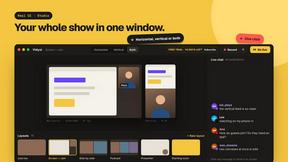
Vidyst
Vidyst is a live streaming app for Apple silicon Mac, combining multistreaming, dual-format output, browser guests, merged chat, and local recording.

Flux3Max.io
Turn text, photos, or up to 10 keyframes into short videos with sound and up to 1080p output.
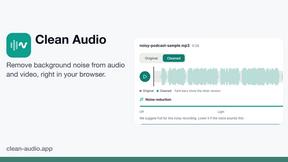
Clean Audio
Clean Audio removes common background noise from spoken audio and video in a browser, with adjustable strength and local processing.

Neurohelper AI
Use one workspace to create chat, images, video and audio, with multiple model options, shared credits and cross-tool project continuation.

Infograph
Infograph converts text and call transcripts into visual explainers, with quick diagram generation and flexible sharing formats.

GetAJob.video
Turn a photo into a vertical AI reaction clip for the ChatGPT “Get a Job” meme, with text and photo modes and one-time credit packs.

Zombie Couple
Create a 24-second zombie romance video from two adult portraits, with stylized characters, a fixed story, sound, and 480p or 720p output.
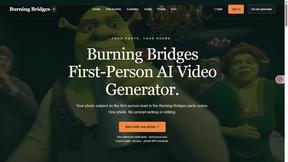
Burning Bridges AI
Turn one authorized adult photo into a first-person, Burning Bridges-inspired party video with source audio, lip sync and a private MP4 download.
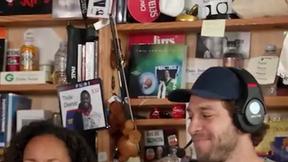
Tiny Desk AI
Make a short Outstanding Tiny Desk parody starring you or friends, with flexible band casting and a song version plus silent video.
Pavo AI
Pavo AI generates text-prompted video clips up to 15 seconds, with model, duration, quality and aspect ratio controls.
Chipmunks Dance AI
Create a 10- or 15-second Chipmunks Dance video from one to three portraits, with optional AI-generated partners and adjustable resolution.

MusicFlick
MusicFlick makes short 1080p music videos from a selected song excerpt, with optional performer photos to guide the generated scene.

Bicep Heart
Create a seven-second bicep-heart video from an adult photo, choosing a movement and optional LOVE or I LOVE YOU lettering.

Goshortsai
Goshortsai generates AI videos from text or images and adds motion control, effect presets, and daily free credits to its creative studio.

RapTwins
RapTwins turns photos into short AI rap videos, with original lyrics, generated vocals and beats, and customizable stages for solo or duo clips.

AI Tiny Desk
Turn an adult portrait into a 19-second AI concert video with a customizable cast, performance audio, and a silent MP4 download.

ScaleReach
ScaleReach turns video links and uploads into captioned short clips, using AI to find highlights for creators publishing to TikTok, Reels, and Shorts.
About Tool.Video Alternatives
For a one-off operation, compare focused tools by input limits, output format and whether they keep files local. For larger creative workflows, compare editor controls or AI generation offerings based on what the project needs.
FAQs about Tool.Video Alternatives
What should I look for in a video trimmer?
Compare how it selects a segment, the output format and file size limits.
When might a full editor be preferable to a single-purpose tool?
When the project needs multiple clips, picture-in-picture or a separate audio track.