

Alternatives to Remove Handwriting
Remove handwriting from images and PDFs with AI while preserving your original printed text and layout.
Explore 20 alternatives to Remove Handwriting. Compare features, pricing, and find the best fit for your needs.


Enhance My Photo
Online AI photo enhancer that sharpens portraits, products, scenery, pets and text images and exports them as JPEG, PNG or WebP without watermarks.

3D House Planner
Free 2D/3D home design in your browser: draw a floor plan, see it live in 3D, furnish it and get AI renders.

GenX
All-in-one AI workspace to generate images, videos, and audio with multiple leading AI models.
AiAgeFilter
Free AI age filter: upload an adult portrait, add 10-40 years, meet your older self. No app needed.

AppIconGenerator
Generate iOS and Android app icons from any image and export all platform sizes for free.

Design.com AI Image Generator
Turn text prompts into polished, copyright-safe visuals that plug directly into branded templates
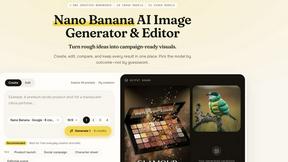
Nano AI
Create and edit AI images, generate videos, and compare models in one creative workbench.
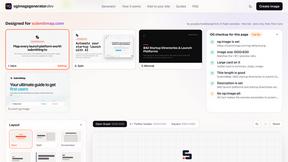
OG Image Generator
Paste a URL and AI designs on-brand Open Graph images from your page's colours, fonts and logo. Free, no sign-up.

FreeVideoGenerator
Free AI video generator: turn text prompts and photos into video clips with Sora 2, Veo 3.1, Wan and more. Free starter credits, no watermark download
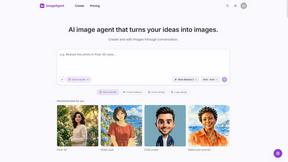
ImageAgent
Create and edit AI images through conversation, using text or reference images and refining results in chat.
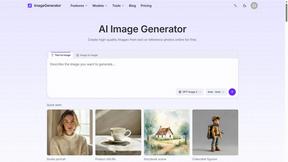
ImageGenerator
Create and edit AI images online with multiple models, text-to-image, image-to-image, background removal, and upscaling.
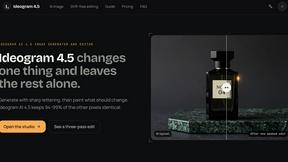
Ideogram 4.5
Advanced AI image generation and editing: sharp typography, native 2K output, localized edits that preserve the rest of your image.
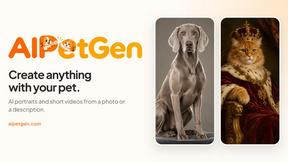
AIPetGen
AIPetGen turns a photo of your dog, cat, or other pet, or a written description, into a new picture or a short animation.

ZombieTrend AI
ZombieTrend AI turns two photos into a cinematic zombie love story video for TikTok, Reels and Shorts.
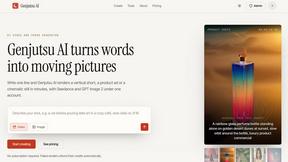
Genjutsu AI
Create cinematic AI videos, product ads, social shorts, and high-quality images from a prompt.
ImageGPT
ImageGPT is an all-in-one AI creative platform for generating, editing and transforming images and videos using AI.

AI Album Cover Maker
Create release-ready album covers from a prompt or photo. Generate, refine, and export art for singles, EPs, mixtapes, and playlists.

RunwayAI
Independent Runway AI video generator for text and image-to-video workflows, with task tracking, previews, downloads, and API access.

Sprite Sheet Maker
Create pixel-art sprite sheets from text with AI, preview animations, and export PNG assets for game prototypes.
About Remove Handwriting Alternatives
Remove Handwriting is an AI-powered document cleanup tool that specializes in erasing handwritten text, notes, and annotations from images, PDFs, and scans. It falls into the category of AI image processing and document enhancement tools, designed to restore documents to a clean, professional state by preserving printed text and layouts. Users often explore alternatives for various reasons. These can include budget constraints, the need for different feature sets like advanced batch processing or specific integrations, or platform compatibility requirements beyond web and mobile apps. Some may seek tools with different pricing models or those that handle other types of document edits beyond just handwriting removal. When evaluating other options, key considerations should be the tool's accuracy in distinguishing handwriting from printed material, the quality of its background cleanup for shadows and noise, supported file formats, and workflow efficiency features. Security of your documents and the overall value for your specific use case are also critical factors to weigh.
FAQs about Remove Handwriting Alternatives
What is Remove Handwriting?
Remove Handwriting is an AI-powered tool that erases handwritten text, notes, and annotations from images, PDFs, and scanned documents while preserving the original printed content.
Who is Remove Handwriting for?
It's for anyone needing clean documents, including professionals working with contracts and archives, educators handling worksheets and exam papers, or individuals restoring personal scans.
Is Remove Handwriting free?
You can try Remove Handwriting for free with no credit card required. Paid plans with advanced features are available for larger workflows.
What are the main features of Remove Handwriting?
Key features include AI-powered handwriting removal, preservation of printed text and tables, correction of shadows and skew, support for JPG, PNG, JPEG, and PDF files, and availability on web, iOS, and Android.