

Alternatives to Caption.IM
Caption.IM converts any Mac audio into real-time captions, translations, and summaries locally.
Explore 20 alternatives to Caption.IM. Compare features, pricing, and find the best fit for your needs.

Safe Outreach
AI-powered platform that evaluates the safety of LinkedIn automation tools and helps reduce the risk of account restrictions.

How Long How Many Tool
Timers and hourly checks to figure how out long until a certain time or how many days away.

Memorable Contact
AI-powered personal CRM that remembers where you met people and what you talked about. Save, scan, and recall contacts instantly.

GatheredMind
An AI-powered student productivity platform for organizing classes, assignments, notes, and schedules with intelligent study tools.

Systune
A Mac cleaner, security audit and macOS tuner in one app that shows every file before it removes anything.

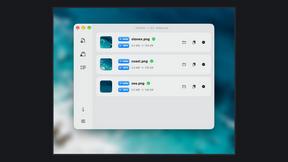
Zipic
Native image compression for Mac and Windows (Windows beta), with a local CLI and AI skill for automated image workflows.

Emailyy
Free email tools for signatures, subject lines, HTML previews, word counts, and email headers. Browser-based, simple to use, and no signup required.

Uniclip
Clip pages, take full-page screenshots and batch-capture list data to Notion, Feishu, Obsidian, Markdown, CSV or JSON.
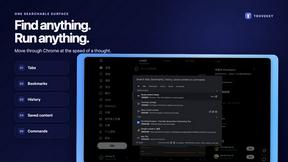
TroveKey
Search tabs, Chrome bookmarks and history, run browser commands, and save webpages and social posts locally—no account.

LightScreen
Free light screen tool online. Turn any display into a flashlight, ambient light, or solid-color screen. No download or sign-up.

Agent Pets
Your Claude Code & Codex sessions as pets in Chrome. Approve, deny and reply to your coding agents from any tab.

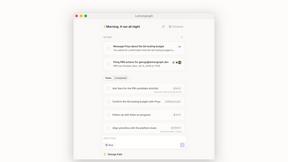
Lemongraph
Almost every conversation ends with a promise. Lemongraph keeps track of them for you and lines up your day the way you would.
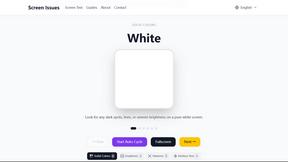
Screen Issues
Free Online Screen Test Tool - Instantly diagnose dead pixels, lines, color issues, and flickering. Multiple test modes, no download needed.

Context Board
Context Board brings your numbers, docs, clients, content and day into one workspace that Claude and Codex can read and update.

Zeptap
Zeptap lets AI use your real iPhone like you do: open apps, read the screen, tap, swipe and type. Reply to DMs, post Stories, book rides, test apps.

@fuck.it - email with attitude
Private email. Pure. Secure. Exclusive. No ads, no tracking, no data selling. GDPR compliant, EU-hosted.

FreeVideoGenerator
Free AI video generator: turn text prompts and photos into video clips with Sora 2, Veo 3.1, Wan and more. Free starter credits, no watermark download

About Caption.IM Alternatives
Caption.IM is a privacy-first AI captioning tool for macOS that transforms any system audio into real-time captions, translations, and structured meeting summaries. It falls under the Productivity & Management category, helping users improve accessibility and information retention without relying on browser extensions or intrusive bots. Users commonly seek alternatives when they need cross-platform support beyond macOS, require a lower price point for advanced translation features, or want integration with specific enterprise tools. When evaluating options, look for local AI processing to maintain privacy, compatibility with your primary communication apps, and the ability to generate clear action items or summaries from audio. Also consider whether the tool supports recorded audio processing and multilingual capabilities without compromising accuracy.
FAQs about Caption.IM Alternatives
What is Caption.IM?
Caption.IM is a privacy-first AI captioning assistant designed for macOS. It turns any audio on your Mac into real-time captions, instant translations, recordings, and structured meeting notes. Unlike browser extensions or meeting bots, it captures system audio directly, working across applications like Zoom, Google Meet, YouTube, and podcasts.
Who is Caption.IM for?
Caption.IM is for anyone using a Mac who needs real-time captions, translations, or meeting summaries. It is ideal for professionals in remote meetings, students taking online courses, content creators watching webinars, and individuals with hearing accessibility needs. It also serves users who want to keep their conversations private by processing audio locally.
Is Caption.IM free?
The provided content does not specify a pricing model, but Caption.IM is described as a product with advanced features like real-time translation and mind maps. Users should check the official website for the most current pricing tiers, including any free trial or freemium options. Given its local AI processing, it may require a one-time purchase or subscription.
What are the main features of Caption.IM?
Caption.IM offers real-time AI captions for any system audio, instant translations of multilingual content, and the ability to record important audio. It also transforms long discussions into clear summaries, key points, action items, and mind maps. All processing is done locally on your device, ensuring privacy and no bot participation in your meetings.