

Whitelist Video
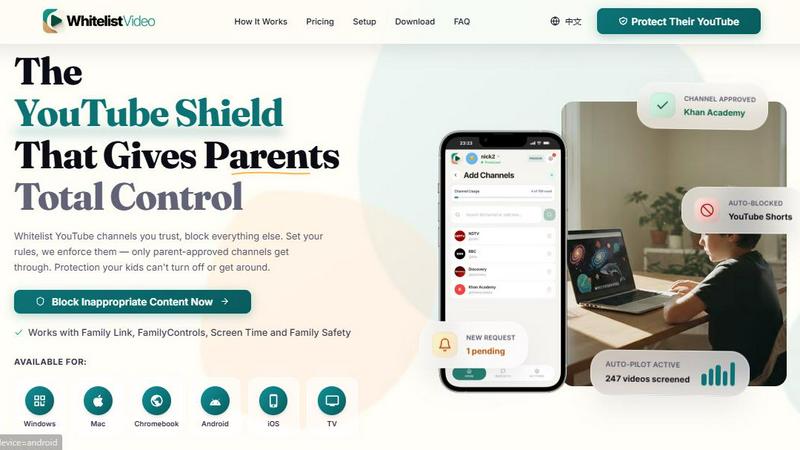
Whitelist Video lets you train YouTube's algorithm to block junk and recommend only safe, enriching content for your kids.
AI tool Details
Explore More
Alternatives
About Whitelist Video
Whitelist Video is a parental control tool designed specifically for YouTube, giving families complete control over what their children watch. Unlike basic screen time apps or YouTube's built-in restrictions, Whitelist Video reviews every single video before your child watches it, all in under 2 seconds, and blocks inappropriate content automatically. The product serves a simple but critical purpose: it makes YouTube safe for kids by whitelisting good channels and blocking the noise.
The core value proposition is twofold. First, Whitelist Video provides immediate protection by screening videos against your rules, blocking content from unapproved channels, and catching problematic keywords in titles, descriptions, or tags. Second, it actively trains YouTube's recommendation algorithm to suggest better content over time. When the AI approves educational videos, watch time increases on quality content, and YouTube's engine learns to recommend more educational videos naturally. This means your child's YouTube experience improves continuously without constant manual oversight.
Whitelist Video is built for parents who want more than just passive filtering. You manage everything from WhatsApp, Telegram, or a web dashboard. You approve channels, review requests, get weekly AI insight reports, and adjust settings with simple text commands like "add Cocomelon for my daughter." The product is COPPA compliant with zero child data collection, works on Windows, macOS, Chromebook, iOS, Android, and Android TV, and offers a free tier. Trusted by over 500 families including clinical child psychologists, it has a 4.8/5 rating on the App Store and is used in 40 countries.
Features
Whitelist Channels
Only approved channels play on your child's device. You add channels you trust to a whitelist, and your kids can only watch content from those sources. Everything else is automatically blocked. This eliminates the risk of your child stumbling into inappropriate or low-quality content from unknown creators. The whitelist is fully customizable, and you can add or remove channels anytime through the dashboard or via chat commands on WhatsApp or Telegram.
Keyword Blocking
Block videos by specific keywords and topics. You add words or phrases, and Whitelist Video automatically blocks any video containing those terms in its title, description, or tags. This is perfect for blocking specific trends, subjects, or types of content you don't want your kids exposed to. The keyword blocking works alongside channel whitelisting to provide layered protection, catching content that might slip through channel-only filters.
Request System
When your child finds a blocked channel they want to watch, they can send a request directly to you. You receive a notification on WhatsApp, Telegram, or the web app. Approve or deny with one tap, or message the AI bot with commands like "add Cocomelon for my daughter." This system gives children a voice while keeping parents in control. It teaches kids to ask permission and helps parents discover new channels their children are interested in.
Auto-Pilot
Auto-pilot screens every video before your child watches it. It checks the title, description, and channel history against your rules. Content that matches your approved criteria plays instantly. Questionable content is blocked and sent to you for review. This feature runs continuously in the background, processing up to 247 videos per day for some families. It catches issues in video descriptions that you would never notice on your own, providing enterprise-grade bypass protection.
Use Cases
Young Children Exploring YouTube
For children aged 3 to 7 who are just beginning to explore YouTube, Whitelist Video creates a completely safe environment. Parents whitelist trusted channels like Khan Academy, Sesame Street, or National Geographic Kids. Everything else is blocked. The request system lets children ask for new channels, teaching them healthy screen habits from the start. Auto-pilot catches any inappropriate content that might appear on even trusted channels, ensuring consistent protection.
Older Kids Needing Algorithm Training
Children aged 8 to 12 often fall into YouTube's recommendation rabbit holes, moving from educational content to gaming compilations or junk videos. Whitelist Video actively trains the algorithm by increasing watch time on approved educational channels. Over weeks and months, YouTube's recommendation engine learns to suggest more quality content naturally. Parents report their children moving from endless gaming videos to learning Python, building circuits, or exploring science documentaries.
Parents Working in Tech or Security
Tech-savvy parents understand how algorithms work and want more than basic parental controls. Whitelist Video offers enterprise-grade bypass protection that even impresses cybersecurity analysts. The product uses the same policy enforcement technology that Fortune 500 companies deploy. Parents can manage everything from chat interfaces, set granular rules, and receive weekly AI insight reports showing exactly what their children watched and what was blocked.
Schools and Educational Settings
Elementary school principals and teachers use Whitelist Video to create safe YouTube environments for classroom learning. They can whitelist specific educational channels and block everything else, ensuring students only access approved content. The system works across multiple devices including Chromebooks, making it ideal for school deployments. Teachers can manage settings from a single dashboard and share the solution with families to create consistent rules at home and school.
Pricing
Whitelist Video offers a free tier that includes basic channel whitelisting and keyword blocking. Paid plans start at a low monthly rate and include Auto-Pilot, unlimited requests, weekly AI insight reports, and priority support. The exact pricing varies by plan and number of devices. For the most current pricing information, visit the official Whitelist Video website or check the app store listing. All paid plans come with a risk-free trial period.
Frequently Asked Questions
How does Whitelist Video work with YouTube's algorithm?
Whitelist Video does more than just block content. When our AI approves educational videos and your child watches them, watch time increases on quality content. YouTube's recommendation engine learns from this behavior and starts suggesting more educational videos naturally. Over time, your child's YouTube feed improves without constant manual intervention from you. This is a unique feature that most basic parental controls lack.
Is my child's data collected or stored?
No. Whitelist Video is COPPA compliant and collects zero child data. The product screens videos locally or through secure, anonymized processes. No personal information about your child is stored, tracked, or shared. Your family's privacy is fully protected. The only data stored relates to your whitelist settings and approval preferences, which you control completely.
What devices does Whitelist Video support?
Whitelist Video works on Windows, macOS, Chromebook, iOS, Android, and Android TV. Setup takes under 5 minutes regardless of device. You choose your child's primary device and follow the guided setup. The protection is tamper-proof, meaning your child cannot bypass the controls by switching browsers, clearing cache, or using incognito mode. The same settings sync across all devices in your household.
How do I manage settings and approve requests?
You manage everything from WhatsApp, Telegram, or the web dashboard. When your child requests a new channel, you get a notification on your chosen platform. Approve or deny with one tap. You can also message the AI bot with natural language commands like "add Cocomelon for my daughter" or "block gaming channels." The bot handles the rest. You also receive weekly AI insight reports showing viewing patterns, blocked content, and recommendations for new channels to consider.
Similar to Whitelist Video
Growth Audit
Audit SEO, speed, accessibility and conversions, with prioritized fixes and an AI Coach.

LightScreen
Free light screen tool online. Turn any display into a flashlight, ambient light, or solid-color screen. No download or sign-up.
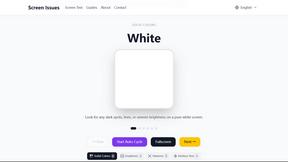
Screen Issues
Free Online Screen Test Tool - Instantly diagnose dead pixels, lines, color issues, and flickering. Multiple test modes, no download needed.
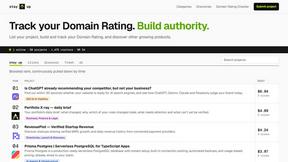
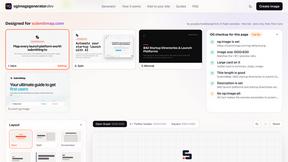
OG Image Generator
Paste a URL and AI designs on-brand Open Graph images from your page's colours, fonts and logo. Free, no sign-up.
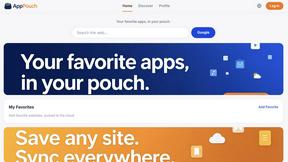
AppPouch
A multilingual PWA directory to discover, bookmark, and organize the best web apps in 9 languages; free tier plus Pro.