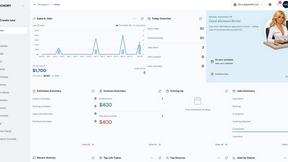
UseSkill
Effortlessly automate your workflows with UseSkill's pre-built AI skills and 100+ integrations in just 30 seconds.
AI tool Details
Explore More
Alternatives

About UseSkill
UseSkill is a cutting-edge AI skills library that revolutionizes the way teams manage workflows by providing over 100 integrations with popular applications. Designed for professionals in sales, support, engineering, data, and marketing, UseSkill empowers users to automate tasks and achieve consistent results in just 30 seconds. With pre-built workflows, it eliminates the need for lengthy prompts and repetitive task explanations, allowing users to focus on high-value activities. By minimizing the time spent switching between apps and copying data, UseSkill enhances productivity and efficiency. Furthermore, with a strong commitment to privacy, it processes user data securely without storing it, enabling organizations to leverage AI without compromising data security. Users can simply select a skill, connect their tools once, and click to run, making automation accessible to everyone.
Features
Extensive Skills Library
UseSkill boasts a robust library of pre-built AI workflows that enable users to automate various tasks seamlessly. This extensive library includes skills tailored for different functions like sales, support, engineering, data, and marketing, ensuring that every team can find relevant solutions to enhance their productivity.
100+ Trusted Integrations
With over 100 integrations, including popular applications like Salesforce, Slack, Jira, and Gmail, UseSkill allows users to connect their tools in one click. This extensive integration network simplifies the automation process, making it easy to sync data and streamline workflows without any technical setup.
Security and Privacy Focus
UseSkill prioritizes user privacy by employing OAuth 2.0 secure connections for all integrations. This ensures that user passwords are never shared with the platform, and data is processed in real-time without being stored, offering peace of mind to organizations concerned about data security.
Quick and Efficient Execution
Achieve results in just 30 seconds with UseSkill's automated workflows. Users can run skills quickly and efficiently, eliminating the need for lengthy prompts or manual data entry. This rapid execution enables teams to focus on critical tasks, driving productivity and effectiveness.
Use Cases
Sales Automation
Sales teams can leverage UseSkill to enrich leads, sync data between Salesforce and HubSpot, and automate outreach processes. By streamlining these tasks, sales professionals can close deals faster and spend more time engaging with potential clients rather than managing data.
Customer Support Optimization
Customer support teams can utilize UseSkill to automate ticket triage, manage interactions across platforms, and streamline responses. This allows support agents to handle inquiries more efficiently, improving customer satisfaction and reducing response times.
Data Management and Cleaning
Data teams can benefit from UseSkill by automating the process of cleaning messy data, syncing datasets, and generating reports. This automation saves time and reduces errors, enabling data professionals to focus on analysis and strategic decision-making.
Marketing Campaign Efficiency
Marketing teams can use UseSkill to automate campaign management, sync marketing tools, and analyze performance metrics. By reducing the manual workload, marketing professionals can concentrate on crafting compelling campaigns that drive engagement and conversions.
Frequently Asked Questions
How does UseSkill ensure my data privacy?
UseSkill employs OAuth 2.0 secure connections for all integrations, ensuring that user passwords are never exposed. Data is processed in real-time and not stored, providing a secure environment for your information.
What types of integrations does UseSkill support?
UseSkill supports over 100 integrations with popular applications including Salesforce, Slack, Jira, Gmail, Snowflake, and GitHub, making it easy to connect your existing tools and automate workflows.
Can I try UseSkill for free?
Yes, UseSkill offers a free trial for users to explore its features and capabilities. No credit card is required, allowing you to test the platform risk-free.
How long does it take to execute a skill?
Most skills can be executed in approximately 30 seconds, enabling users to obtain organized and actionable results quickly without lengthy prompts or manual data entry.
Similar to UseSkill
AppPouch
A multilingual PWA directory to discover, bookmark, and organize the best web apps in 9 languages; free tier plus Pro.
sakuttoAI
A free suite of online tools for everyday tasks like PDF compression, image conversion, text diff and CSV to Excel.
Novastart
Infinite canvas whiteboard OS where apps, files, teams and AI agents work together.
MD to Text
Convert Markdown to clean, readable plain text in your browser. Strip formatting, keep the content, and copy clean output for AI prompts and docs.

Panzoe
Panzoe is an all-in-one AI platform for personal productivity, business automation, AI assistants, content creation, and custom AI solutions.

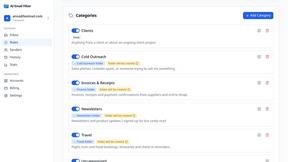
AI Email Filter
AI Email Filter sorts incoming mail into folders using plain-language prompts you write. Works with any IMAP mailbox; bring your own LLM if you want.