URL to Any
Transform any web content into multiple formats and languages effortlessly with URL to Any’s powerful conversion tools.
AI tool Details
Explore More
Alternatives
About URL to Any
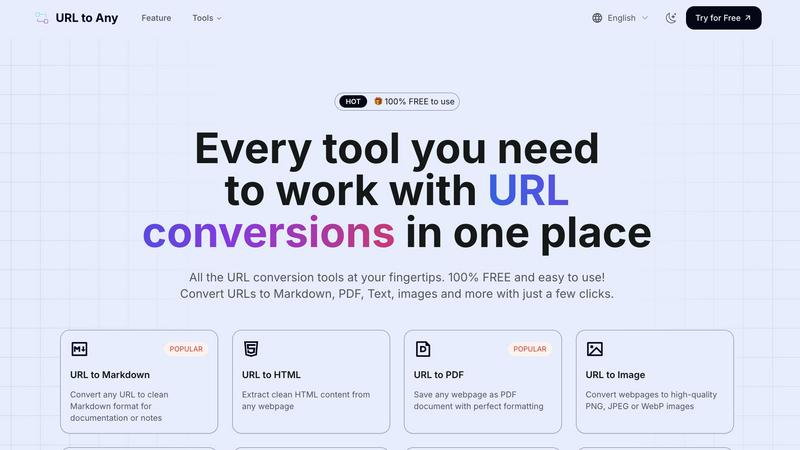
URL to Any is an innovative web content conversion tool that enables users to transform any webpage into multiple formats instantly. With just a few clicks, this powerful platform allows content creators, researchers, developers, and professionals to extract and repurpose online information efficiently. By simply pasting a URL, users can convert content into formats such as Markdown, PDF, plain text, images, and QR codes, making it a versatile solution for diverse needs. The tool stands out for its simplicity, offering a user-friendly interface with no registration or software installation required. This means that anyone can harness advanced web content manipulation capabilities without any associated costs. URL to Any prioritizes speed and accessibility, ensuring that users can quickly access and utilize the features they need to manage digital information effectively.
Features
URL to Markdown
Convert any webpage into clean Markdown format effortlessly. This feature is perfect for documentation, note-taking, or developing content that requires structured text, saving users time and enhancing productivity.
URL to PDF
Easily save any webpage as a PDF document while preserving its original formatting. This feature is ideal for archiving web content or sharing information in a universally accessible format, ensuring that the content looks the same across devices.
URL to Image
Transform webpages into high-quality images in formats like PNG, JPEG, or WebP. This feature is useful for creating visual references, presentations, or sharing content on social media, providing a quick way to grab and share essential information visually.
URL to QR Code
Generate QR codes from any URL instantly. This feature simplifies sharing links, making it easy to direct users to websites or digital content through a quick scan, enhancing engagement at events, promotions, or in printed materials.
Use Cases
Content Creation
Writers and bloggers can use URL to Any to convert articles or resources into Markdown or plain text, streamlining the content creation process and allowing for easier editing and organization.
Research and Reference
Researchers can quickly extract essential information from numerous webpages and convert them to PDF or text formats for analysis and citation, making the gathering of resources much more efficient.
Education and Training
Educators can convert webpages into images or PDFs to create instructional materials or handouts that are easy to distribute and reference, enhancing the learning experience for students.
Digital Marketing
Marketers can utilize the QR code feature to create scannable codes for promotional materials, linking directly to campaigns or landing pages, thereby improving user engagement and tracking.
Frequently Asked Questions
How do I convert a URL using URL to Any?
To convert a URL, simply paste the web address into the tool, select your desired output format, and click convert. Your content will be ready in seconds.
Is there a limit to the number of URLs I can convert?
No, there is no limit to the number of URLs you can convert. You can convert as many URLs as you need, making it a flexible solution for all users.
Do I need to install any software to use URL to Any?
No installation is required. URL to Any operates entirely in the cloud, allowing you to access the tool from any device with an internet connection.
Is my data safe when using URL to Any?
Yes, your data is processed securely and not stored on our servers. Privacy and security are top priorities, ensuring your information remains confidential.
Similar to URL to Any

LinkIntel
MCP server that gives Claude or any MCP assistant your own X post results and X's open-source ranking weights, so drafts start from evidence.
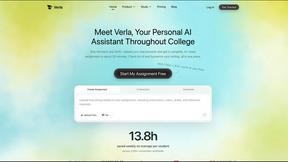
Verla AI
AI academic assistant for writing, research, presentations, and coding
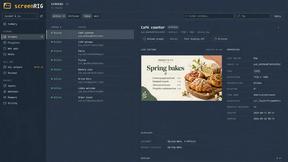
screenRIG
Signage and kiosk infrastructure for AI agents. Your agent publishes images, video, streams, web pages and apps to screens via one plugin.screenRIG is

NameSoul
Get a meaningful Chinese name — with its past-life story, clan totem, seal and brush calligraphy.

fit.
See any outfit on your own photo before you buy, and ask Aira, your AI stylist, what to wear from the clothes you own.