

TaleHug AI Story Generator for Kids
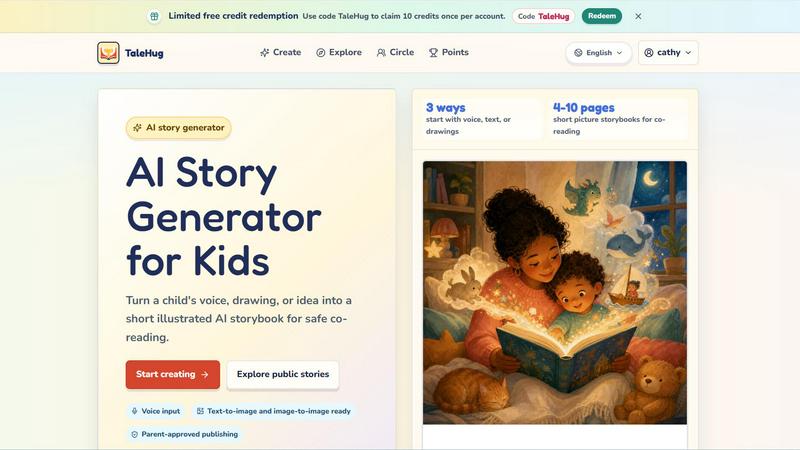
TaleHug turns a child's voice, drawing, or idea into a customizable AI picture storybook for safe co-reading.
About TaleHug AI Story Generator for Kids
TaleHug is an AI-powered storytelling platform designed specifically for children, turning their voice, drawings, or ideas into short illustrated storybooks. The product bridges the gap between a child's imagination and a finished, co-readable picture book in just a few clicks. Built for preschool and kindergarten ages (3-6), TaleHug focuses on safe, parent-guided creation and sharing. Children can start with three input methods: speak their story idea, upload a drawing, or pick from a library of parent-approved prompts. The AI then generates 4-10 illustrated pages, each with one short sentence and a stored prompt for easy regeneration. The core value proposition is safety: all drafts are private by default, publication requires adult approval, and there are no public comments, no personal data collection, and no display of full names or addresses. This makes TaleHug an ideal tool for families, classrooms, and bedtime routines where creativity meets digital safety. The platform also includes a public gallery of approved examples, tutorial videos, and a growing library of story ideas like "Moon Rabbit Bedtime" and "Garden Courage." With limited free credits available using code TaleHug, families can try the service risk-free. TaleHug is operated by Vava AI Labs LLC and emphasizes parent-approved sharing as its core philosophy.
Features
Three Input Methods for Story Ideas
Children can start their story in three ways: voice input, text input, or drawing upload. Voice input lets young children who cannot yet type fluently simply speak their idea aloud. Text input works for older kids or parent-assisted creation. Drawing upload allows a child's own artwork to become the seed for the AI-generated storybook, blending their personal creativity with AI enhancement.
AI-Powered Illustrated Storybook Generation
Once an idea is submitted, the AI generates a complete picture storybook with 4-10 pages. Each page includes a strong, colorful illustration, one short sentence appropriate for early readers, and a stored prompt that allows parents or children to regenerate any page they want to improve. This creates a consistent, visually engaging experience that matches the child's original concept.
Parent-Approved Publishing and Visibility Controls
TaleHug offers three visibility modes: private, circle, and public. All drafts are private by default. Before any story can be shared with a circle (friends and family) or published publicly, an adult must review and approve it. This ensures children's work is never shared without parental consent. There are zero public comments in the MVP, eliminating the risk of inappropriate interactions.
Safety-First Design for Young Users
The platform is built around safety defaults that minimize personal data exposure. Children use safe display names instead of full names. No school names, addresses, or child contact details are collected or stored. The public gallery uses only approved examples, and the entire creation flow is designed for parent-guided co-reading and co-creation, not unsupervised use.
Use Cases
Bedtime Story Creation for Families
Parents can sit with their child before bed, let them describe a dream or a favorite character, and within minutes have a custom 4-10 page storybook to read together. The child sees their idea come to life with illustrations, making bedtime reading more engaging and personal. This turns a passive activity into an active creative experience.
Classroom Storytelling and Literacy Activities
Kindergarten and preschool teachers can use TaleHug as a literacy tool. Children can draw a picture or describe a story, and the teacher generates a class storybook. This reinforces narrative structure, vocabulary, and the connection between spoken words and written text. The private draft mode ensures student work stays within the classroom.
Creative Expression for Reluctant Readers and Writers
Children who struggle with traditional reading or writing can use voice input to tell their story without the barrier of typing or spelling. The AI handles the text generation, allowing them to focus on imagination and storytelling. The illustrated output rewards their effort with a beautiful book they can be proud of, building confidence.
Social-Emotional Learning Through Custom Stories
Parents and educators can use TaleHug to create stories that address specific situations, such as starting school, sharing toys, or managing feelings. The library includes prompts like "Sharing the Red Truck" and "Feelings Under the Sea." A child can then create a personalized version featuring themselves or a favorite character, making the lesson more relatable and memorable.
Pricing
TaleHug operates on a limited free credit model. New users can redeem the code TaleHug for 10 free credits, claimable once per account. This allows families to generate up to 10 storybooks without any payment. The platform does not currently list additional paid tiers or subscription plans in the provided content. Pricing details may be updated by Vava AI Labs LLC in the future. For now, the free credit offer is the primary way to access the service.
Frequently Asked Questions
How does TaleHug ensure my child's safety?
TaleHug is private by default. All story drafts are only visible to the creator. Publishing to a circle or the public gallery requires explicit adult approval. The platform does not collect full names, addresses, school names, or contact details. There are no public comments in the MVP. Children use safe display names only. The public gallery features only pre-approved examples, not user-submitted content.
What input methods can my child use to start a story?
Children can start a story using three methods: voice input (speak their idea aloud), text input (type or dictate a description), or drawing upload (take a photo of their drawing). Voice input is ideal for pre-literate children. Drawing upload lets their own artwork become the foundation for the AI-generated illustrations. Text input works well for older children or parent-assisted creation.
How many pages does a generated storybook have?
Each storybook contains 4-10 pages, designed specifically for short picture storybooks that are ideal for co-reading with young children. The length is appropriate for preschool and kindergarten attention spans. Each page includes one short sentence and a strong illustration. Parents can regenerate any page using the stored prompt if they want to improve the result.
Is there a free trial or limited credit system?
Yes, TaleHug offers limited free credits. You can use the code TaleHug to claim 10 credits once per account. Each credit typically generates one storybook. This allows families to try the service before committing to a paid plan. The platform is designed for occasional use, making the credit system a simple way to test the experience.
Similar to TaleHug AI Story Generator for Kids
Lemongraph
Almost every conversation ends with a promise. Lemongraph keeps track of them for you and lines up your day the way you would.
Speakeroo
Practise English speaking out loud with AI feedback on pronunciation, fluency, pace and filler words. Free to start.

Traecta
Traecta maps a career switch week by week — modules, checkpoints and a study buddy who notices when you stall.
Zeptap
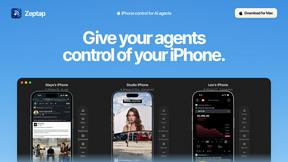
Zeptap lets AI use your real iPhone like you do: open apps, read the screen, tap, swipe and type. Reply to DMs, post Stories, book rides, test apps.
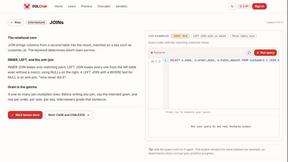
SQLCrab
SQLCrab is a website where you can practice SQL database queries right in your web browser. It uses a real Postgres database engine so you can learn.

Novastart
Infinite canvas whiteboard OS where apps, files, teams and AI agents work together.
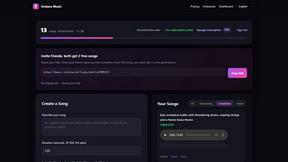
Toolara Music
Describe a song in plain text and get a complete track — vocals or instrumental, custom lyrics, up to 120 seconds, MP3 download