

Tagada
Tagada lets you highlight, tag, and organize Gmail sentences locally for faster, clearer replies without any cloud or AI.
AI tool Details
Explore More
Alternatives

About Tagada
Tagada is a browser extension that transforms how you read and reply to emails in Gmail, with a strong focus on privacy and efficiency. Unlike traditional methods that require writing replies in colored text inside the original message, Tagada parses incoming emails into clickable sentences. You can then highlight, tag, and organize these sentences by category with a single click. The extension automatically generates a clean reply template built around the points that matter most, helping you respond faster and more clearly. All processing happens 100% locally on your device. No AI, no cloud, and no third-party servers ever access your email data. Tagada works directly inside Gmail, so there is no new tool to learn or switch to. This product is ideal for professionals, support teams, freelancers, consultants, and anyone managing long email threads. It cuts response time, structures your replies, and keeps your data fully private. The core value proposition is simple: turn complex email threads into organized, actionable items without compromising security or requiring a steep learning curve. Tagada empowers users to communicate more clearly, respond faster, and keep their emails structured and to the point. With smarter messaging and improved readability, you save time while ensuring your key information is always noticed.
Features
Instant Email Parsing
Tagada instantly breaks down complex emails into manageable, clickable sentences. Instead of reading through long blocks of text, you see each point isolated and selectable. This parsing happens automatically when you open an email in Gmail. It transforms unstructured messages into a clear list of actionable items, making it easy to grasp the full context quickly. You no longer have to manually scan for key phrases or re-read entire threads to find what matters.
One-Click Highlighting and Tagging
After parsing, you can highlight and tag sentences by category with a single click. This feature lets you mark key phrases before crafting your response. You can categorize information such as action items, questions, deadlines, or important details. The tagging system helps you stay organized and keeps track of important details without losing context. This visual organization turns a messy inbox into a structured workspace where every important point is clearly marked.
Auto-Generated Reply Templates
Based on your selections, Tagada generates a clean reply template built around the points you highlighted. This removes the need to write replies inside the original message using colored text. The template ensures you address every critical point without forgetting anything. It structures your response logically, improving clarity and reducing back-and-forth emails. You simply review the template, add your personal touch, and send a professional reply in less time.
100% Local and Private Processing
All email processing happens entirely on your computer. Your emails never leave Gmail, and no data is sent to any cloud, AI, or third-party server. This guarantees complete privacy and data control. You can use Tagada with confidence, knowing your sensitive information stays secure. The extension works locally, so there is no risk of data breaches or unauthorized access. This feature is critical for professionals handling confidential communications.
Use Cases
Managing Long Email Threads
Professionals dealing with lengthy email chains can use Tagada to parse messages into individual sentences. This makes it easy to identify key points, action items, and questions buried in long conversations. Highlighting and tagging these elements ensures nothing is missed. The auto-generated reply template then structures a clear response that addresses every important detail, saving significant time and reducing the risk of oversight.
Streamlining Customer Support Responses
Support teams handling multiple customer inquiries can benefit from Tagada's parsing and tagging features. Agents can quickly highlight the customer's issue, required information, and next steps. The auto-generated template ensures responses are complete and professional. This reduces response time and improves consistency across the team. Since everything stays local, customer data privacy is maintained.
Freelancer and Consultant Communication
Freelancers and consultants often juggle multiple clients with different needs. Tagada helps them parse client emails to extract requirements, deadlines, and feedback. Tagging these by project or category keeps communications organized. The generated reply template ensures each client receives a structured response that addresses their specific points. This improves professionalism and reduces the time spent on email management.
Improving Team Collaboration via Email
Teams that rely heavily on email for project updates can use Tagada to parse status reports and action requests. Members can highlight and tag tasks assigned to them, deadlines, and dependencies. The reply template helps them provide clear status updates without missing any points. This structured approach reduces misunderstandings and keeps everyone aligned, all while keeping sensitive project data local and private.
Frequently Asked Questions
Is Tagada free?
Tagada can be used without a paid license. However, the free version is limited in terms of functionality. For a better experience with full features, we suggest you purchase a license. The paid version unlocks all capabilities including unlimited parsing, tagging, and template generation.
What data do you collect?
We only collect essential data to enhance your experience: your first name, email address, and language preference. We respect your privacy and do not collect any unnecessary information. No email content, browsing history, or personal messages are ever collected or stored by us.
Do you send our emails to your servers?
No, your emails are never sent to our servers. Everything remains local on your device. At Tagada, we make sure that your data stays private and under your control. All processing happens directly in your browser within Gmail.
Some emails get broken, how can I fix it?
If your emails appear to be corrupted or disorganized, the best solution is to disable the extension, reply to your emails, and then re-enable it. Some emails may have a specific structure that the extension is unable to parse. Disabling and re-enabling the extension usually resolves the issue. For persistent problems, please contact our support team.
Similar to Tagada
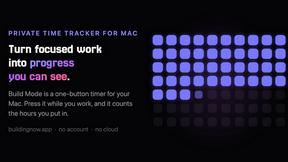
Build Mode for Mac
Build Mode is a Mac app that turns focused sessions into visible progress, so you can see the work adding up before the results arrive.
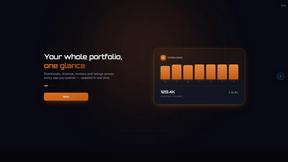
GROWNX
Real-time downloads, revenue, and reviews across your App Store portfolio, plus an AI copilot.
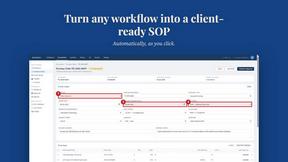
MySOP.guru
Capture any workflow in your browser and export a branded, step-by-step SOP with screenshots. €5 per document, no subscription.

PerPageFax
PerPageFax lets you send a fax online from any browser for a flat $0.50 per page — no account, no subscription, no fax machine.



Glanced
Follow news, blogs, newsletters, and podcasts in a free RSS reader, with AI summaries, top stories, full-text search, saved searches, and a catalog.
