

Seedance 2.0
Seedance 2.0 turns text prompts, images, and video clips into directed drafts, with reference guidance for shaping subjects, scenes, and motion.
AI tool Details
Explore More
Alternatives
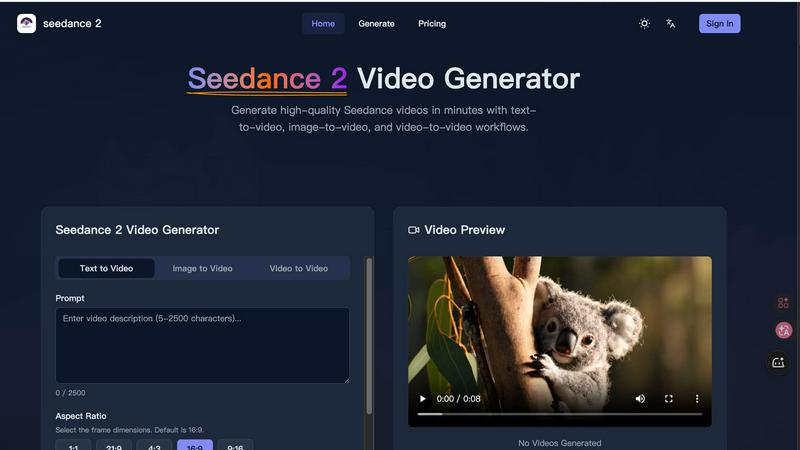
About Seedance 2.0
Seedance 2.0 is a video generation platform for building clips from text, still images, or existing footage. Reference images and video can help guide subject identity, composition, and style, while prompts can describe pacing, camera movement, and action. The workflow also supports extending and editing footage, and can generate synchronized audio with video.
For a campaign concept, a creator might animate a product image, specify a camera move, then compare several short drafts before choosing a direction. The site lists multiple models and output settings, including aspect ratios and resolutions up to 4K; available duration and capabilities depend on the selected model and settings. This makes it useful for visual exploration and review, though teams should check current model limits before planning a finished sequence.
Features
- Generate video from text, images, or source footage.
- Use visual references to guide subject, composition, and style.
- Prompt camera and subject motion, or extend and edit clips.
- Generate synchronized audio and video; listed output includes MP4 (H.264).
Use Cases
- Create storyboards and pre-visualization clips for film concepts.
- Draft social ads and product videos for campaign review.
- Animate product stills or other images into short scenes.
- Prototype creator content such as travel vlogs or get-ready sequences.
Pricing
Subscriptions are available monthly or annually, with annual plans billed in full; one-time credit packs are also offered. The listed monthly plan starts at $29, and packs start at $50.
Frequently Asked Questions
What can I use as an input?
Text prompts, images, and existing video clips are listed as input modes.
Can I control movement and framing?
Prompts can describe subject action, pacing, framing, and camera movement; references can help guide the visual direction.
Does every model support the same output?
No. Duration and capabilities depend on the selected model and settings, so check those limits for the workflow you need.
Similar to Seedance 2.0

FoxyLab
FoxyLab is a conversational editor for product videos and banners, combining prompt-based creation with browser review and developer API access.

MAGI-2
MAGI-2 turns text prompts or images into short 1080p videos, with controls for framing, duration and generated sound.
VideoByPrompt
Turn text prompts or photos into short AI clips with VideoByPrompt, a browser tool offering free daily generation and output up to 1080p.

Flux3Max.io
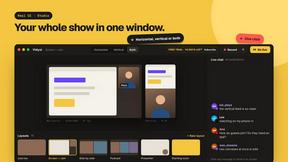
Turn text, photos, or up to 10 keyframes into short videos with sound and up to 1080p output.
Clean Audio
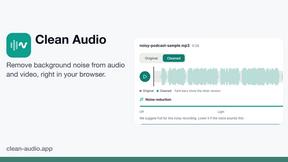
Clean Audio removes common background noise from spoken audio and video in a browser, with adjustable strength and local processing.

Neurohelper AI
Use one workspace to create chat, images, video and audio, with multiple model options, shared credits and cross-tool project continuation.

Infograph
Infograph converts text and call transcripts into visual explainers, with quick diagram generation and flexible sharing formats.