

QuickTextTools
QuickTextTools provides 76+ free online utilities that simplify text processing, enhance productivity, and support writers and creators efficiently.
AI tool Details
Explore More
Alternatives

About QuickTextTools
QuickTextTools is a free, browser-based platform that provides over 76 online utilities tailored for writers, marketers, developers, students, SEO professionals, and content creators. This comprehensive toolkit is designed to streamline the content creation process, enhancing productivity with its user-friendly interface. Users can access a wide array of tools including text formatting, SEO analysis, writing assistance, keyword management, and developer utilities. QuickTextTools prioritizes privacy and speed, allowing users to process text directly in their browser without the need for downloads or complicated setups. Whether you need to clean up text, analyze SEO elements, or manage keywords, QuickTextTools offers practical solutions to simplify workflows and maximize efficiency.
Features
Text Formatter
The Text Formatter tool cleans up messy text by removing unwanted formatting, extra spaces, and hidden HTML tags. It helps users ensure their content is polished and ready for presentation or publication, saving time and effort in the writing process.
Keyword Density Checker
This feature analyzes the frequency and density of keywords within your text. It provides insights essential for optimizing content for search engines, ensuring that your SEO strategy is effective and helps improve visibility online.
Meta Tag Analyzer
The Meta Tag Analyzer allows users to preview how their content will appear in search engine snippets. This tool provides valuable feedback on meta tags, helping enhance SEO strategies and improve click-through rates from search results.
Case Converter
The Case Converter tool changes text capitalization easily. Users can convert their text to uppercase, lowercase, or title case, making it ideal for formatting titles, headings, or content to meet specific style guidelines.
Use Cases
Content Creation for Writers
Writers can utilize QuickTextTools to streamline their content creation process. With tools like the Text Formatter and Keyword Density Checker, they can quickly refine their drafts and ensure they meet SEO requirements.
SEO Optimization for Marketers
Marketers can leverage the Meta Tag Analyzer and Keyword Density Checker to optimize their content for search engines. This allows them to enhance their digital marketing campaigns and improve visibility in search results.
Academic Assistance for Students
Students can benefit from tools such as the Word Counter and Character Counter to adhere to assignment requirements. These utilities help them manage their writing efficiently while ensuring they meet specific guidelines.
Development Support for Programmers
Developers can access utilities like the JSON Formatter and URL Encoder to streamline their coding tasks. These tools assist in formatting and preparing code snippets, enhancing productivity and reducing errors in development.
Frequently Asked Questions
What types of tools are available on QuickTextTools?
QuickTextTools offers over 76 free online utilities, including text formatting tools, SEO analysis utilities, writing assistants, keyword management tools, and developer utilities, all designed to enhance productivity.
Do I need to create an account to use QuickTextTools?
No, QuickTextTools is completely free and does not require any sign-up or account creation. Users can access all tools directly through their web browser.
Is QuickTextTools secure and private?
Yes, QuickTextTools prioritizes user privacy and security. All tools operate directly in the browser without storing user data, ensuring a hassle-free and secure experience.
Can I use QuickTextTools on mobile devices?
Yes, QuickTextTools is designed to be browser-based, making it accessible on any device with internet connectivity, including mobile phones and tablets. Users can easily access tools on-the-go.
Similar to QuickTextTools
Novastart
Infinite canvas whiteboard OS where apps, files, teams and AI agents work together.

MD to Text
Convert Markdown to clean, readable plain text in your browser. Strip formatting, keep the content, and copy clean output for AI prompts and docs.

Panzoe
Panzoe is an all-in-one AI platform for personal productivity, business automation, AI assistants, content creation, and custom AI solutions.
AI Email Filter
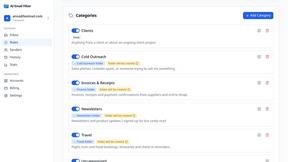
AI Email Filter sorts incoming mail into folders using plain-language prompts you write. Works with any IMAP mailbox; bring your own LLM if you want.

Partly
Snap the receipt, let AI read the items, and see who owes whom in your flat, trip or dinner group.

Product Launch Checklist
A free launch checklist for SaaS, apps, AI tools and more. Every step says why it matters and when you can skip it.

Kody Tools
Free collection of online developer utilities, code formatters, and digital converters designed to streamline your daily workflow.

What's on the menu
Smart translate any restaurant menu