AI tool Details
Explore More
Alternatives

About Push My App
Push My App is an all-in-one platform designed specifically for indie developers and studios who want to ship their App Store and Play Store listings without the launch-week grind. It replaces the manual, multi-day process of preparing metadata, resizing screenshots, translating listings, and submitting builds with a single, streamlined dashboard. The platform uses artificial intelligence to write your app name, keywords, descriptions, and release notes, all optimized for App Store Optimization (ASO) in seconds. It also includes a Pre-Flight Rejection Scanner that checks your build and listing against over 80 known Apple and Google rejection reasons before you submit, saving you from costly delays. With Push My App, you can drop your .ipa, .apk, or .aab file, and the platform will extract the bundle ID, version, and icon, validate compliance, and submit directly to App Store Connect and Google Play in one click. You can also generate a website and get a support mailbox for your app using the app metadata and screenshots with just a few clicks. What used to take days by hand now takes minutes. Push My App is built for developers who would rather be coding than dealing with the busywork of app store submissions. It offers a free starter plan with no credit card required and a 30-day growth trial.
Features
AI-Generated ASO Metadata
Push My App uses artificial intelligence to generate your app name, subtitle, keywords, description, and release notes, all optimized for discoverability on both the App Store and Play Store. The AI scores each element, showing you a title score out of 30, a keyword score out of 100, and a subtitle score out of 30. This feature reduces the time spent on metadata creation from hours to just minutes, ensuring your app is found by the right users.
Pre-Flight Rejection Scanner
Before you submit your app, the Pre-Flight Rejection Scanner scans your build and listing against over 80 known rejection reasons from Apple and Google. It identifies blockers like missing privacy manifests, incorrect binary configurations, or problematic metadata. This proactive check helps you fix issues before they cause a rejection, saving you from the frustration of resubmission and potential delays in your launch.
App Translator
The App Translator feature allows you to translate your full listing into 14 languages, including English, Spanish, German, French, Japanese, Portuguese, and eight more. Crucially, the keywords are re-optimized per locale to maintain strong ASO performance in each market. This eliminates the need for manual translation or hiring external services, making global expansion simple and fast.
Screenshot Resizer
Upload one set of screenshots, and the Screenshot Resizer automatically generates every required device size for both the App Store and Play Store. This includes all standard iPhone, iPad, and Android screen sizes. It also applies device frames and dynamic marketing text overlays, ensuring your screenshots look professional and are ready for submission instantly. This feature alone saves you an hour or more of manual resizing work.
Use Cases
Solo Indie Developer Launching a New App
A solo developer has finished coding their app and needs to get it on the App Store and Play Store quickly. They use Push My App to generate optimized metadata, resize screenshots, and translate the listing into multiple languages. The Pre-Flight Scanner catches a missing privacy manifest before submission, preventing a rejection. The developer submits to both stores in one click, turning a week-long process into a single afternoon.
Small Studio Managing Multiple App Updates
A small studio releases updates for several apps each month. With Push My App, they can manage all their apps from a single dashboard. They use the AI-generated release notes and keyword updates for each version. The Screenshot Resizer ensures new screenshots are ready for every device size. The studio tracks version history automatically, eliminating the need for spreadsheets and manual uploads to each store.
Developer Expanding an App to International Markets
A developer with a successful English-language app wants to launch in Japan, Germany, and France. They use the App Translator to translate their full listing into Japanese, German, and French, with keywords re-optimized for each locale. They do not need to hire translators or research local keywords. The entire expansion process is handled within Push My App, allowing them to reach new users quickly and cost-effectively.
Team Using CI/CD Pipeline for Automated Submissions
A development team uses a CI/CD pipeline with tools like Xcode, Android Studio, Expo, or Fastlane. They integrate Push My App into their workflow to handle the final submission step. After building, they drop the .ipa or .aab into the platform. Push My App extracts the bundle ID and version, validates compliance, and submits directly to App Store Connect and Google Play. This automates the most tedious part of the release process.
Frequently Asked Questions
How does the AI-generated ASO metadata work?
Push My App uses artificial intelligence trained on successful app store listings to generate your app name, subtitle, keywords, description, and release notes. You provide basic information about your app, and the AI produces optimized text in seconds. Each element is scored against best practices, with a title score out of 30, a keyword score out of 100, and a subtitle score out of 30. You can review, edit, and approve the generated content before submission.
What types of app files does Push My App support?
Push My App supports .ipa files for iOS apps and .apk or .aab files for Android apps. When you drop your file into the platform, it automatically extracts the bundle ID, version number, and app icon. It also validates compliance with Apple and Google requirements. This eliminates the need to manually enter these details, reducing the risk of errors during submission.
How does the Pre-Flight Rejection Scanner work?
The Pre-Flight Rejection Scanner analyzes both your app binary and your listing metadata against a database of over 80 known rejection reasons from Apple and Google. It checks for issues like missing privacy manifests, incorrect usage descriptions, problematic keywords, and binary configuration errors. If a blocker is found, the scanner provides a clear explanation and guidance on how to fix it before you submit, significantly reducing the chance of rejection.
Can I manage both iOS and Android apps in one place?
Yes, Push My App is designed as a unified dashboard for both iOS and Android apps. You can see your App Store and Play Store listings side by side, manage metadata and assets for both platforms, and submit to either store with one click. The platform tracks the status of each submission automatically, giving you a single command center for all your app releases.
Similar to Push My App
LaunchIntel
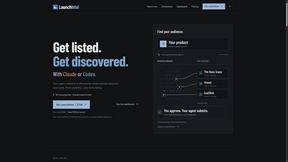
Your AI agent picks relevant directories, submits your product in your browser and tracks every step. One-time purchase.
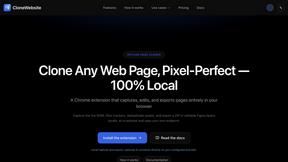
CloneWebsite
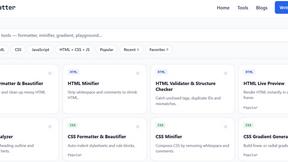
Clone any webpage pixel-perfect, export HTML/CSS/ZIP or React/Vue components.
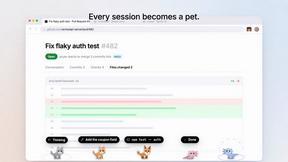
Agent Pets
Your Claude Code & Codex sessions as pets in Chrome. Approve, deny and reply to your coding agents from any tab.
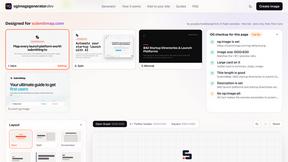
OG Image Generator
Paste a URL and AI designs on-brand Open Graph images from your page's colours, fonts and logo. Free, no sign-up.
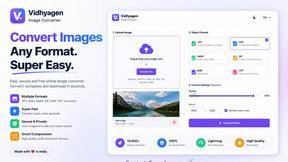
VidhyaGen - Image Converter
Fast, free online platform with 100+ tools for image conversion, compression, editing, PDFs, and text utilities.