

Playwriter
Playwriter lets AI agents control your actual Chrome browser with all your logins and extensions intact.
AI tool Details
Explore More
Alternatives

About Playwriter
Playwriter is a revolutionary open-source tool that connects AI agents directly to your real, logged-in Chrome browser. It solves the fundamental problem where AI agents either have no web access or are forced to use a fresh, "incognito-like" browser instance with no extensions, no saved logins, and high bot detection rates. Instead of spawning a new, isolated browser, Playwriter gives agents control over your existing session through a Chrome extension and a local CLI. This means the AI can interact with websites exactly as you do, with all your cookies, extensions, and authenticated sessions already in place. It provides a full Playwright automation API through a single, powerful tool, enabling complex browser interactions without the overhead of dozens of predefined tool schemas. Designed for developers and power users working with AI coding assistants like Cursor, Claude Desktop, or VS Code via the Model Context Protocol (MCP), Playwriter turns your AI into a capable, collaborative web automation partner that works within your digital environment.
Features
Your Actual Browser Session
Playwriter grants AI agents direct access to your current Chrome session. This includes all your logged-in accounts, saved cookies, installed extensions, and browser settings. There is no need for a separate headless Chrome instance, which eliminates bot detection flags, doubles memory usage, and the hassle of re-authenticating on every task. The agent operates in a real user environment, making automation seamless and indistinguishable from human use.
Full Playwright API via a Single Tool
Unlike other solutions that expose a limited, fixed set of browser actions, Playwriter provides the entire Playwright automation library through one execute tool. This allows agents to run any Playwright code, from simple clicks and navigation to complex performance profiling, network interception, and setting JavaScript breakpoints. This approach minimizes context window bloat and gives the AI maximum flexibility.
Advanced Debugging & Collaboration Suite
Playwriter includes a powerful suite of debugging and collaboration features. You get accessibility snapshots (compact 5-20KB DOM summaries instead of large screenshots), a live debugger with breakpoints, real-time code editing, network request interception, and automatic screen recording. This allows you to watch and guide the AI's actions in real time, stepping in to solve CAPTCHAs or consent walls as needed.
Local-First & Open Source Architecture
The entire system runs locally on your machine. The Chrome extension connects to a local WebSocket relay, and the CLI communicates directly with it. No data is sent to remote servers, ensuring privacy and security. Being MIT-licensed and open source provides full transparency, allows for community inspection, and enables customization to fit specific workflow needs.
Use Cases
AI-Powered Web Automation & Testing
Developers can instruct their AI assistant to automate repetitive web tasks, such as filling forms, scraping data from complex authenticated dashboards, or running through multi-step user flows for testing. Since it uses the real browser, it perfectly mimics user behavior and works on sites that block headless automation.
Collaborative Web Development & Debugging
Front-end developers can work alongside an AI to debug websites. The AI can be asked to profile page load performance, intercept network requests to analyze API calls, set breakpoints in live code, or visually label elements while the developer observes and guides the process in real time, creating a powerful pair-programming dynamic.
AI-Assisted Research & Data Gathering
Researchers, analysts, or content creators can use an AI agent to conduct in-depth online research across multiple sources that require login, such as academic journals, social media platforms, or subscription news sites. The AI can navigate, extract, and summarize information from these authenticated environments efficiently.
Automated Workflow Integration
Power users can integrate Playwriter into larger scripts and workflows. The CLI can be called from other automation tools or scripts to perform browser-based actions as part of a scheduled job, data pipeline, or custom application, leveraging the stable, logged-in session for reliability.
Frequently Asked Questions
How does Playwriter differ from other browser automation tools?
Other tools typically launch a new, clean browser instance or offer a limited set of predefined actions. Playwriter is unique because it controls your existing Chrome session with all your logins and extensions intact, and it exposes the full Playwright API. This means no bot detection, no re-authentication, and far greater capability for complex tasks and debugging.
Is my browsing data safe with Playwriter?
Yes. Playwriter operates on a strict local-first principle. The Chrome extension communicates with a WebSocket server running on your own machine (localhost). No browser data, cookies, or session information is transmitted to any remote server. You have complete control over the entire data flow.
Can I use Playwriter with any AI assistant?
Playwriter is designed to work with any client that supports the Model Context Protocol (MCP), such as Cursor, Claude Desktop, and VS Code with an MCP plugin. You install a "skill" that teaches your specific AI agent how to use Playwriter's capabilities effectively.
What happens if the AI gets stuck or hits a CAPTCHA?
This is where Playwriter's collaborative design shines. You watch the automation happen live in your browser. If a CAPTCHA, consent pop-up, or unexpected page appears, you can simply interact with the page yourself to resolve it. Then you can re-enable the extension, and the AI agent will continue its task from the new state.
Similar to Playwriter
Novastart
Infinite canvas whiteboard OS where apps, files, teams and AI agents work together.

StackLedge
Skip the prompt wrapper hype. StackLedge is a human-curated directory of verified AI tools, active SaaS platforms, and custom n8n workflows.
AI Email Filter
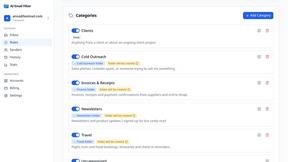
AI Email Filter sorts incoming mail into folders using plain-language prompts you write. Works with any IMAP mailbox; bring your own LLM if you want.

AudioVideo
Turn podcasts, narration, voice recordings, or music into visual content with an Audio to Video AI generator.

Reelslaunch
AI-driven workflow for faceless Instagram Reels & YouTube Shorts: H3 Max text-to-video with native audio plus automated batch publishing.

amaze.directory
A directory of AI tools where every listing was opened and used by a person.