

AI tool Details
Explore More
Alternatives
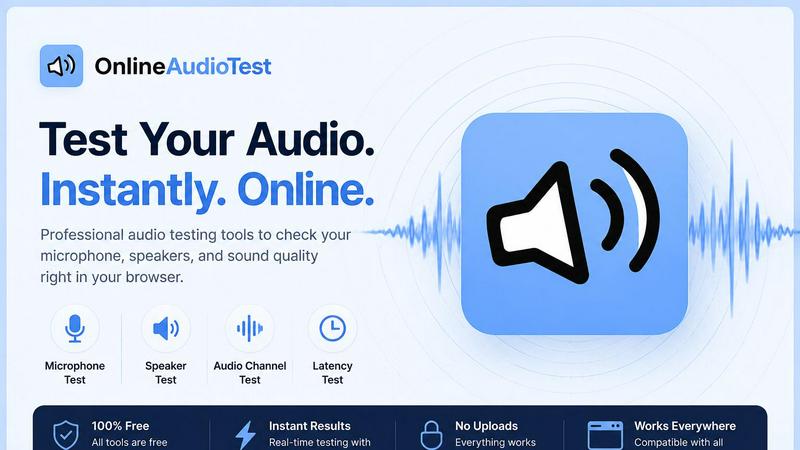
About online audio test
OnlineAudioTest.com is a comprehensive, browser-based suite of free audio diagnostic tools designed for speed, clarity, and zero friction. The product eliminates the need for downloads, sign-ups, or app installations, allowing users to instantly check their audio hardware and identify issues directly from any modern web browser. It serves a wide range of users including remote workers troubleshooting microphone issues on video calls, musicians testing headphone stereo imaging, gamers measuring Bluetooth audio latency, and audio engineers performing quick hardware diagnostics. The core value proposition is delivering focused, single-purpose tools that provide clear, honest feedback in seconds. Every tool leverages the Web Audio API and browser permissions to process audio entirely on the user's device, ensuring privacy by default since no audio data is ever sent to any server. The suite includes a microphone check with real-time input monitoring, a left-right stereo audio test with pink noise and sine tones, a headphone test with frequency sweeps, an audio latency tester for Bluetooth and wired connections, a hearing test that estimates audible frequency range, a real-time FFT spectrum analyzer, a browser-based voice recorder with waveform display, a microphone quality diagnostic that produces a 0-100 quality score, a BPM detector for music analysis, and a musical key finder with Camelot code output. All tools are fully responsive and touch-friendly, working seamlessly across mobile, tablet, and desktop devices. The product's design philosophy prioritizes minimalism and speed: each page does exactly one thing with no bloat, and tests begin running immediately upon page load.
Features
Mic Check Online
Verify your microphone's functionality instantly with a comprehensive real-time diagnostic tool. Detect your microphone device, monitor live input levels through a responsive waveform display, and play back recordings immediately to confirm audio clarity. The tool supports all common microphone types including built-in laptop mics, USB desk mics, Bluetooth headsets, and earphone mics. Simply grant browser access, speak into your microphone, and the interface confirms detection and signal strength within seconds, making it the fastest way to troubleshoot "can you hear me?" issues on video calls.
Left Right Audio Test
Test stereo audio output for speakers, headphones, and earphones with precision. This tool checks for correct stereo imaging by playing distinct tones to the left and right channels, identifies faulty channels that may be silent or distorted, and detects swapped left/right audio output which is a common issue with misconfigured audio drivers or Bluetooth headsets. Includes tests using pink noise for natural sound evaluation and sine tones for channel identification. Results are displayed immediately, allowing users to confirm their audio setup delivers accurate spatial separation.
Headphone Test
A thorough headphone diagnostic that evaluates audio quality across the entire frequency spectrum. The tool performs frequency sweeps from deep bass to high treble, using pink noise to assess tonal balance and identify potential driver damage or frequency response irregularities. Users can listen for distortion, buzzing, or volume inconsistencies that indicate hardware problems. This feature is essential for audiophiles, music producers, and anyone who needs to verify their headphones are performing correctly before critical listening sessions or professional audio work.
Audio Latency Test
Measure audio output delay in milliseconds with a precise browser-based tool. Essential for diagnosing Bluetooth audio delay issues with wireless headphones and AirPods, identifying lag in video conferencing apps like Zoom, and measuring gaming latency that affects reaction times. The test provides accurate measurements for both wired and wireless connections by playing a sound and timing the response through the user's audio system. Results help users decide if latency is acceptable for their use case or if hardware adjustments are needed.
Use Cases
Troubleshooting Video Call Microphone Issues
Remote workers and frequent video call participants can use the Mic Check Online tool to quickly diagnose why colleagues cannot hear them. The tool confirms whether the browser has detected the correct microphone device, shows real-time input levels to verify the mic is picking up sound, and allows instant playback to check audio quality. This eliminates the guesswork of checking system settings and provides immediate confirmation that the microphone is working properly before joining important meetings.
Verifying Stereo Headphone Setup for Music Production
Musicians, audio engineers, and content creators can run the Left Right Audio Test and Headphone Test to ensure their monitoring setup is accurate. The left-right test confirms correct stereo imaging, which is critical for mixing decisions and spatial audio work. The headphone test with frequency sweeps reveals any driver damage or tonal imbalances that could lead to poor mixing choices. This use case ensures that creative work is based on accurate audio reproduction.
Diagnosing Bluetooth Audio Lag for Gaming
Gamers using wireless headsets or Bluetooth speakers can measure audio delay with the Audio Latency Test to determine if lag is affecting gameplay. High latency can cause audio cues to arrive after visual events, putting players at a disadvantage in competitive games. The tool provides a precise millisecond measurement, allowing gamers to compare wired versus wireless performance and decide whether to switch connections for optimal responsiveness.
Estimating Hearing Range for Personal Health Monitoring
Individuals curious about their hearing health can use the Hearing Test to estimate the highest frequency they can hear. The pure tone sweep produces an estimated hearing age, which can be useful for monitoring changes over time. While not a medical diagnostic, this tool provides a quick, free baseline that users can repeat periodically to track potential hearing loss or simply satisfy curiosity about their auditory range.
Pricing
All tools on OnlineAudioTest.com are completely free to use with no hidden costs, subscriptions, or premium tiers. There are no plans, packages, or paid upgrades. Every feature including the microphone check, left-right audio test, headphone test, latency test, hearing test, spectrum analyzer, voice recorder, microphone quality diagnostic, BPM detector, and key finder is available at no charge. The service is supported without requiring user accounts, sign-ups, or payment information of any kind.
Frequently Asked Questions
Do I need to download any software to use these tools?
No, absolutely not. All tools on OnlineAudioTest.com run entirely in your web browser using the Web Audio API. There is no software to download, no plugins to install, and no account registration required. Simply open the page for the tool you need, grant microphone permission if required, and the test starts immediately. This makes it ideal for quick diagnostics on any device including work computers where installing software may be restricted.
Is my audio data sent to any server or stored anywhere?
No, your privacy is protected by design. All audio processing happens locally in your browser using JavaScript and the Web Audio API. Microphone input is captured by your browser, analyzed on your device, and never transmitted to any server. Recordings made with the Voice Recorder tool are stored only in your browser's memory and are deleted when you close the page or download them. No audio leaves your computer at any point.
Which browsers and devices are supported?
The tools work on all modern browsers that support the Web Audio API, including Google Chrome, Mozilla Firefox, Apple Safari, and Microsoft Edge. They are fully responsive and touch-friendly, working on desktop computers, laptops, tablets, and smartphones. However, some features like the microphone check require a browser that supports the MediaDevices API for microphone access. Internet Explorer is not supported.
Can I use these tools for professional audio work?
Yes, many professionals use these tools for quick hardware checks and diagnostics. The Left Right Audio Test and Headphone Test are valuable for verifying studio monitoring setups. The Audio Latency Test helps sound engineers measure system delay. The BPM Detector and Key Detector are useful for DJs and music producers analyzing tracks. However, these are diagnostic tools, not replacement for calibrated measurement equipment in critical professional audio environments.
Similar to online audio test
Zipic
Native image compression for Mac and Windows (Windows beta), with a local CLI and AI skill for automated image workflows.

LaunchIntel
Your AI agent picks relevant directories, submits your product in your browser and tracks every step. One-time purchase.

CloneWebsite
Clone any webpage pixel-perfect, export HTML/CSS/ZIP or React/Vue components.
Agent Pets
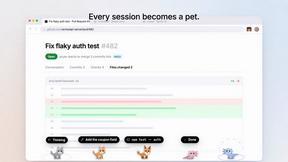
Your Claude Code & Codex sessions as pets in Chrome. Approve, deny and reply to your coding agents from any tab.