

MacBrightness
MacBrightness lets you boost your Mac screen past its limit to 1,600 nits for clear outdoor visibility in any app.
AI tool Details
Explore More
Alternatives

About MacBrightness
MacBrightness is a utility app that unlocks the hidden brightness range of your MacBook Pro, allowing your screen to reach nearly twice the brightness that macOS normally permits. Built for Mac users who work outside, near windows, or in any brightly lit environment, this tool makes your display readable in direct sunlight without requiring any hardware modifications or complex setup. The app works seamlessly with the brightness keys you already use on your keyboard, so there are no new shortcuts to learn or menus to navigate. Simply press your brightness key past the old limit, and the entire screen brightens across every application, not just during HDR video playback. MacBrightness achieves this by accessing the HDR brightness range that your display already supports, meaning no low-level hacks or noticeable CPU overhead. The app is designed specifically for MacBook Pro 14-inch and 16-inch models with M-series Pro or Max chips, as well as the Pro Display XDR, all of which use mini-LED panels capable of sustaining around 1,600 nits. With a free trial that shows half your screen at full brightness in Splitscreen Mode, you can see the difference immediately before deciding on a one-time purchase with no subscription fees.
Features
System-Wide Brightness Boost
MacBrightness unlocks the full potential of your Mac's display by enabling the hidden brightness range that macOS reserves exclusively for HDR content. This means every app on your system benefits from the extra brightness, from web browsers and email clients to design software and coding environments. The effect is consistent and uniform across the entire screen, eliminating the need to squint or reposition yourself when working in bright conditions.
Native Keyboard Integration
The app uses the brightness keys already built into your MacBook Pro keyboard, so there is no learning curve or additional shortcuts to memorize. You simply press the brightness up key past the point where macOS normally stops, and the screen continues to brighten smoothly. This intuitive design means you can adjust your display without interrupting your workflow or hunting for controls in a menu bar.
No Performance Impact
MacBrightness operates with no noticeable CPU overhead and no low-level system hacks. It simply opens the brightness range that your display already maintains for HDR content, making the process efficient and safe for your hardware. Your Mac continues to run as smoothly as before, with no additional battery drain or thermal impact from the tool itself.
Free Splitscreen Trial
The app opens in Splitscreen Mode by default, where one half of your screen jumps to full brightness while the other half stays at the standard macOS level. This side-by-side comparison lets you see the dramatic difference immediately, and the trial mode remains free for as long as you like. Purchasing a license unlocks the full brightness across your entire screen with a one-time payment.
Use Cases
Working Outdoors on Patios and Decks
When you take your MacBook Pro to a sunny patio, deck, or balcony, the standard brightness cap turns your screen into a mirror. MacBrightness doubles the available brightness, making text, images, and interfaces clearly readable even under direct sunlight. You can work comfortably from outdoor spaces without chasing shade or hunching over your laptop.
Traveling and Working from Airports or Planes
Airport gates and airplane cabins often have bright ambient light from large windows or overhead lighting. MacBrightness ensures your screen remains visible during layovers, flights, or any travel scenario where lighting conditions are less than ideal. The extra brightness range helps you stay productive regardless of where your journey takes you.
Working Near Bright Windows Indoors
Even indoors, sitting next to a bright window can wash out your display. MacBrightness compensates for this by providing the extra nits needed to overcome glare and reflections. Whether you are in a home office, coworking space, or coffee shop, you can choose the seat with the best view without sacrificing screen readability.
Outdoor Presentations and Demos
If you need to show your screen to clients, colleagues, or audiences outside, standard brightness often falls short. MacBrightness ensures your display is visible and professional in outdoor settings, making it ideal for field demonstrations, on-site meetings, or any scenario where you need to present information in bright environments.
Pricing
MacBrightness is available for a one-time purchase of $5, with no subscription fees. The free trial in Splitscreen Mode lets you use half your screen at full brightness indefinitely without any cost. Upgrading to the full version unlocks the brightness boost across your entire screen with a single payment. No account creation is required, and the app supports macOS 13 and later.
Frequently Asked Questions
Which Mac models are compatible with MacBrightness?
MacBrightness works with MacBook Pro 14-inch and 16-inch models that have M-series Pro or Max chips, as well as the Pro Display XDR. These devices use mini-LED panels that can sustain around 1,600 nits of brightness. Other Mac models are not supported because they lack the hardware capability to achieve the extended brightness range.
Does MacBrightness affect battery life or performance?
No, MacBrightness has no noticeable CPU overhead and does not use low-level system hacks. It simply accesses the HDR brightness range your display already supports, meaning there is no additional processing load on your Mac. Battery impact is minimal and comparable to running your screen at its standard maximum brightness.
How does the free trial work?
When you download and open MacBrightness, it launches in Splitscreen Mode. One half of your screen jumps to full brightness while the other half remains at the standard macOS level, allowing you to see the difference side by side. This trial mode is free for as long as you like with no time limit. To unlock full brightness across the entire screen, you purchase a one-time license.
Is there a subscription fee for MacBrightness?
No, MacBrightness uses a one-time purchase model with no subscription fees. Once you buy a license, you get full access to the brightness boost across your entire screen for life. There are no recurring charges or hidden costs.
Similar to MacBrightness
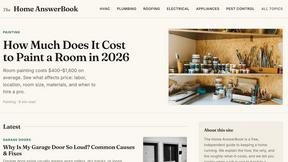
HomeAnswerBook
Practical, independent guides to home repairs, maintenance, costs, troubleshooting, and everyday fixes.
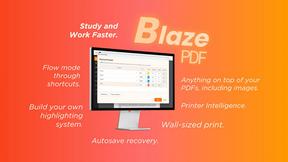
BlazePDF
Highlight faster. Study in flow with custom shortcuts and a workflow built around you. Print smarter, or turn any page into a tiled poster.
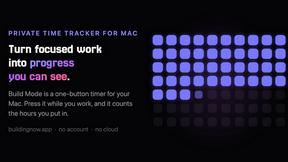
Build Mode for Mac
Build Mode is a Mac app that turns focused sessions into visible progress, so you can see the work adding up before the results arrive.

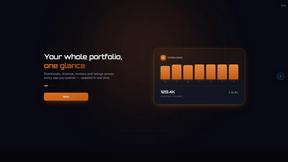
GROWNX
Real-time downloads, revenue, and reviews across your App Store portfolio, plus an AI copilot.


MySOP.guru
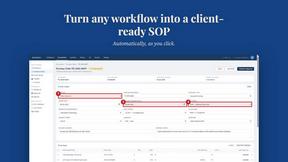
Capture any workflow in your browser and export a branded, step-by-step SOP with screenshots. €5 per document, no subscription.