

Image3D AI
Image3D AI swiftly transforms any 2D image into high-quality 3D models for printing or gaming with no skills needed.
AI tool Details
Explore More
Alternatives
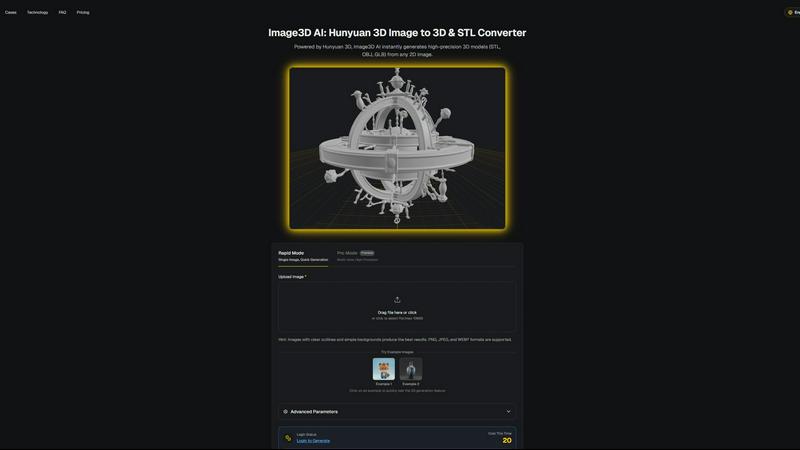
About Image3D AI
Image3D AI is a cutting-edge tool designed to revolutionize the way 2D images are transformed into high-quality 3D models. Utilizing Tencent's advanced Hunyuan 3D engine, this software allows users to upload a single photo or multiple angles of an object and receive a fully realized 3D asset in approximately 60 seconds. Tailored for various users, including 3D printing enthusiasts, game developers, e-commerce managers, and architects, Image3D AI democratizes the 3D modeling process. It eliminates the need for specialized software like Blender, significantly reducing the time required for 3D creation from hours to mere minutes. With broad file format support and intelligent material generation, it streamlines workflows, facilitating rapid prototyping, asset creation, and digital content production for both professionals and hobbyists.
Features
Rapid Mode
Rapid Mode allows users to quickly generate 3D models from a single image. This feature is perfect for users looking for fast results without sacrificing quality, making it ideal for simple projects or quick prototyping.
Pro Mode
Pro Mode is designed for advanced users needing high precision. By uploading multiple views of an object, users can achieve a more accurate reconstruction, making it suitable for complex designs and detailed 3D assets.
File Format Support
Image3D AI supports a variety of industry-standard file formats, including STL, OBJ, and GLB. This flexibility ensures that users can easily integrate generated models into different workflows, whether for 3D printing, gaming, or web applications.
Intelligent Material Generation
The tool features intelligent material generation capabilities, allowing users to create realistic textures and materials automatically. This reduces the need for manual texturing, saving time and enhancing the visual quality of 3D models.
Use Cases
For Game Developers
Game developers can rapidly generate 3D assets for their projects using Image3D AI. Its support for PBR materials allows for seamless integration into game engines like Unity and Unreal Engine, streamlining the asset creation process.
For E-commerce Managers
E-commerce professionals can convert product images into interactive 3D models, enhancing online shopping experiences. This capability enables customers to view products from multiple angles, improving engagement and conversion rates.
For 3D Printing Enthusiasts
Image3D AI serves as a powerful image to STL converter, providing high-precision files ready for 3D printing. This feature allows users to transform their designs into tangible objects quickly and efficiently.
For Architects and Designers
Architects can leverage Image3D AI to generate detailed architectural models, significantly reducing the time spent on manual modeling. This efficiency allows for faster project iterations and improved design presentations.
Frequently Asked Questions
How does Image3D AI work?
Image3D AI uses advanced algorithms to analyze 2D images and reconstruct them into 3D models. Simply upload a photo, and the AI processes it, generating a high-fidelity 3D asset in about 60 seconds.
What file formats does Image3D AI support?
Image3D AI supports several key file formats, including STL for 3D printing, OBJ for traditional 3D editing, and GLB for web and AR applications. This ensures compatibility with various software and platforms.
Do I need any 3D modeling skills to use Image3D AI?
No, Image3D AI is designed for users of all skill levels. You can easily generate 3D models without any prior experience in 3D modeling software, making it accessible for everyone.
Can I use multiple images for better results?
Yes, using multiple views in Pro Mode can significantly enhance the accuracy of the generated 3D model. Providing front, side, and back views allows the AI to create a more detailed and physically accurate reconstruction.
Similar to Image3D AI
MotionVault
MotionVault: Motion Graphics, Video Templates & Overlays for Editors
Sprite Sheet Maker
Create pixel-art sprite sheets from text with AI, preview animations, and export PNG assets for game prototypes.
GPT Image 2 API
Generate and edit production-ready images with GPT Image 2 API, prompts, reference images, clear text, and developer workflows.
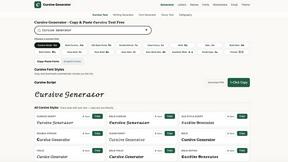
cursive generator
Free cursive text generator to create stylish cursive fonts instantly. Type your text, choose a style, then copy and paste it anywhere.
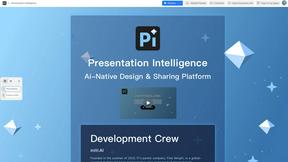
Presentation Intelligence
AI-native presentation and visual content platform that turns prompts, documents, images, videos, and data into polished, shareable decks.

ProfileLoom
ProfileLoom turns one photo into platform-ready AI portraits for professional, social, and creator profiles, with presets and built-in editing.
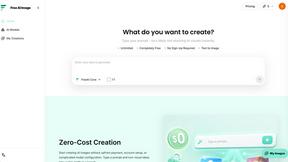
Free AI Image
Free AI Image is a free text-to-image AI generator for creating clean visual drafts from prompts with no sign-up required.
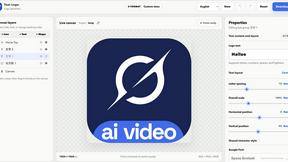
Text Logo
Create a custom text logo, wordmark logo, or typography logo with editable fonts, colors, icons, shapes, and flexible export formats.