

Hello Aria
Hello Aria organizes your messages into tasks and notes so you can focus on finishing work.

About Hello Aria
Hello Aria is an all-in-one AI assistant designed to unify and simplify digital productivity. It acts as a central command center, intelligently syncing tasks, reminders, notes, emails, and meetings across the platforms you already use, including WhatsApp, Telegram, Email, and the Web. Instead of juggling multiple apps, you interact with Aria through natural chat, turning everyday messages into organized actions. It captures inputs in any form—voice, image, or text—and converts them into structured to-dos, calendar events, or meeting summaries. Built for busy professionals, teams, and families, Aria's core value is eliminating scattered tools and mental clutter. By bringing your workflow into one synchronized dashboard accessible through simple chats, it automates the busywork of task management. This allows you to focus on execution and what truly matters, boosting productivity by consolidating your tools into a single, intelligent interface that works everywhere you do.
Features
Unified Chat Interface
Interact with Aria through natural conversation on platforms like WhatsApp, Web, and Email. Simply send a message, and Aria captures your intent, turning casual chats into structured actions like reminders, tasks, or notes without switching apps.
Intelligent Capture & Organization
Capture thoughts and requests instantly via voice, image, or text. Aria intelligently parses this input, extracting key details to create organized to-dos, calendar events, or summarized notes, acting as your always-available second brain.
Cross-Platform Synchronization
Aria syncs all your productivity data across every platform you use. Your tasks, notes, and meetings are unified in one dashboard and remain accessible whether you're on your phone, desktop, or browser, ensuring seamless workflow everywhere.
Smart Integrations
Connect Aria with your essential tools like Google Calendar, Drive, Meet, Gmail, and Microsoft services. Automate workflows by having Aria create tasks from emails, upload files to Drive, or generate meeting summaries, all through simple chat commands.
Use Cases
For Busy Professionals
Manage a chaotic schedule by forwarding emails, capturing voice notes, or chatting to set reminders. Aria consolidates everything into a clear, prioritized plan, ensuring you never miss a deadline and can focus on high-value work.
For Team Coordination
Keep distributed teams aligned without constant meetings. Assign tasks via chat, share updates instantly, and sync project details across integrated platforms. Aria creates a single source of truth for team goals and action items.
For Personal & Family Organization
Simplify family logistics and personal goals. Share a shopping list via WhatsApp, set reminders for appointments, or capture ideas on the go. Aria organizes shared and personal tasks in one accessible place for everyone.
For Meeting & Note Management
Transform meeting chaos into clarity. Have Aria join calls or receive transcripts to generate instant summaries and actionable next steps. It turns discussions into organized notes and tasks automatically.
Frequently Asked Questions
How do I start using Hello Aria?
You can get started by visiting the Hello Aria website to access the web dashboard. It is also now available as an iOS app. You can begin interacting with Aria through supported channels like WhatsApp or email by sending your first task or query.
What platforms and apps does Hello Aria integrate with?
Aria currently integrates with Google Calendar, Drive, Meet, Gmail, and Microsoft OneDrive, Mail, and Calendar. You can access it via WhatsApp, Web, and Email. Support for Telegram, a mobile app, Slack, and Notion is coming soon.
Can Hello Aria understand voice and image inputs?
Yes. Aria is built to capture inputs in any form. You can send voice notes or images through chat, and it will convert them into structured text, action items, or tasks, making capture faster and more flexible than typing.
Is my data synchronized across different devices?
Absolutely. Aria's core function is to unify your workflow. All your data—tasks, notes, reminders—is synchronized in real-time across the platforms you use and is viewable in a single, unified dashboard, ensuring access from anywhere.
Similar to Hello Aria
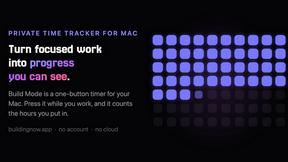
Build Mode for Mac
Build Mode is a Mac app that turns focused sessions into visible progress, so you can see the work adding up before the results arrive.
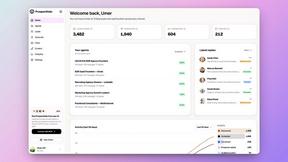
Speechyou
AI transcription for voice notes, meetings, and audio files in 1,700 languages, with AI summaries and subtitle export and unlimited chat ai usage.
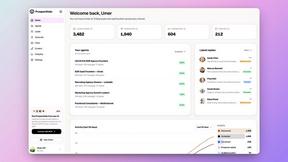
ProspectHalo
AI sales agent that finds qualified leads, runs outreach, follows up automatically, creates content, and helps book more meetings.

benchmark.directory
146 AI tools, grouped by the job you hire them to do. We paid for every one, used it on real work, and wrote down where it stops.
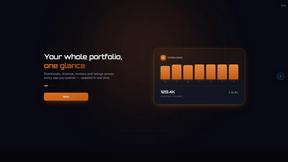
GROWNX
Real-time downloads, revenue, and reviews across your App Store portfolio, plus an AI copilot.

Tools Network
Tools Network is a curated directory of the best AI tools across 25+ categories — compare ratings, pricing, and features to find the right one fast.
MySOP.guru
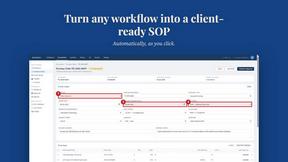
Capture any workflow in your browser and export a branded, step-by-step SOP with screenshots. €5 per document, no subscription.