

Happyhorse
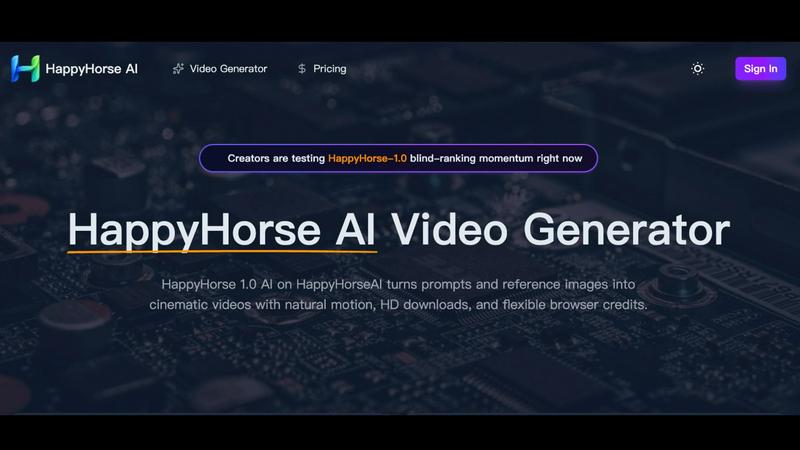
HappyHorse AI turns prompts and images into cinematic videos with natural motion and HD downloads.
AI tool Details
Explore More
Alternatives
About Happyhorse
HappyHorse AI is a browser-based AI video generator that turns text prompts and reference images into cinematic video clips. It focuses on natural motion, scene coherence, and strong reference image follow-through, making it a practical tool for creators and marketers who need polished video content without complex editing software. The platform supports text-to-video, image-to-video, and video-to-video workflows directly in a web browser, enabling rapid iteration and quick downloads of HD clips.
HappyHorse AI is designed for anyone who needs short, high-quality videos for ads, social media campaigns, concept trailers, product showcases, storyboards, or image-led animation. Its core value lies in producing motion that feels less rigid than typical AI video generators, with better camera drift, body movement, and atmospheric continuity. Users can adjust key settings like duration (up to 5 seconds), aspect ratio (16:9, 9:16, 1:1, 4:3, 3:4, 21:9), resolution (480p, 720p, 1080p), and audio generation before generating a video.
The product operates on a browser-based credit system. Users input text prompts or upload reference images, configure output settings, and generate videos using credits. The platform includes a gallery of example clips showing its capabilities in flower field motion, fashion portraits, ocean light continuity, road trip sequences, runway loops, and dramatic atmosphere studies. These examples help creators understand how the model handles wind, depth, layered detail, face detail, wardrobe stability, water light coherence, travel energy, and visual tension.
HappyHorse AI is particularly strong in blind user preference tests for text-to-video and image-to-video generation, where it scores highly for subject follow and scene continuity. The platform is accessible from any modern browser, making it easy for teams to compare ideas, revise references, and download clips quickly without local hardware constraints.
Features
Natural Motion and Cinematic Quality
HappyHorse AI excels at generating motion that feels organic rather than artificial. Users consistently report that camera drift, body movement, and atmospheric effects like wind or water flow appear smooth and natural. This makes short scenes feel more cinematic, with better pacing and visual tension compared to other AI video generators. The model maintains scene coherence across frames, ensuring that details like lighting, depth, and subject positioning remain consistent from start to finish.
Flexible Input Methods
The platform supports three primary input modes: text-to-video, image-to-video, and video-to-video. Text-to-video allows users to describe a scene or action in up to 2500 characters and generate a matching clip. Image-to-video lets users upload a reference image, and the AI animates it while preserving the original composition and subject details. Video-to-video enables users to upload an existing video and transform its style or motion. This flexibility covers a wide range of creative needs.
Customizable Output Settings
Users have granular control over video output through several adjustable parameters. Duration can be set to 5 seconds. Aspect ratio options include 16:9, 9:16, 1:1, 4:3, 3:4, and 21:9, covering landscape, portrait, square, and ultra-wide formats. Resolution choices are 480p, 720p, and 1080p for HD downloads. Audio generation can be enabled or disabled. Advanced settings provide further fine-tuning for experienced users who want to optimize specific outputs.
Browser-Based Credit System
HappyHorse AI operates entirely within a web browser, requiring no software installation or powerful local hardware. Users purchase credits that are consumed with each video generation. The interface shows the credit cost per generation (typically 35 credits) and remaining balance. This pay-per-use model allows creators to test prompts, compare ideas, and iterate quickly without committing to a subscription. The platform also offers launch credits with a 25% extra bonus for early creators.
Use Cases
Cinematic Ad Creation
Marketers can use HappyHorse AI to transform launch copy or campaign concepts into short branded videos. The platform generates clips with cleaner motion and better mood than static mockups, helping brands convey product benefits and emotional tone in a few seconds. Ad creatives can test multiple variations quickly, adjusting prompts and aspect ratios to fit different platforms like Instagram, TikTok, or YouTube Shorts.
Concept Trailers and Pre-Production
Directors, creative teams, and storyboard artists can preview camera language, pacing, and story beats before committing to a full production. HappyHorse AI enables rapid visualization of key scenes, helping teams communicate ideas to clients or stakeholders without waiting for live-action shoots or complex animation. This speeds up the pre-production process and reduces risk in creative decisions.
Image-to-Video Animation
Artists, photographers, and ecommerce teams can animate still illustrations, product shots, portraits, or lifestyle images. The AI preserves the original composition and subject details while adding natural movement like flowing hair, drifting clouds, or subtle camera pans. This is useful for creating engaging social media posts, product demos, or atmospheric background videos from existing assets.
Quick Product Loops for Ecommerce
Ecommerce teams can animate packaging, devices, food items, and lifestyle scenes into short looping videos for landing pages, ads, and product testing. These loops help products stand out in crowded marketplaces by adding visual interest and demonstrating features in motion. The quick generation cycle allows for A/B testing different animations to see which drives better engagement.
Pricing
HappyHorse AI operates on a browser-based credit system. Users purchase credits to generate videos, with each generation costing 35 credits. The platform offers a launch promotion providing 25% extra credits for early creators. Specific pricing tiers or plan costs are not detailed in the available content. Users can view pricing details by clicking the "View pricing" link on the platform interface.
Frequently Asked Questions
What types of video can I create with HappyHorse AI?
You can create text-to-video clips from written prompts, animate still images into moving videos, and transform existing videos into new styles. Common outputs include cinematic ads, concept trailers, product loops, social media snippets, storyboard previews, and atmospheric background clips. The platform supports various aspect ratios and resolutions to fit different distribution channels.
How does the credit system work?
Each video generation consumes a set number of credits, typically 35 credits per clip. You purchase credits through the platform, and your remaining balance is displayed in the interface. Launch offers may include bonus credits, such as 25% extra for early creators. Credits are browser-based and do not expire immediately, allowing you to use them over time as needed.
What are the output quality and format options?
You can choose from three resolution levels: 480p, 720p, and 1080p for HD downloads. Aspect ratio options include 16:9 (landscape), 9:16 (portrait), 1:1 (square), 4:3, 3:4, and 21:9 (ultra-wide). Maximum duration is 5 seconds per clip. Audio generation can be enabled or disabled based on your needs. All outputs are designed for quick download and immediate use.
Is HappyHorse AI suitable for professional marketing use?
Yes. The platform produces cinematic-quality clips with natural motion and strong scene coherence, making it suitable for ads, social campaigns, product showcases, and client pitches. Users report that the output feels less rigid than typical AI video generators, with better camera drift and atmospheric continuity. The browser-based workflow also supports rapid iteration for A/B testing different creative concepts.
Similar to Happyhorse

Lemongraph
Almost every conversation ends with a promise. Lemongraph keeps track of them for you and lines up your day the way you would.

Traecta
Traecta maps a career switch week by week — modules, checkpoints and a study buddy who notices when you stall.

Zeptap
Zeptap lets AI use your real iPhone like you do: open apps, read the screen, tap, swipe and type. Reply to DMs, post Stories, book rides, test apps.

Novastart
Infinite canvas whiteboard OS where apps, files, teams and AI agents work together.

Toolara Music
Describe a song in plain text and get a complete track — vocals or instrumental, custom lyrics, up to 120 seconds, MP3 download

ColdCrow
AI cold email writer with a deliverability score - describe a prospect, get a personalized draft in seconds.

LinkIntel
MCP server that gives Claude or any MCP assistant your own X post results and X's open-source ranking weights, so drafts start from evidence.