

File Studio
File Studio provides powerful offline tools to convert, edit, and manage files and PDFs securely on your computer.
AI tool Details
Explore More
Alternatives

About File Studio
File Studio is a powerful offline desktop application that specializes in managing PDFs and images. It is designed for users who value privacy and security in their digital workflows. Whether you are a photographer needing to edit images, a freelancer handling sensitive documents, or a remote worker organizing files, File Studio offers robust tools to accomplish these tasks without the need for cloud uploads. Its main value proposition lies in its ability to perform a variety of functions such as merging, splitting, reordering, and rotating PDFs. Additionally, it supports converting files across more than 20 formats, including HEIC, WebP, AVIF, and various RAW file types. With a simple one-time purchase model and compatibility with both Mac and Windows, File Studio is ideal for anyone seeking reliable file management without the hassle of subscriptions or online accounts.
Features
PDF Management Tools
File Studio provides comprehensive tools for managing PDFs, including merging, splitting, editing, and unlocking. Users can manage their PDF documents entirely offline, ensuring that no sensitive data is ever uploaded to the cloud.
Image Processing Tools
With support for over 20 image formats, including HEIC and various RAW types, File Studio allows users to convert, resize, compress, and crop images. It also offers features like adding watermarks and creating collages, all while working offline.
Batch Processing Capability
Efficiently handle multiple files at once with File Studio's batch processing feature. Users can convert, resize, or compress entire folders in a single operation, which significantly enhances productivity and saves time.
100% Offline Functionality
File Studio operates entirely offline on both Mac and Windows, ensuring that users' files never leave their devices. This feature is crucial for maintaining privacy and security when managing sensitive documents.
Use Cases
Freelance Document Management
Freelancers can use File Studio to manage contracts, invoices, and project files securely. The ability to edit and convert documents offline ensures that sensitive information remains private.
Photography Workflow Optimization
Photographers can streamline their workflow by using File Studio to convert and edit images in various formats without the need for an internet connection. This is especially useful when working in remote locations.
Secure Handling of Personal Documents
Users can manage sensitive personal documents, such as passports and IDs, with confidence. File Studio allows for safe editing and organization without risking exposure to online threats.
Efficient File Organization for Remote Workers
Remote workers can utilize File Studio to keep their document management organized and efficient. The ability to batch process files and manage both images and PDFs in one place simplifies their workflow.
Frequently Asked Questions
Is my data ever uploaded?
No. File Studio processes everything locally on your device, ensuring that your files never leave your computer. You can work 100% offline without any data exposure.
Do you offer a free trial?
Yes. File Studio provides a free trial, allowing users to explore its features and capabilities before making a purchase. This way, you can determine if it meets your needs.
What file formats does File Studio support?
File Studio supports over 20 formats, including popular image formats like HEIC, WebP, AVIF, and various RAW types, as well as PDF documents. This extensive support ensures versatility in file management.
How does the licensing work?
File Studio operates on a one-time purchase model, meaning you pay once and own the software forever. There are no subscriptions or recurring fees, and users receive updates for one year after purchase.
Similar to File Studio

Build Mode for Mac
Build Mode is a Mac app that turns focused sessions into visible progress, so you can see the work adding up before the results arrive.

GROWNX
Real-time downloads, revenue, and reviews across your App Store portfolio, plus an AI copilot.
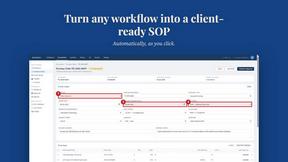
MySOP.guru
Capture any workflow in your browser and export a branded, step-by-step SOP with screenshots. €5 per document, no subscription.

PerPageFax
PerPageFax lets you send a fax online from any browser for a flat $0.50 per page — no account, no subscription, no fax machine.



Glanced
Follow news, blogs, newsletters, and podcasts in a free RSS reader, with AI summaries, top stories, full-text search, saved searches, and a catalog.
