Email List Cleaner
Clean and validate email lists privately for free in your browser.
About Email List Cleaner
Email List Cleaner is a privacy-first, free, and open-source tool designed to validate and clean email lists directly within your web browser. It performs essential checks on a list of email addresses to separate valid entries from invalid ones. The tool is built for marketers, small business owners, developers, and anyone who manages email lists and prioritizes data privacy. Its core value proposition is delivering powerful email verification without ever accessing or storing your sensitive data. The validation process checks for correct syntax and confirms that the domain is configured to receive mail, using only public DNS lookups. This ensures your email lists remain completely confidential, improving deliverability rates by removing invalid, disposable, and duplicate addresses before you send your next campaign. Almost the entire process happens locally in your browser, with only domain names sent to a public DNS service for verification.
Features
Privacy-First Browser-Side Validation
The entire email validation process happens inside your web browser. Your raw email list data never leaves your computer to be stored on a third-party server. The only external data sent are domain names to Google's public DNS service to check for valid mail server configuration, ensuring maximum confidentiality and security for your sensitive contact lists.
Comprehensive Email Address Verification
The tool performs multiple validation checks on each email address. It first checks for correct syntax to ensure the address is properly formatted. It then performs a DNS lookup to confirm the domain exists and is configured with valid MX or A records to receive email, effectively identifying typos and non-existent domains that harm deliverability.
Advanced Filtering and Processing Options
Beyond basic validation, Email List Cleaner offers granular control over your list cleaning. You can choose to allow or filter out role-based addresses (e.g., info@, sales@), disposable/temporary email addresses, and duplicate entries. It intelligently handles provider-specific rules, like Gmail ignoring dots, and email address tags (e.g., [email protected]).
Free and Open Source Transparency
The tool is completely free to use with no hidden costs or limits. Furthermore, its source code is openly available for inspection. This transparency allows anyone, especially developers and privacy-conscious users, to verify that the tool operates as advertised and does not compromise user data, building trust through openness.
Use Cases
Improving Email Marketing Campaign Deliverability
Marketers and small business owners can clean their mailing lists before launching campaigns. By removing invalid, non-existent, and disposable email addresses, they significantly reduce bounce rates. This protects sender reputation, improves inbox placement rates, and ensures communication reaches real, engaged subscribers.
Preparing Lists for CRM or Mailing System Import
Before importing a new contact list into a Customer Relationship Management (CRM) system or an email marketing platform, administrators can use this tool to validate entries. This pre-cleaning step prevents polluting the database with faulty data, saving storage costs and ensuring accurate analytics and segmentation from the start.
Conducting Secure List Audits for Data Privacy Compliance
Organizations handling personal data under regulations like GDPR can use the tool for internal list audits without exposing sensitive information to a third-party service. The privacy-first, client-side processing ensures email addresses are validated without transferring personal data externally, supporting compliance efforts.
Developers Validating User Sign-Ups and Forms
Developers can integrate the tool's principles or use it to test and clean email lists collected from user registration forms, lead magnets, or downloads. Identifying disposable emails and role-based addresses helps maintain a quality user database and reduces fraud or low-quality sign-ups in web applications.
Frequently Asked Questions
How does Email List Cleaner protect my privacy?
Your privacy is protected because the validation happens almost entirely in your browser. Your full list of email addresses never leaves your computer to be stored on our or any other server. We only send the domain part (e.g., "example.com") to a public DNS service to check for mail server records. You can review our open-source code to confirm this.
What does it mean when an email is marked as "valid"?
When marked "valid," it means the email address has passed both syntax checks (it is correctly formatted) and domain checks (the domain exists and is configured to accept mail). It is important to note that we cannot guarantee an inbox exists for that specific address, only that the domain is set up to receive email.
Can it detect and remove duplicate email addresses?
Yes. The tool can identify and remove duplicate email addresses from your list. This feature is smart and accounts for email provider-specific behaviors, such as Gmail ignoring dots in the local part and recognizing email address tags (e.g., treating [email protected] the same as [email protected]).
Is Email List Cleaner really free to use?
Yes, Email List Cleaner is completely free and open-source. There are no subscription plans, usage limits, or hidden fees. You can clean email lists of any size as often as you need without cost, making it an accessible tool for individuals and businesses of all scales.
Similar to Email List Cleaner
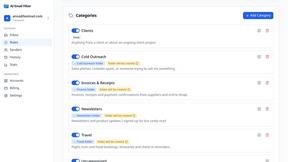
AI Email Filter
AI Email Filter sorts incoming mail into folders using plain-language prompts you write. Works with any IMAP mailbox; bring your own LLM if you want.

Partly
Snap the receipt, let AI read the items, and see who owes whom in your flat, trip or dinner group.
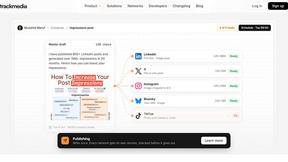
TrackMedia
Your Social Media Content Engine That Drives Revenue. Distribute content to every social platform and track it in real time. Use AI agents to run it.
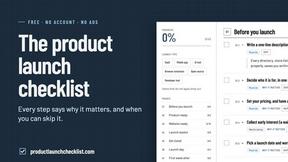
Product Launch Checklist
A free launch checklist for SaaS, apps, AI tools and more. Every step says why it matters and when you can skip it.
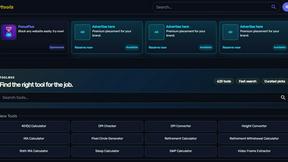
Kody Tools
Free collection of online developer utilities, code formatters, and digital converters designed to streamline your daily workflow.
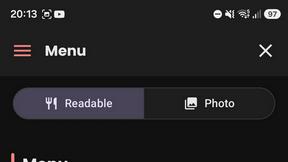
What's on the menu
Smart translate any restaurant menu
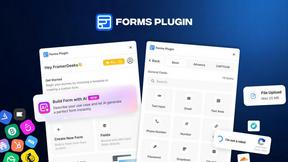
Forms Plugin
The #1 Native Form Builder Plugin for Framer - No Code, No Embeds, No External Platforms.