

CustomTattoo AI
Generate tattoo designs, preview them on your skin, and bring clearer ideas to your artist.
AI tool Details
Explore More
Alternatives
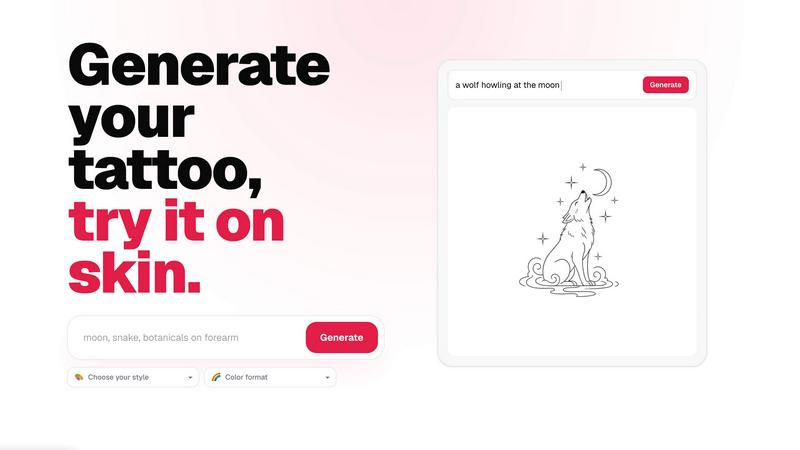
About CustomTattoo AI
CustomTattoo AI is an AI-powered tattoo design and try-on platform built for anyone planning their next tattoo. It replaces guesswork with visual proof, letting users describe their idea, generate custom tattoo concepts across endless styles, and preview those designs on their own skin before booking a session with an artist. The product is designed for first-time tattoo clients, tattoo enthusiasts, and anyone who wants more confidence before committing to a permanent design.
The core value proposition is clarity. Instead of walking into a studio with a vague reference or a Pinterest board, users arrive with a specific, artist-ready direction. The platform guides users through a simple workflow: describe the subject, placement, and mood, then choose a tattoo direction and color format. The AI generates multiple concepts, which users can save to a personal library, compare side by side, and test on different body placements using the on-skin preview feature.
CustomTattoo AI helps users compare styles, test placement, refine their visual direction, and bring a clearer reference to their tattoo artist. It eliminates the anxiety of committing to a design you have never seen on your own body. The product is especially useful for first-time clients who are unsure about style or placement, enthusiasts exploring new directions, and anyone who wants to feel confident that their next tattoo will look right.
The platform starts with 3 free credits at signup, no card needed. Users can test the generator, preview their first tattoo idea, and decide if the tool fits their workflow before paying anything. The result is a streamlined, low-risk way to move from idea to artist-ready design.
Features
AI Tattoo Generator
Describe your tattoo idea in plain language, including subject, placement, and mood. The AI generates custom tattoo concepts in seconds, translating your words into visual designs. You can iterate quickly, refining the description or adjusting the style until the output matches your vision. This feature eliminates the need for manual sketching or searching through endless reference images.
On-Skin Preview
Preview any generated tattoo design directly on your own skin using augmented reality or photo-based try-on technology. Upload a photo of the body part where you want the tattoo, and the platform places the design realistically on your skin. This lets you see how the design sits on your body, how it flows with your anatomy, and how it looks from different angles before you book a session.
Style and Format Selection
Choose from a wide range of tattoo styles, including gothic blackwork, traditional, neo-traditional, watercolor, geometric, tribal, and more. You can also select the color format, such as black and grey, full color, or selective color. This feature allows you to explore multiple artistic directions for the same idea, helping you find the exact look that fits your personal aesthetic.
Personal Design Library
Save your favorite generated designs to a personal library for easy access and comparison. You can organize designs by concept, style, or placement, and revisit them anytime. This library becomes a curated collection of your best ideas, making it simple to compare options, share with friends, or bring multiple references to your tattoo artist for consultation.
Use Cases
First-Time Tattoo Planning
First-time clients often feel overwhelmed by the number of style options, placement choices, and design possibilities. CustomTattoo AI simplifies this process. You describe a general idea, generate multiple concepts in different styles, and preview them on your own skin. This gives you the confidence to know exactly what you want before walking into a studio, reducing anxiety and ensuring you make a choice you will love.
Tattoo Style Exploration
Tattoo enthusiasts who already have ink can use the platform to explore new styles without commitment. If you are used to traditional designs but curious about watercolor or geometric, you can generate the same subject in multiple styles and compare them side by side. This helps you discover new artistic directions and decide if a different style fits your existing collection or personal taste.
Artist Consultation Preparation
Bringing a vague idea to a tattoo artist often leads to long consultations and multiple revisions. With CustomTattoo AI, you can generate a clear, specific design reference that communicates your vision precisely. You can also generate multiple variations to show the artist what you like and do not like. This saves time during the consultation and helps the artist deliver a final design that matches your expectations.
Placement and Size Testing
Choosing the right placement and size for a tattoo is critical. A design that looks great on paper may not flow well on a curved arm or a flat shoulder. CustomTattoo AI lets you upload a photo of the body part you are considering and preview the design directly on your skin. You can test different sizes, angles, and placements to find the perfect fit before committing to the needle.
Frequently Asked Questions
Is CustomTattoo AI free to try?
Yes, you can start with 3 free tattoo credits at signup, no credit card required. Use these credits to test the generator, preview your first tattoo idea, and see if the platform fits your needs before paying for anything. There are no hidden fees or surprise charges.
How does the on-skin preview work?
Upload a photo of the body part where you want the tattoo. The platform uses AI to place the generated design realistically on your skin, accounting for body contours and lighting. You can adjust the size, rotation, and position of the design to see how it looks from different angles and placements.
Will there be hidden subscriptions?
No. CustomTattoo AI operates on a transparent credit-based system. You purchase credits as needed, and there are no recurring subscriptions or hidden fees. You only pay for the designs you generate and preview. Your account and saved designs remain accessible even if you run out of credits.
Can I take the design to my tattoo artist?
Yes, absolutely. The designs generated by CustomTattoo AI are intended as artist-ready references. You can save or export your favorite designs and bring them directly to your tattoo artist for consultation. The artist can use the design as a starting point or modify it to fit their style and your anatomy.
Similar to CustomTattoo AI
MotionVault
MotionVault: Motion Graphics, Video Templates & Overlays for Editors
Sprite Sheet Maker
Create pixel-art sprite sheets from text with AI, preview animations, and export PNG assets for game prototypes.
GPT Image 2 API
Generate and edit production-ready images with GPT Image 2 API, prompts, reference images, clear text, and developer workflows.
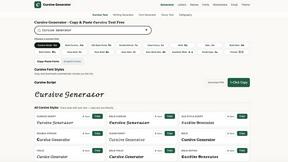
cursive generator
Free cursive text generator to create stylish cursive fonts instantly. Type your text, choose a style, then copy and paste it anywhere.
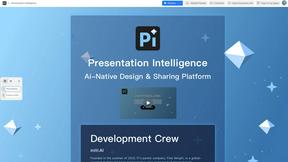
Presentation Intelligence
AI-native presentation and visual content platform that turns prompts, documents, images, videos, and data into polished, shareable decks.

ProfileLoom
ProfileLoom turns one photo into platform-ready AI portraits for professional, social, and creator profiles, with presets and built-in editing.
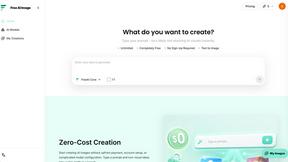
Free AI Image
Free AI Image is a free text-to-image AI generator for creating clean visual drafts from prompts with no sign-up required.
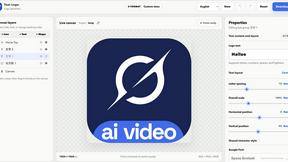
Text Logo
Create a custom text logo, wordmark logo, or typography logo with editable fonts, colors, icons, shapes, and flexible export formats.