

Cosy
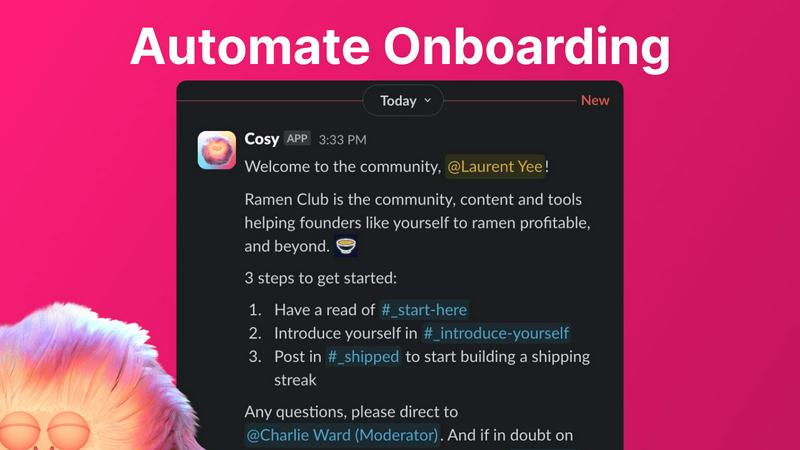
Cosy automates Slack community onboarding and engagement to save you time.
AI tool Details
Explore More
Alternatives
About Cosy
Cosy is a powerful, Slack-native application designed to transform your Slack workspace into a vibrant, self-sustaining community. It automates the manual, time-consuming tasks of community management, freeing leaders to focus on strategy and meaningful engagement. Built specifically for Slack, Cosy integrates seamlessly to handle critical functions like automated member onboarding, fostering connections between members, creating a searchable member directory, highlighting valuable content, and maintaining a safe environment. It is the ideal tool for community managers, founders, and team leaders who run professional networks, customer communities, or internal teams on Slack. The core value proposition is clear: save significant manual effort every week while systematically growing a more connected, active, and valuable community directly within the platform your members already use and love.
Features
Automated Onboarding
Create and automate up to 10 distinct welcome DM sequences for new members, sent from you, a team member, or the Cosy bot. Fully customize messages with member names, links, and emojis, and set time delays from immediate to months in the future. This ensures every new member is welcomed personally, even outside business hours, saving hours of manual outreach and follow-up while providing a consistent, warm first impression.
Connect Your Members
Grow engagement by automatically introducing opted-in community members to each other via direct messages. You customize the intro message, cadence (every 1-4 weeks), and timing. Introductions happen in a 3-person DM including both members and the Cosy bot, fostering serendipitous connections. The system randomly pairs members while avoiding recent matches, automating relationship-building to create a more engaged and interconnected network.
Member Directory
Build a simple, searchable directory of all community members without leaving Slack. Create custom profile fields (text, single-select, or multi-choice) and notify members to fill them via a one-click prompt. Members can search by keyword and filter for completed profiles using the Cosy app or a slash command. This tool helps members discover each other easily, fostering a more cohesive and supportive community environment.
Content Highlights
Instantly surface the most valuable conversations in your community with quick slash commands. Identify the top 10 most engaged posts in a specific channel or across all public channels. Alternatively, find messages that have received no replies to ensure no question goes unanswered. This feature helps community managers and members quickly find high-signal content and identify opportunities for engagement.
Use Cases
Professional Network Communities
Community leaders running industry groups or professional networks on Slack can use Cosy to automate member onboarding, ensuring every new professional feels welcomed. The automated member introductions foster valuable peer-to-peer networking, while the searchable directory helps members find relevant contacts, mentors, or collaborators, significantly increasing the network's value and activity.
Customer Success & Support Communities
Companies hosting customer communities on Slack can leverage Cosy to automate welcome sequences that guide new users to resources. The content highlights feature surfaces common questions and popular solutions, helping reduce repetitive support queries. The safe environment monitoring helps maintain a professional, helpful space, enhancing customer satisfaction and product adoption.
Internal Company Teams
Internal team leaders can use Cosy to boost camaraderie and cross-departmental collaboration within their company's Slack. Automated introductions break down silos by connecting employees from different teams. The member directory helps staff find colleagues with specific expertise, and highlighting top content ensures important company announcements and wins get the visibility they deserve.
Online Course & Cohort-Based Communities
Educators and course creators managing student cohorts on Slack can automate student onboarding with tailored sequences. The connection feature helps students find accountability partners or study groups, enhancing the learning experience. Content highlights allow facilitators to easily spot trending discussion topics and unanswered student questions, enabling more targeted support.
Frequently Asked Questions
How does Cosy handle member introductions?
Cosy introduces opted-in community members to each other on a customizable cadence (every 1, 2, 3, or 4 weeks). The introduction is sent as a 3-person DM including both members and the Cosy bot. You can customize the intro message template, the weekday, and the time (in UTC). The system randomly pairs members while avoiding recent matches to encourage diverse connections.
Can I customize the onboarding messages?
Yes, onboarding messages are fully customizable. You can create up to 10 distinct welcome DM sequences. Messages can include the member's name, links, emojis, and you can set specific time delays for each message—from immediately to minutes, hours, or even months after a member joins. Messages can be sent from you, a team member, or the Cosy bot.
How do members access the Member Directory?
Members can access the directory in two ways: by opening the Cosy app directly within Slack, or by using the /member-directory slash command in any public channel, which provides a quick link. The directory is searchable by keywords and can be filtered to show only profiles that have been filled in, making it easy to find relevant community members.
Is there a free plan available?
Yes, Cosy offers a free plan for communities with up to 250 members. For communities needing to support unlimited members, a 30-day free trial is available. This allows teams to fully test all premium features and automate their community management workflows before committing to a paid subscription.
Similar to Cosy
AI Email Filter
AI Email Filter sorts incoming mail into folders using plain-language prompts you write. Works with any IMAP mailbox; bring your own LLM if you want.

Partly
Snap the receipt, let AI read the items, and see who owes whom in your flat, trip or dinner group.
Product Launch Checklist
A free launch checklist for SaaS, apps, AI tools and more. Every step says why it matters and when you can skip it.
Kody Tools
Free collection of online developer utilities, code formatters, and digital converters designed to streamline your daily workflow.
What's on the menu
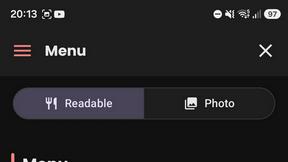
Smart translate any restaurant menu
Forms Plugin
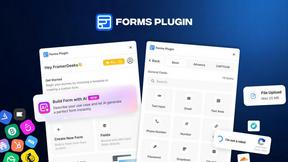
The #1 Native Form Builder Plugin for Framer - No Code, No Embeds, No External Platforms.
AudioVideo
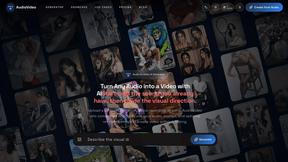
Turn podcasts, narration, voice recordings, or music into visual content with an Audio to Video AI generator.